Vero V
OSMC May 2026/2026-05-2
paste.osmc.tv/alopudicoc
/media/Elements_
NTFS File System
Hi, I have been having issues with Vero V mounting my External WD Elements Powered Desktop Drive.
I only use the USB 3.0 port with no other drives plugged in and the standard OSMC remote.
Also I don’t use any hubs etc
My movies which are scanned in are in the path /media/Elements/Movies/Action /media/Elements/Movies/Animation etc etc
But sometimes the drive doesnt mount it to this path I guess its not detected correctly and it changes it to /media/Elements_/Movies/Action etc
I’ve tried plugging my usb drive into my laptop and running a scandisk on it no errors were found.
I’ve tried plugging it back to my odroid n2 and turning it off and on approx 20+ times without any issues like this and never had any drive issues with the odrind n2 and coreelec.
I only brought the Vero V this year and not used it much but this issue has come up a few times now and its frustrating.
I love the device other than this as everything else works great for me.
Also tested the drive SMART
Check Result
Overall SMART health PASSED
Short self-test Completed without error
Reallocated sectors 0
Pending sectors 0
Uncorrectable sectors 0
Interface CRC errors 0
SMART error log No errors logged
Temperature 37°C
Any suggestions?
Thanks
Rick
An external hard drive being mounted with an appended underscore at the mount point usually occurs when the target directory already exists during the automatic mounting process, to avoid a conflict. For example:
- Hard drive label: XYZ
- Automatic mounting would normally take place at /media/XYZ
- If /media/XYZ already exists when the automatic mount is triggered, the system attempts to mount the drive at /media/XYZ_ instead.
Therefore, you need to determine why this directory already exists at the time of mounting! If the USB connection to the WD Elements HDD is unstable, it is possible that a timing issue occurs: the drive might be briefly disconnected, but the now-empty directory (/media/Elements) has not yet been removed or deleted before the system attempts to mount the medium again. It might be helpful if you upload a log set here as soon as you notice the problem:
Instructions:
To get a better understanding of the problem you are experiencing we need more information from you. The best way to get this information is for you to upload logs that demonstrate your problem. You can learn more about how to submit a useful support request here.
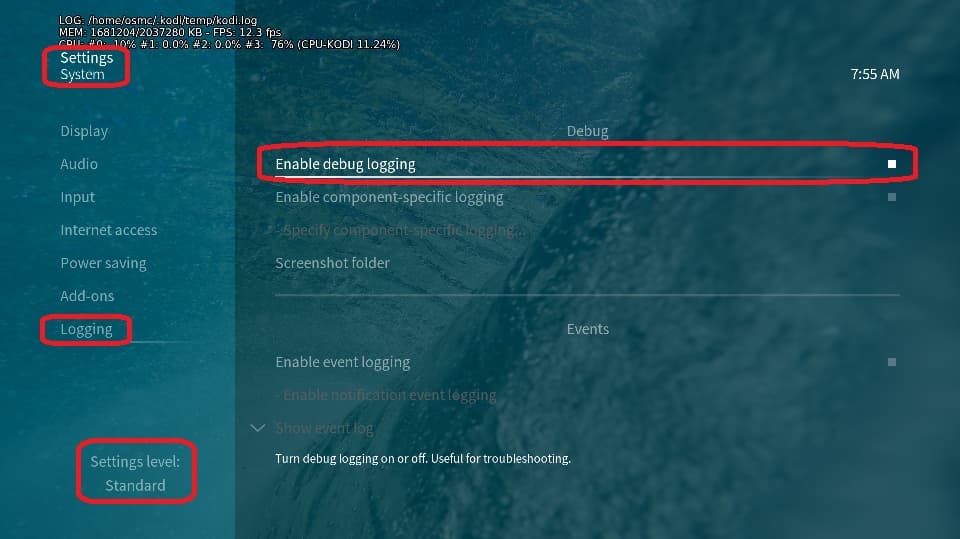
Depending on the used skin you have to set the settings-level to standard or higher, in summary:
-
enable debug logging at settings->system->logging
-
reboot the OSMC device at least twice(!)
-
reproduce the issue (is the WD drive now mounted at /media/Elements_ ?)
-
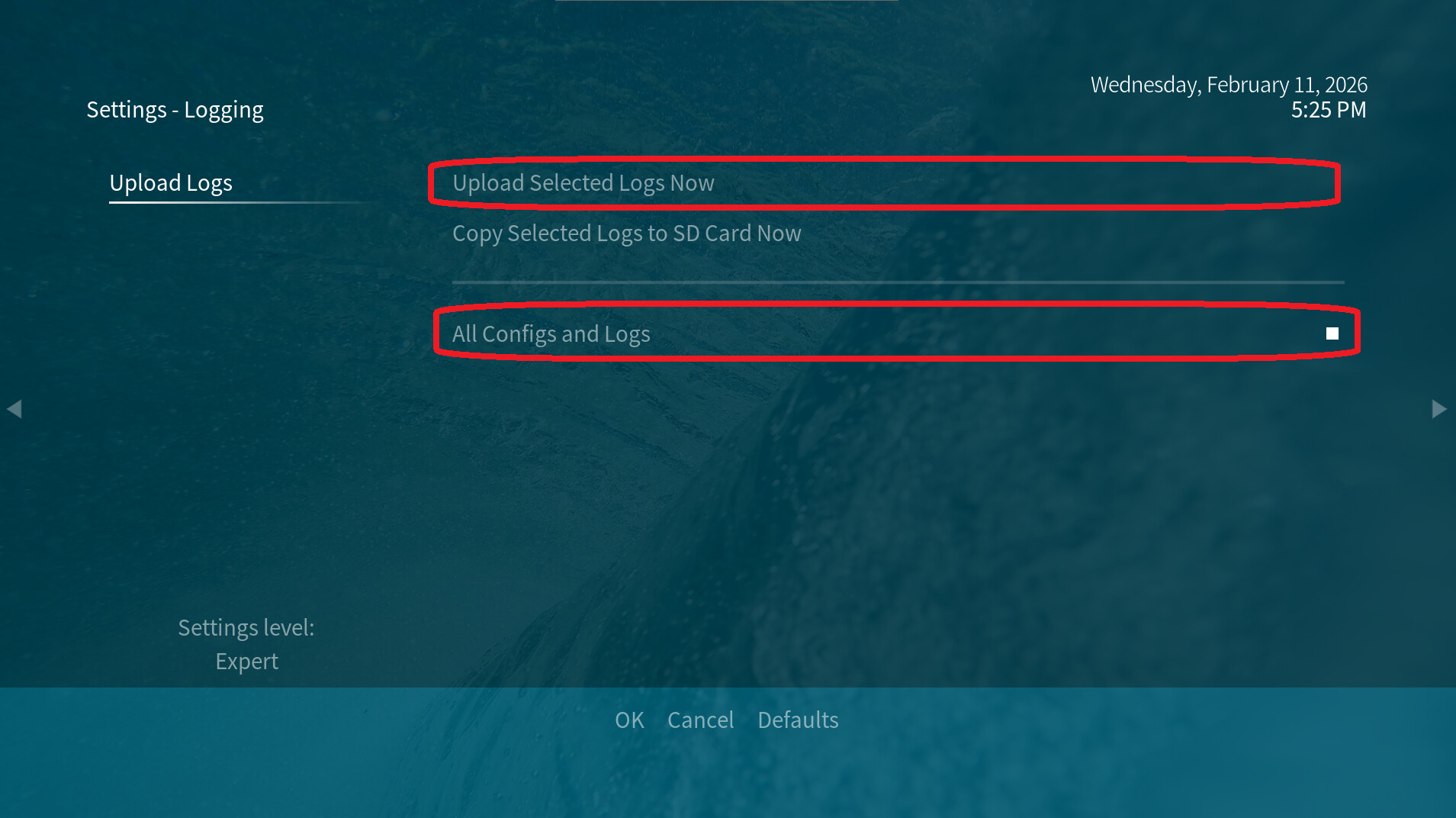
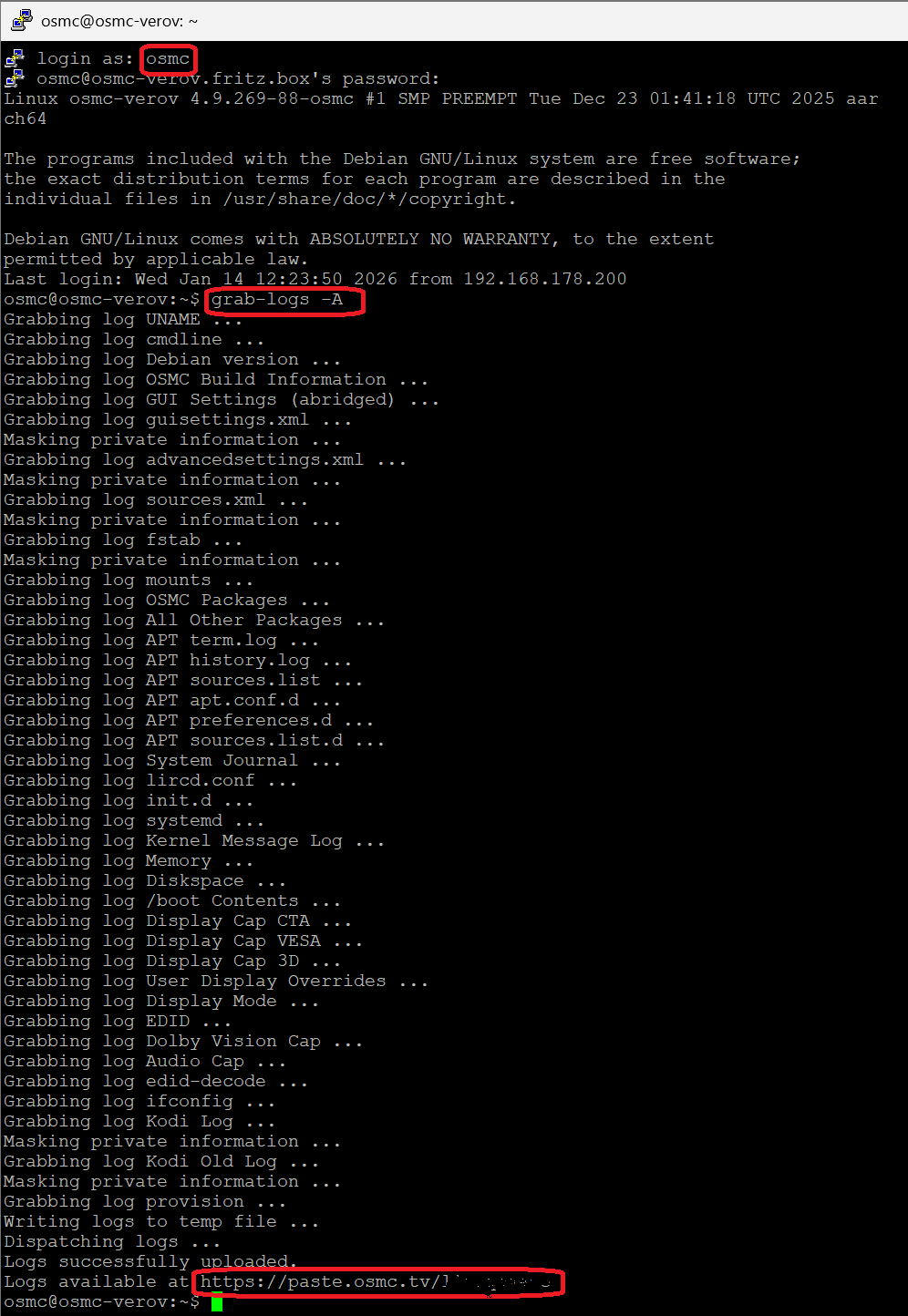
upload the log set (all configs and logs!) either using the Log Uploader method within the My OSMC menu in the GUI or the ssh method invoking command grab-logs -A
-
publish the provided URL from the log set upload, here
Thanks for your understanding. We hope that we can help you get up and running again shortly.
OSMC skin screenshot:
The reason why this is happening is that at some point the drive is dropping unexpectedly (maybe an unexpected power loss) and the mount point gets stuck when the automounter goes to mount the drive again. The fix that usually works would be to tell it to shut down and then unplug the drive and then power cycle. This normally will clear out the old folder and then you can just plug the drive back in once Kodi is running. If for some reason it doesn’t automatically get cleaned up you can ssh in or use file manager in Kodi’s setting to manually delete the stuck folder. If you do this I would strongly recommend to safely remove your external hard drive and unplug it before doing this. You want to remove the stuck mount point, not accidentally delete your media.
If your interested in making sure this never happens again you would need to manually create a mount point. There is a guide [HERE] that will walk you through the best method.
EDIT: It looks like me and @JimKnopf were typing at the same time and he won the race