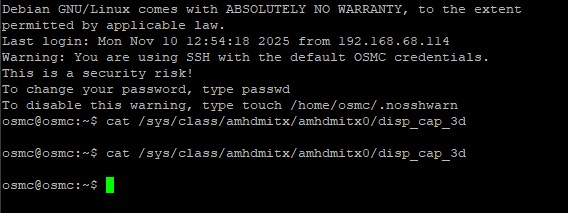
Thanks again @tanio99, we can mark this issue as solved :). The display width for FSBS needs to be 3840… in fact, I think the pixel width/height and display width/height need to match. 3840x1080 for both… https://i.imgur.com/OmKsPcx.png
What’s crazy now, and why I had modified all my FSBS movie headers to display width to 1920, was because this is needed on CoreELEC w/S922X & S905X4 boxes as otherwise this happens (different picture squishing problem, which can’t be rectified via on-screen options on Kodi’s nor display’s): https://i.imgur.com/nkPmvdw.jpeg
Obviously you guys have implemented FSBS (and maybe other aspects of 3D) in some ways differently from CE’s.
I don’t know how they’ve implemented it. When I was working on it I used the clips for testing that users have posted in the forum and/or that they’ve sent me in PMs. So there can be some differences in the implementation for sure.
Think how you’ve done it is correctly… w/CE, needing to change the header to tell Kodi to display 3840 as 1920 doesn’t sound right as FSBS is two 1920x1080 images side-by-side, hence 3840x1080.
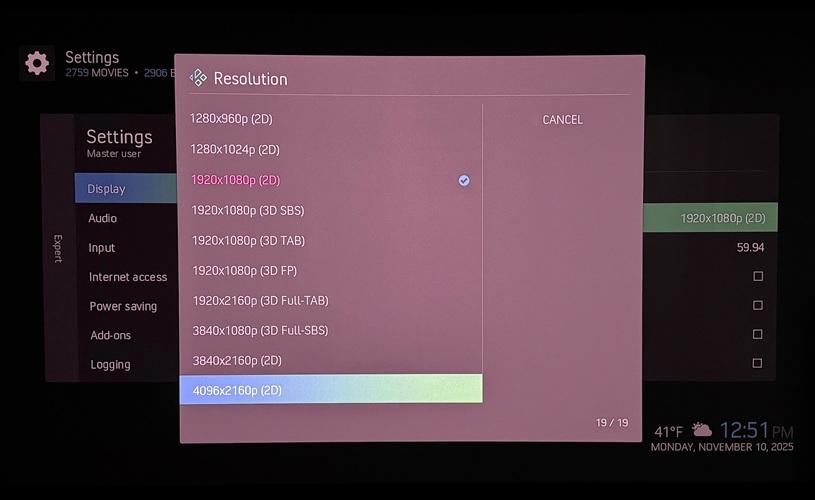
Just to let you know; I had the same issue with 3D HSBS (playing on a Optima beamer), and solved it by tanio99 instructions to add resolutions in disp_cap_3d.
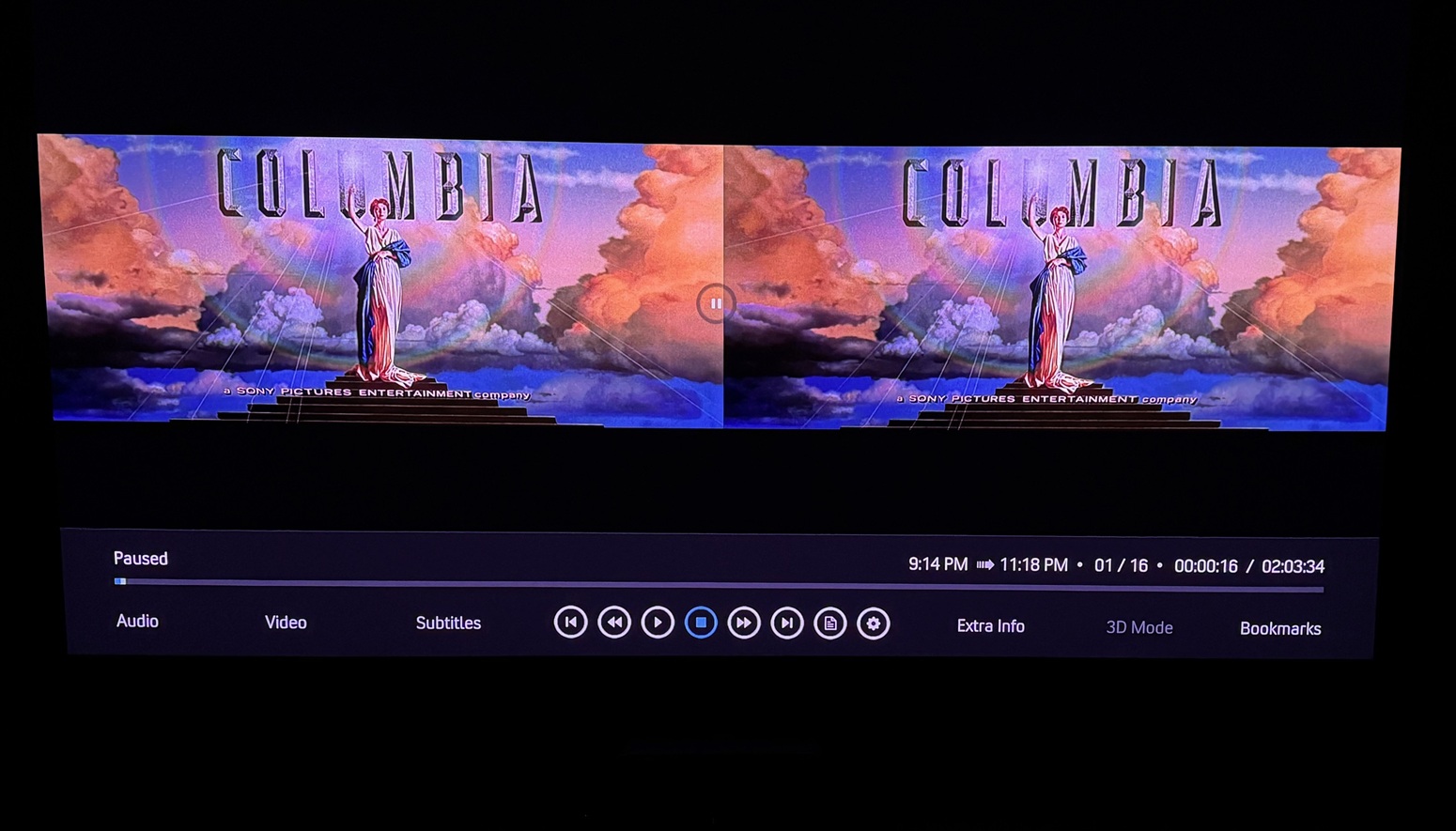
I’m still struggling with 3D HOU movies. They are played in 2D displaying two halves over under… I start a new tread for this?
I had a look at that and, yes, you are not getting the 3D caps relayed through your Onkyo. Either there’s something special about the input (HDMI 6) you are using on the AVR or your other devices are just assuming all 3-D modes are supported and ignoring the EDID.
It’s cases like that that disp_cap_3d is designed to fix.
Actually, nm, upon reboot, all my FSBS titles are playing side by side, w/3D option greyed-out. BTW, this is happening w/the latest CE-NG nightlies as well, so maybe something changed w/Kodi?
I’ve had a look. Everything’s fine here, I can’t see any regression in that regards. Your log doesn’t contain debug infos, so I can’t tell much about your issue. So please, test it again and post DEBUG logs .
Kodi debug log, you could also enable component logging and enable the video component. See also:
To get a better understanding of the problem you are experiencing we need more information from you. The best way to get this information is for you to upload logs that demonstrate your problem. You can learn more about how to submit a useful support request here.
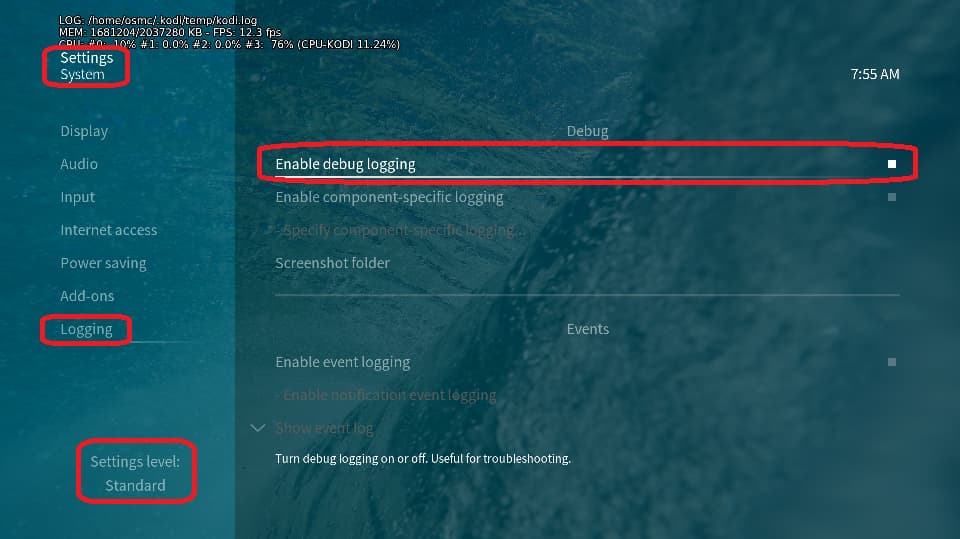
Depending on the used skin you have to set the settings-level to standard or higher, in summary:
enable debug logging at settings->system->logging
reboot the OSMC device twice(!)
reproduce the issue
upload the log set (all configs and logs!) either using the Log Uploader method within the My OSMC menu in the GUI or the ssh method invoking command grab-logs -A
publish the provided URL from the log set upload, here
Thanks for your understanding. We hope that we can help you get up and running again shortly.
FSBS played fine w/my last projector (Hisense PX3-Pro). I just switched to a Valerion Max. FSBS does play fine in 3D using Zidoo Z9X Pro on latter. They’re supposed to be similar projectors, both based on Hisense h/w and s/w.
Here’s MediaInfo for one of the FSBS titles I tested:
General
Unique ID                                : 331484680319360656253358495354370275794 (0xF961A08FBCF14E1B176A351882B239D2)
Complete name                            : Y:\Movies3D\3D FSBS Movie (2023).3D.SBS.ATMOS\3D FSBS Movie (2023).3D.SBS.ATMOS.mkv
Format                                   : Matroska
Format version                           : Version 4
File size                                : 25.9 GiB
Duration                                 : 2 h 53 min
Overall bit rate                         : 21.4 Mb/s
Frame rate                               : 24.000 FPS
Title                                    : 3D FSBS Movie (2023)
Encoded date                             : 2025-10-15 00:28:21 UTC
Writing application                      : mkvmerge 94.0 ('Initiate') 64-bit
Writing library                          : libebml v1.4.5 + libmatroska v1.7.1

Video
ID                                       : 1
Format                                   : AVC
Format/Info                              : Advanced Video Codec
Format profile                           : High@L5
Format settings                          : CABAC / 4 Ref Frames
Format settings, CABAC                   : Yes
Format settings, Reference frames        : 4 frames
Format settings, GOP                     : M=2, N=24
Codec ID                                 : V_MPEG4/ISO/AVC
Duration                                 : 2 h 53 min
Bit rate                                 : 20.9 Mb/s
Width                                    : 3 840 pixels
Height                                   : 800 pixels
Display aspect ratio                     : 4.800
Frame rate mode                          : Constant
Frame rate                               : 24.000 FPS
Color space                              : YUV
Chroma subsampling                       : 4:2:0
Bit depth                                : 8 bits
Scan type                                : Progressive
Bits/(Pixel*Frame)                       : 0.284
Stream size                              : 25.3 GiB (98%)
Language                                 : Chinese
Default                                  : Yes
Forced                                   : No
Color range                              : Limited
Color primaries                          : BT.709
Transfer characteristics                 : BT.709
Matrix coefficients                      : BT.709

Audio
ID                                       : 2
Format                                   : E-AC-3 JOC
Format/Info                              : Enhanced AC-3 with Joint Object Coding
Commercial name                          : Dolby Digital Plus with Dolby Atmos
Codec ID                                 : A_EAC3
Duration                                 : 2 h 53 min
Bit rate mode                            : Constant
Bit rate                                 : 448 kb/s
Channel(s)                               : 6 channels
Channel layout                           : L R C LFE Ls Rs
Sampling rate                            : 48.0 kHz
Frame rate                               : 31.250 FPS (1536 SPF)
Compression mode                         : Lossy
Delay relative to video                  : 22 ms
Stream size                              : 555 MiB (2%)
Title                                    : Dolby ATMOS
Language                                 : Chinese
Service kind                             : Complete Main
Default                                  : Yes
Forced                                   : No
Complexity index                         : 16
Number of dynamic objects                : 15
Bed channel count                        : 1 channel
Bed channel configuration                : LFE
Dialog Normalization                     : -31 dB
compr                                    : -7.82 dB
dialnorm_Average                         : -31 dB
dialnorm_Minimum                         : -31 dB
dialnorm_Maximum                         : -31 dB

Text
ID                                       : 3
Format                                   : PGS
Muxing mode                              : zlib
Codec ID                                 : S_HDMV/PGS
Codec ID/Info                            : Picture based subtitle format used on BDs/HD-DVDs
Duration                                 : 2 h 51 min
Bit rate                                 : 30.3 kb/s
Frame rate                               : 0.439 FPS
Count of elements                        : 4508
Stream size                              : 37.1 MiB (0%)
Language                                 : English
Default                                  : Yes
Forced                                   : Yes

Menu
00:00:00.000                             : zh:Chapter 01
00:14:53.125                             : zh:Chapter 02
00:29:10.958                             : zh:Chapter 03
00:42:03.500                             : zh:Chapter 04
00:57:57.875                             : zh:Chapter 05
01:12:37.832                             : zh:Chapter 06
01:26:13.250                             : zh:Chapter 07
01:41:58.875                             : zh:Chapter 08
01:53:16.957                             : zh:Chapter 09
02:10:10.582                             : zh:Chapter 10
02:22:00.583                             : zh:Chapter 11
02:36:02.790                             : zh:Chapter 12
02:53:11.208                             : zh:Chapter 13
You can’t, that file is automagically created and handled by the kernel. And since it’s empty the kernel reports no 3D support. That’s weird. Is your V connected to an AVR?



 .
.
 .
.