I updated osmc from the devel channel, but the issue with black screen still remains.
Here is my info:
/sys/class/amhdmitx/amhdmitx0/edid
osmc@osmc:~$ cat /sys/class/amhdmitx/amhdmitx0/edid
Rx Manufacturer Name: GSM
Rx Product Code: 81cd
Rx Serial Number: 01010101
Rx Product Name: LG
Manufacture Week: 1
Manufacture Year: 2023
Physical size(mm): 1600 x 900
EDID Version: 1.3
EDID block number: 0x1
blk0 chksum: 0x9d
Source Physical Address[a.b.c.d]: 1.0.0.0
YCC support 0x03, VIC (native 97):
ColorDeepSupport 0xb8 10/12/16/Y444 1/1/0/1
97 96 118 117 102 101 219 218 16 31 4 19 5 20 3 2 18 32 33 34 21 93 94 95 98 99 100 63 64 95 94 93 98
Audio {format, channel, freq, cce}
{1, 1, 0x57, 0x07}
{2, 5, 0x07, 0x50}
{10, 7, 0x07, 0x01}
{7, 5, 0x1e, 0xc0}
{11, 7, 0x7e, 0x07}
{12, 7, 0x04, 0x03}
Speaker Allocation: 0x00
Vendor: 0x000c03 (HDMI device)
MaxTMDSClock1 340 MHz
Vendor2: 0xc45dd8
MaxTMDSClock2 600 MHz
ALLM: 1
vLatency:  Invalid/Unknown
aLatency:  Invalid/Unknown
i_vLatency:  Invalid/Unknown
i_aLatency:  Invalid/Unknown
Colorimetry: 0xc0
SCDC: 1
RR_Cap: 0
LTE_340M_Scramble: 0
  DolbyVision2  HDR/13  DeepColor
checkvalue: 0x9d990000
/sys/class/amhdmitx/amhdmitx0/rawedid
osmc@osmc:~$ cat /sys/class/amhdmitx/amhdmitx0/rawedid
00ffffffffffff001e6dcd81010101010121010380a05a780aee91a3544c99260f5054a1080031404540614071408180d1c00101010108e80030f2705a80b0588a0040846300001e6fc200a0a0a055503020350040846300001e000000fd0018781eff77000a202020202020000000fc004c472054562053534352320a20019d02036cf15d616076756665dbda101f04130514030212202122155d5e5f6263643f40320957071507505707013d1ec05f7e076704036e030c001000b8442c0080010203046dd85dc40178806b432878d33305e200cfe305c000e3060d01e20fffeb0146d00048227e86605e960000000000000000000000000000000000000099
Can you reboot, play that clip with debug logging and post the log, please?
Thanks but please use the OSMC log uploader in MyOSMC or grab-logs -A from the command line so we can see the whole story.
Sorry, didn’t know about this tool
All logs - https://paste.osmc.tv/xobuxewazo
1 Like
Hi, I would like to add my experiences too. Vero V connected to a Denon 1700 AVR which is connected to a Toshiba TV.
Vero on HDMI2 Input: Sound available, nearly no picture (flickering ~2 secs off, 0,5 secs on). I had (but cannot reproduce now) the “Dolby Vision” symbol shortly on the TV-screen. Denon shows the input as HDR 12bit.
On input port HDMI4 Movie plays fine, but no Dolby Vision Symbol, Denon show the input as HDR 10bit. Sound showa as Dolby Digital+.
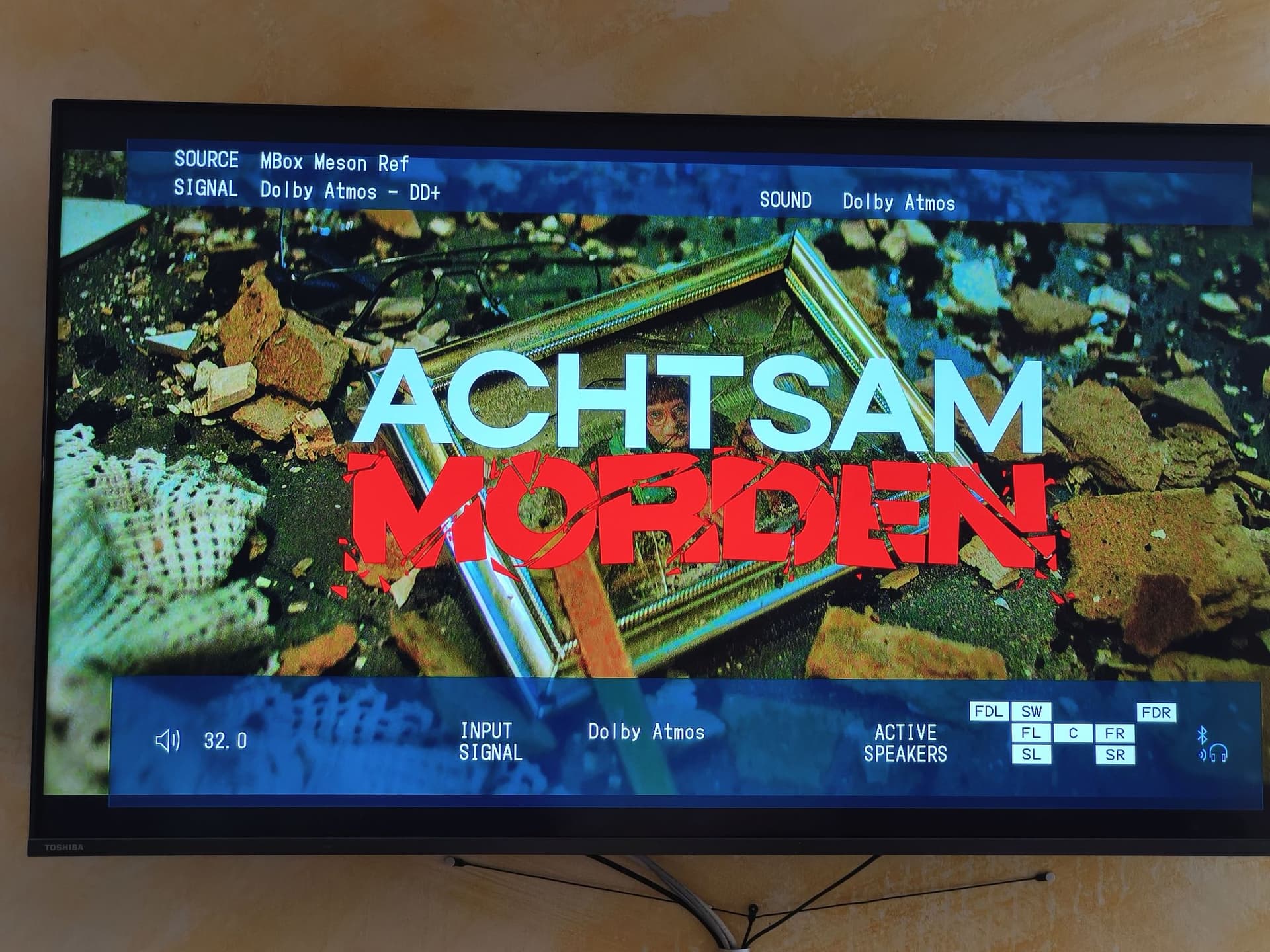
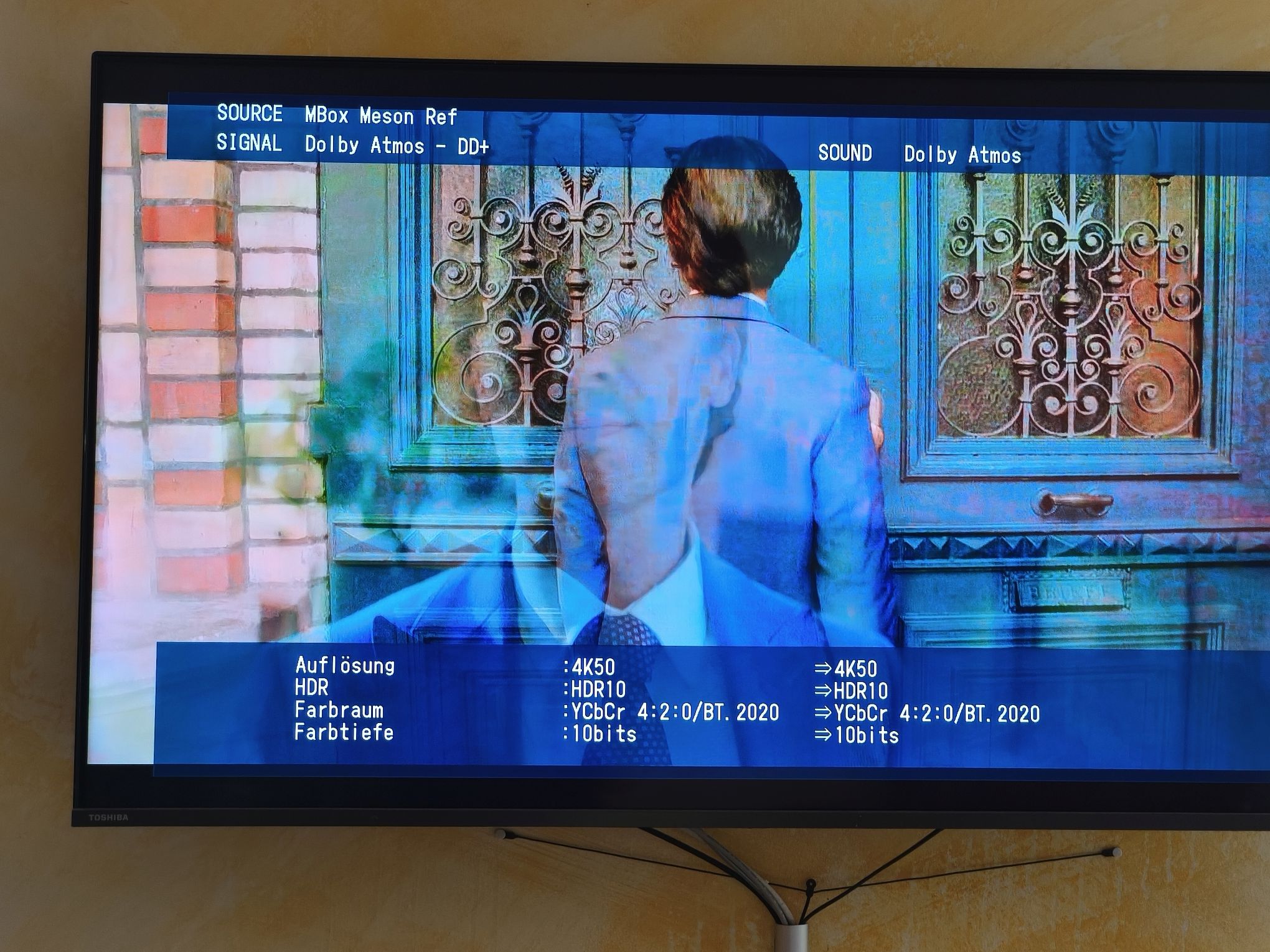
Just for comparison I ran the same movie on the Vero 4K+: Denon shows the input as HDR10 10bit and the sound as Dolby Atmos with all 7 speakers activated.
Output from ‘cat /sys/class/amhdmitx/amhdmitx0/edid’ on Vero V:
Rx Manufacturer Name: DON
Rx Product Code: 0070
Rx Serial Number: 01010101
Rx Product Name: DENON-AVR
Manufacture Week: 0
Manufacture Year: 2021
Physical size(mm): 1210 x 690
EDID Version: 1.3
EDID block number: 0x1
blk0 chksum: 0xf6
Source Physical Address[a.b.c.d]: 1.4.0.0
YCC support 0x03, VIC (native 97):
ColorDeepSupport 0xb8 10/12/16/Y444 1/1/0/1
96 97 31 16 4 19 5 20 3 2 1 17 18 32 33 34 21 22 6 7 93 94 95 101 102 98 99 100 95 94 93 98
Audio {format, channel, freq, cce}
{1, 7, 0x7f, 0x07}
{7, 5, 0x1e, 0xc0}
{2, 5, 0x07, 0x50}
{11, 7, 0x7e, 0x03}
{10, 7, 0x06, 0x03}
{12, 7, 0x7e, 0x03}
{11, 7, 0x7e, 0x01}
Speaker Allocation: 0x5f
Vendor: 0x000c03 (HDMI device)
MaxTMDSClock1 300 MHz
Vendor2: 0xc45dd8
MaxTMDSClock2 600 MHz
vLatency: Invalid/Unknown
aLatency: Invalid/Unknown
i_vLatency: Invalid/Unknown
i_aLatency: Invalid/Unknown
Colorimetry: 0xc3
SCDC: 1
RR_Cap: 0
LTE_340M_Scramble: 0
DolbyVision2 HDR/15 DeepColor
checkvalue: 0xf6c60000
Is this with the clip that @augur42 provided? Does it happen with other content?
It happens with all episodes of a series.
Can you let us have a sample then so we can see if it’s the same issue.
1 Like
Can you recommend a tool to extract part of the mkv? They are all 5GB big
Use mkvtoolnix https://mkvtoolnix.download/
OR
You can send a complete file (which would be better) using https://www.swisstransfer.com/ for which you will need my email address - which I can private message you with. I can then put this on Google Drive for sharing.
Hi
Hopefully the issue is now addressed. This update makes @augur42’s clip play on later LGs as well as his C8.
I’d appreciate it if you could test this and provide feedback before we potentially release this as an update to other users. To test this update:
- Login via the command line
- Run the following command to add the staging repository:
echo 'deb http://apt.osmc.tv bullseye-devel main' | sudo tee /etc/apt/sources.list.d/osmc-devel.list
- Go to My OSMC → Updater → Manual Controls → and select Check for Updates now. When prompted to do so on screen, please choose to install the update.
- Your system should have have received the update.
Please see if the issue is resolved.
I also recommend you remove /etc/apt/sources.list.d/osmc-devel.list after updating.
This will deactivate the staging repository. You can do so with the following command:
sudo rm /etc/apt/sources.list.d/osmc-devel.list.
Please note that we will automatically disable this update channel after 14 days on your device in case you forget to do so to ensure that your system reverts to the stable update channel.
1 Like
Yes, I can confirm that the test file runs without issues after update. Thank you!
2 Likes
Hi Graham, I don’t know if you had a chance to look at my file too. Do you think, I should try your fixes?
Please do. It won’t do any harm.
Yes, I just tried. With the sample file I sent, TV now recognizes the file as Dolby Vision, but it has still dropouts on video (black screen) - it’s less and shorter than before, but still 4 dropouts in the 1st minute. I didn’t notice that with other Dolby Vision files - and I tried really some of them.
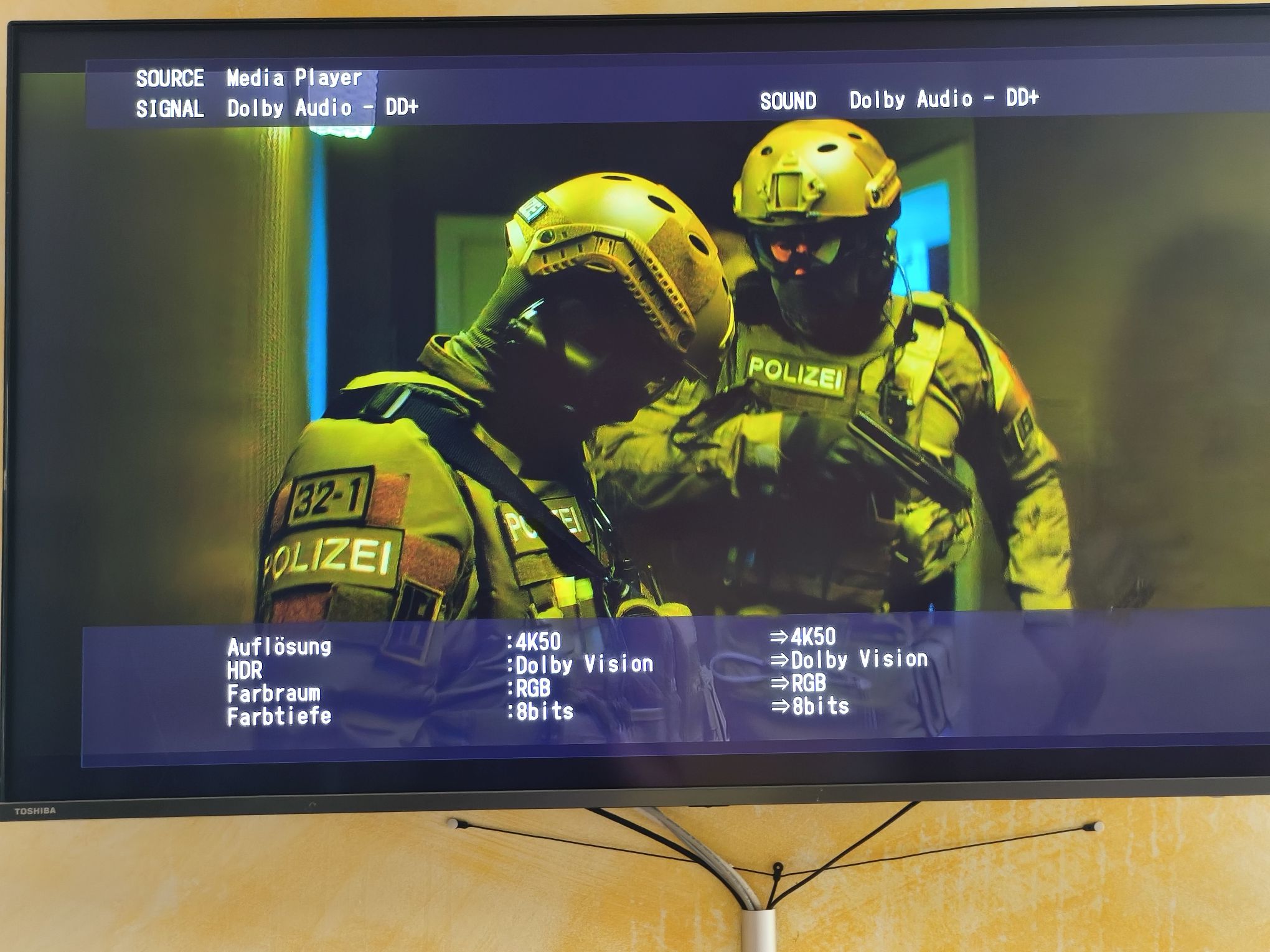
The AVR shows all Dolby Vision files as Colorspace RGB with 8bit color depth, compared to other files where most of them show as colorspace YCbCr.
Audio seems to work fine for Dolby Digital+, TrueHD, DTS, but Dolby Atmos is not recognized (as I wrote before this worked on the Vero 4K)
Graham, did you have a chance to look into my file? The fact that Dolby Atmos is not passed through is also a problem as it seems to occur with all files, not only the sample.
Sorry for not responding sooner. Your file plays fine here. I don’t have Atmos on my AVR so I can’t comment on that. @thechrisgregory played it OK but didn’t mention the audio.
Just a comparison what my Vero 4K+ sends out vs. Vero5. Same file played on both devices.