I have a 3D projector with Active Shutter 3D glasses, should I be able to view 3D movies from OSMC Kodi or is this not supported yet?
I have tried, but it doesn’t display correctly.
This seems to indicate that Kodi currently provides no support for active 3D. For a more detailed answer you will probably want to seek support directly from Kodi at http://forum.kodi.tv
Active / Passive is determined by the display, not the playback device so they should work fine. I have a projector with active shutter glasses and have no issues. The Raspberry Pi can play a variety of 3D content formats.
Sam
Some early 3D ready projectors need alternating frame input @120 Hz to operate in 3d mode but most newer ones can convert 3D formats like thb or sbs to display them with their built in software.
I use active 3D aswell, but then on a 2015 model big screen tv, works perfectly!
@sam_nazarko would it be possible to know your settings for this to work ? I can’t get my Vero V to display 3D movies.
I think @tanio99 has picked things up for you now. Let me know if you need further information
Sam
To get a better understanding of the problem you are experiencing we need more information from you. The best way to get this information is for you to upload logs that demonstrate your problem. You can learn more about how to submit a useful support request here.
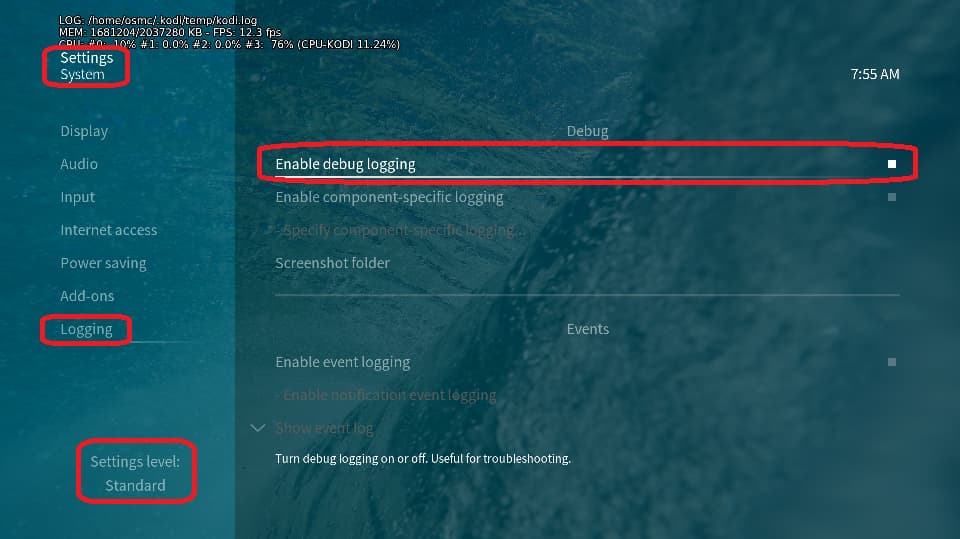
Depending on the used skin you have to set the settings-level to standard or higher, in summary:
-
enable debug logging at settings->system->logging
-
reboot the OSMC device twice(!)
-
reproduce the issue
-
upload the log set (all configs and logs!) either using the
Log Uploadermethod within the My OSMC menu in the GUI or thesshmethod invoking commandgrab-logs -A -
publish the provided URL from the log set upload, here
Thanks for your understanding. We hope that we can help you get up and running again shortly.
OSMC skin screenshot:
Here we are: https://paste.osmc.tv/oriqasicin
As soon as Kodi starts, the active shutter glasses go in 3D mode (I can see the blinking). However the movie is displayed as 2 halves left/right.
It seems you forgot to enable debug logging. So please try again.
1 Like
Oops sorry. https://paste.osmc.tv/caqugasebi
Thanks. I can see what the problem is. Neither the video name nor the video metadata contain any hint that it’s a 3D clip. That’s why Kodi plays it as 2D.
The name of the media file is 2011 - Les Aventures de Tintin - Le Secret de La Licorne - French 3D - RPWork.mp4 - isn’t there a hint of 3D ?
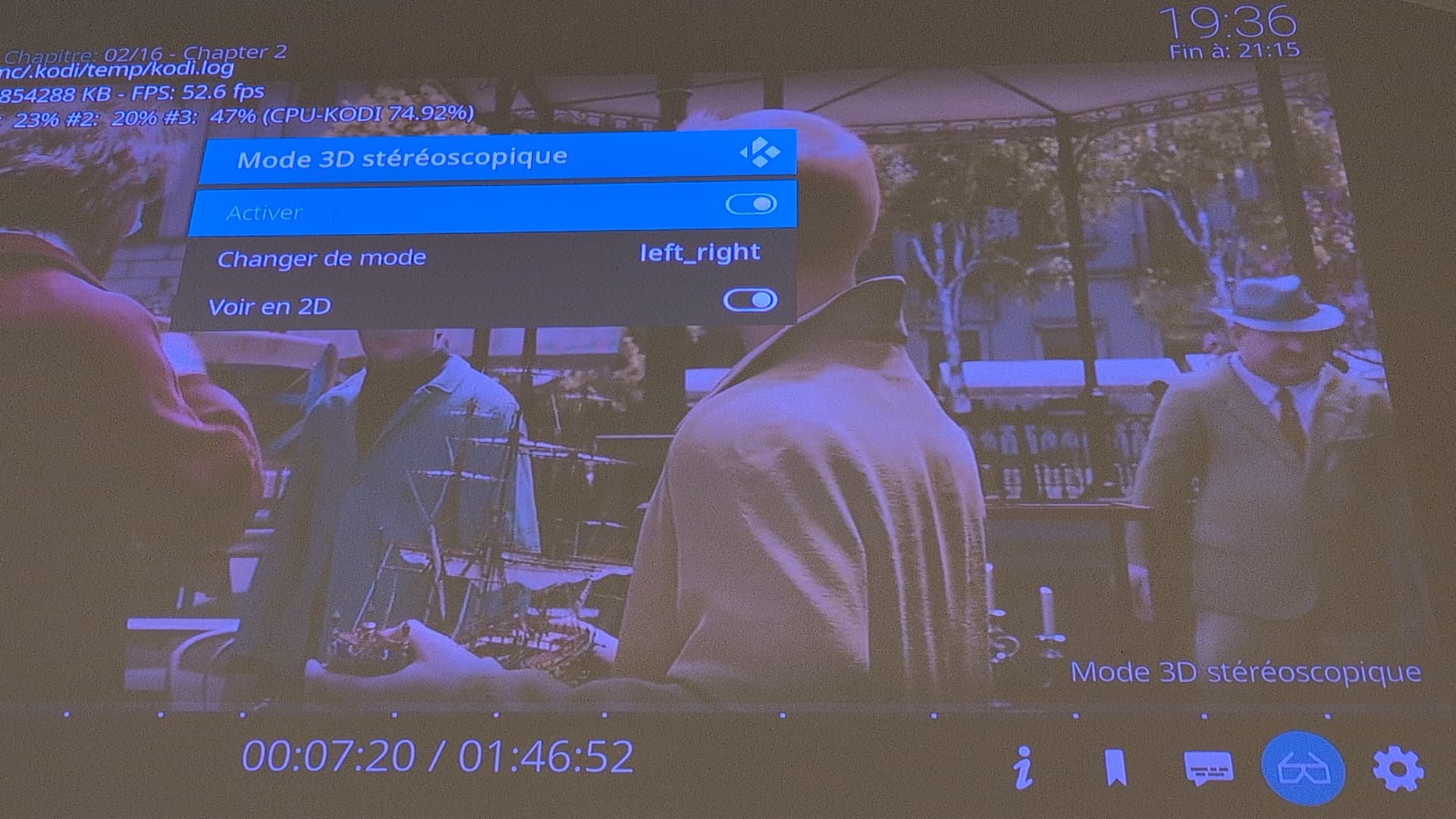
I have renamed the file to ... 3D SBS ..., now Kodi asks me which mode to use. I choose “Preferred (as the movie)” (roughly translated from French) and now the film displays as 1 full-screen image, but still no 3D.
The “glasses logo” is there, it open this menu (which tends to say that it’s in 2D mode) and I can’t change anything in it:
Can you have a look at your “Adjust display refresh rate” setting? Your log says that you’ve turned it off. Try to enable it, set it to “always” or “on start/stop” and give it a try.
1 Like
Hey bingo ! That works !
Thanks a lot. I don’t understand why that’s needed, but that made it work.
Well otherwise the Video is sent at the GUI resolution and video mode and your projector would not switch to 3D. Therefore it’s by default on “start/stop” you must have disabled it.
1 Like
Good spot.
Yes my previous projector was taking ages to switch resolutions/framerates, so I fixed it.