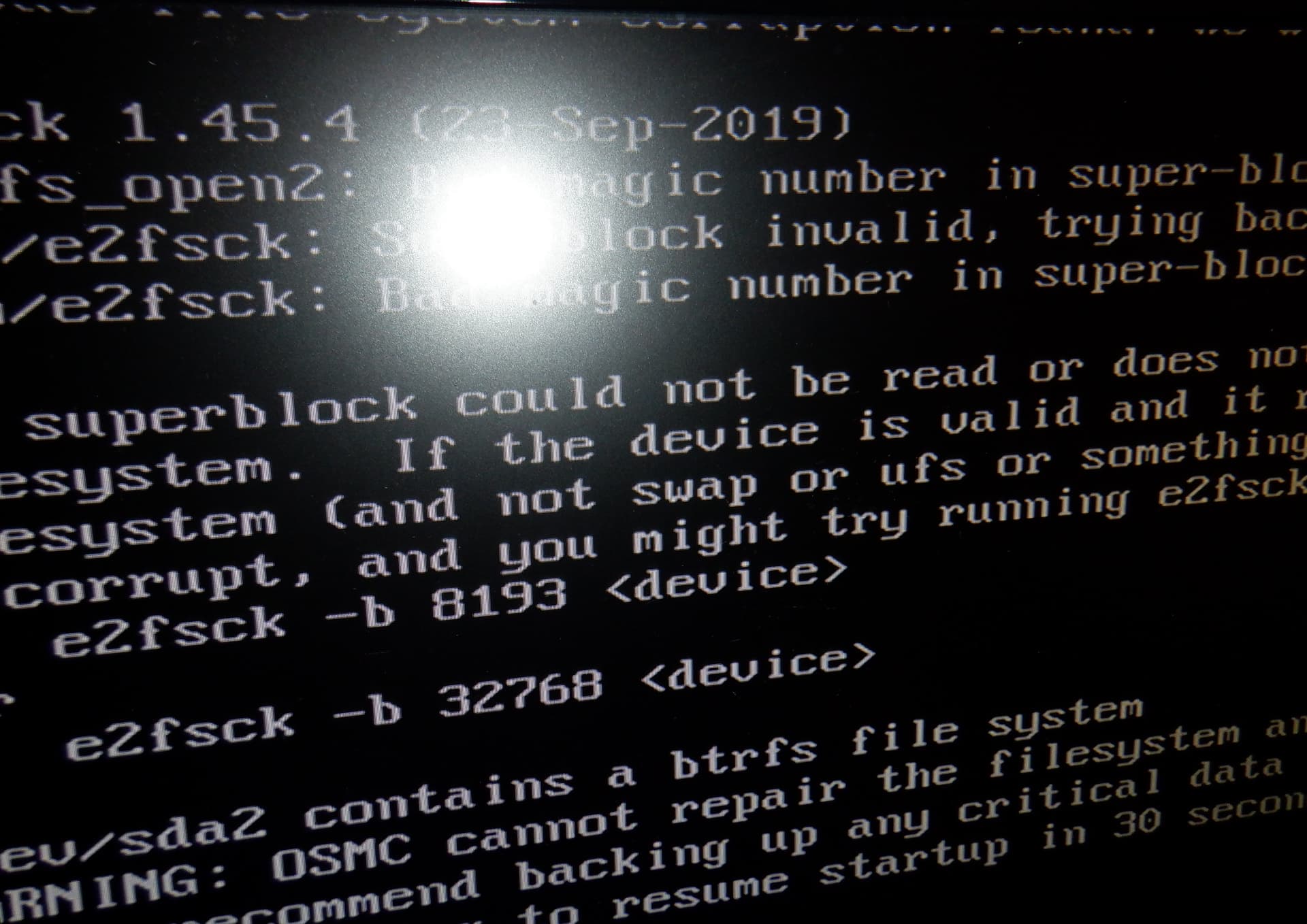
Hi, I want to use btrfs instead of Ext4 on latest OSMC for Raspberry pi4.
I have made those steps
a) made a backup with rsync
b)format my usb disk with btrfs
mkfs.btrfs /dev/sdb2
c)create subvol @
mount/dev/sdb2 /mnt

cd /mnt

btrfs subvol create @

cd

umount /mnt

mount -o subvol=@ /dev/sdb2 /mnt
d)restore backup on /mnt with rsync
e)edit config.txt and cmdline.txt
config.txt
arm_64bit=1
disable_fw_kms_setup=1
disable_overscan=1
disable_splash=1
dtoverlay=rpivid-v4l2
dtoverlay=vc4-kms-v3d,cma-256
dtoverlay=vc4-kms-v3d,cma-512
hdmi_ignore_cec_init=1
include config-user.txt
initramfs initrd.img-5.15.92-1-osmc followkernel
kernel=kernel.img
root=/dev/sda2 rootfstype=btrfs initrd=/boot/initrd.img-5.15.92-1-osmc rootwait quiet osmcdev=rbp4 rootflags=subvol=@
start_x=1
cmdline.txt
root=/dev/sda2 rootflags=subvol=/@ rootfstype=btrfs initrd=/boot/initrd.img-5.15.92-1-osmc rootwait quiet osmcdev=rbp4
What I miss?
When I start the device appear the “initramfs console” and said it cannot mount (no such device)
the device, but If I try to mount it manually works. It also give error about bad superblock on ext4 (but is not ext4).
What I miss?
Can you take a photo of the console?
I thought from previous posts you had it working.
You may need to adjust init= because our init will still try and mount ext4.
Out of curiosity, how big is your initramfs (du -h output please). Maybe we should look at using the Debian one for Raspberry Pi and adjusting our initramfs to include our helper scripts instead.
1 Like
du -h initrd.img-5.15.92-1-osmc
9.6M initrd.img-5.15.92-1-osmc
No, is not working. It arrive on console and said the error message, manual mount works, but on reboot same error (try to check ext4, exit with errors, etc)
Thanks, that’s quite large. Possibly best avoided. Not sure why it needs to be that large and I’m sure it could be reduced.
See:
and
I am happy to add btrfs support to our initramfs and think that is the best approach.
But where is your boot failing, can you please show me a photo of where it fails as requested previously?
If you are using your own initramfs, this should not be firing unless it hands over to our initramfs. But I would not expect this behaviour.
If this is the case, I’d suggest the following:
- Introduce some flag so we don’t try and remount the rootfs, can just pass something in your initramfs like ‘alreadymounted’ to cmdline so we just switch_root directly.
- Support btrfs directly (would do this first).
Because you’re passing parameters like ``rootflags=subvol=@``, I’d like to support btrfs directly instead. I know btrfs has excellent snapshot capabilities but wasn’t aware that it had significant advantages on devices like RBP with SD backed storage.
Sam
1 Like
Give me some minutes/hours, I will show a pic or better a movie showing fail
Sorry for bad quality I hope is readable
As you can see it fail, but I can mount manually fs!
After do “exit” give me black screen