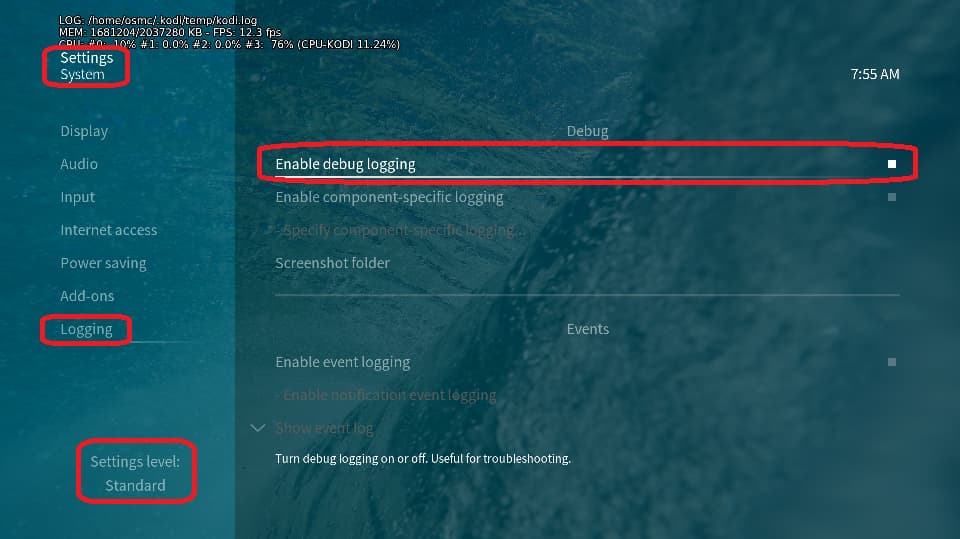
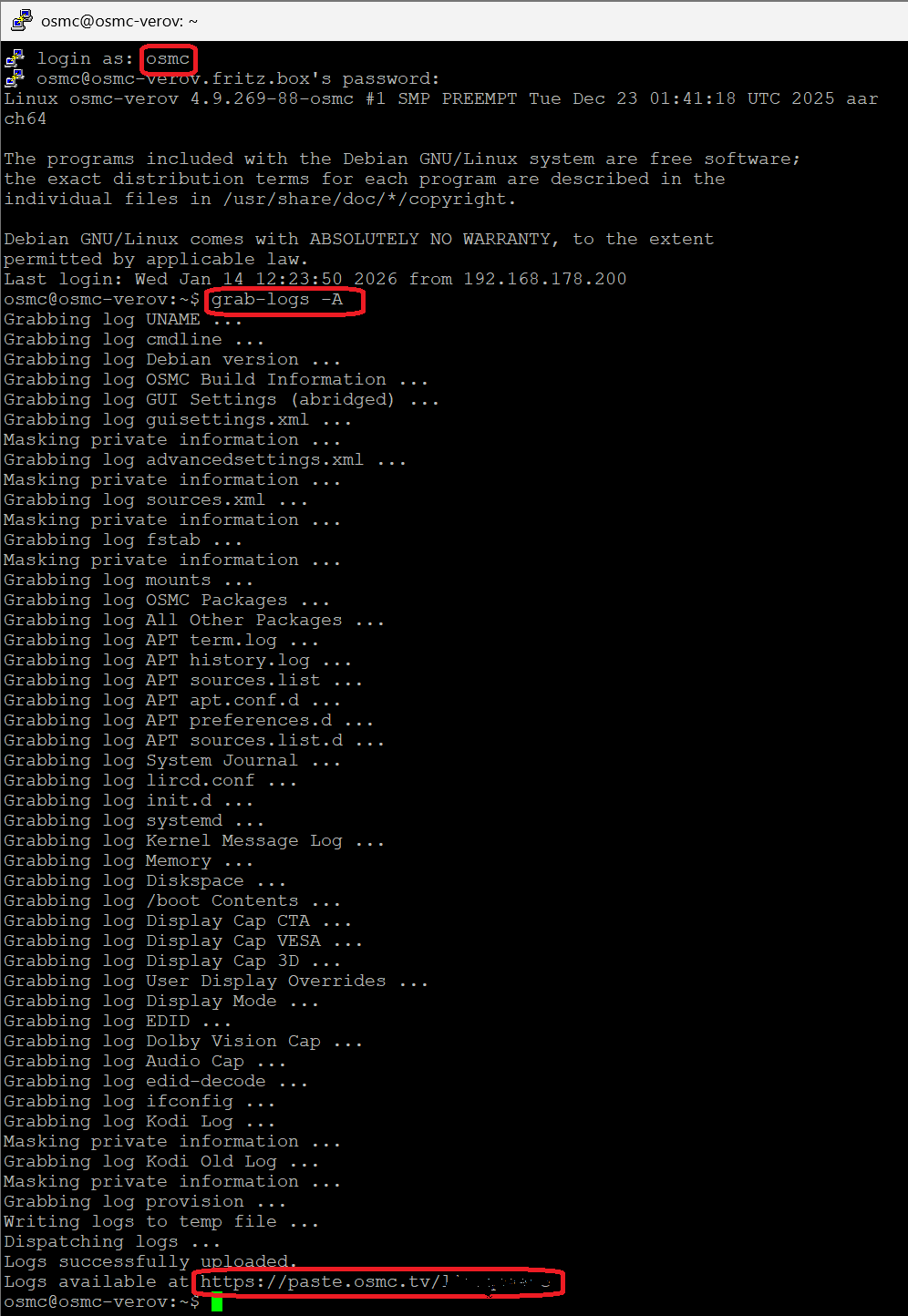
Happened maybe once or twice since I have Vero V and I usually just go and find another release.
Basically now 3rd time still not the charm so getting curious.
Initial release:
Black screen, no audio though according to Kore on my phone, the file was playing.
Didn’t try and troubleshoot. Got another release (extract named “Extract Source 1 Episode 1” in link).
It played: watched first episode and half of second episode.
Next day, resuming 2nd episode: black screen, no audio etc.
First episode wouldn’t play anymore either.
Tried few reboots of my setup, nothing worked.
Got a 2nd release (extract named “Extract Source 2 Episode 2” in link)
Black screen, no audio etc - there as well Kore reports it is actually playing.
Before I got into troubleshooting mode, logs etc:
Can anyone tell if the files are “too much” for Vero V ?
I have a vague memory of my Vero 4k having some troubles with too many subtitles in a file (there are >30 of those in those releases)
Video files extracts (15 seconds each)
Per mediainfo, Extract Source 1 Episode 1 (minus subtitles info)
Summary
Format : Matroska
Format version : Version 4
File size : 34.2 MiB
Duration : 16 s 928 ms
Overall bit rate : 16.9 Mb/s
Frame rate : 25.000 FPS
Title : test
Encoded date : 2026-03-15 08:50:33 UTC
Writing application : mkvmerge 95.0 (‘Goodbye Stranger’) 64-bit
Writing library : libebml v1.4.5 + libmatroska v1.7.1Video
ID : 1
Format : HEVC
Format/Info : High Efficiency Video Coding
Format profile : Main 10@L5@Main
HDR format : SMPTE ST 2094 App 4, Version 1, HDR10+ Profile B compatible
Codec ID : V_MPEGH/ISO/HEVC
Duration : 16 s 920 ms
Bit rate : 16.3 Mb/s
Width : 3 840 pixels
Height : 1 920 pixels
Display aspect ratio : 2.000
Frame rate mode : Constant
Frame rate : 25.000 FPS
Color space : YUV
Chroma subsampling : 4:2:0
Bit depth : 10 bits
Bits/(Pixel*Frame) : 0.088
Stream size : 32.8 MiB (96%)
Default : Yes
Forced : No
Color range : Limited
Color primaries : BT.2020
Transfer characteristics : PQ
Matrix coefficients : BT.2020 non-constant
Mastering display color primaries : Display P3
Mastering display luminance : min: 0.0001 cd/m2, max: 1000 cd/m2
Maximum Content Light Level : 965 cd/m2
Maximum Frame-Average Light Level : 217 cd/m2Audio
ID : 2
Format : E-AC-3
Format/Info : Enhanced AC-3
Commercial name : Dolby Digital Plus
Codec ID : A_EAC3
Duration : 16 s 928 ms
Bit rate mode : Constant
Bit rate : 640 kb/s
Channel(s) : 6 channels
Channel layout : L R C LFE Ls Rs
Sampling rate : 48.0 kHz
Frame rate : 31.250 FPS (1536 SPF)
Compression mode : Lossy
Stream size : 1.29 MiB (4%)
Language : English
Service kind : Complete Main
Default : Yes
Forced : No
Dialog Normalization : -31 dB
compr : -0.28 dB
Dialogue normalization, average : -31 dB
Dialogue normalization, minimum : -31 dB
Dialogue normalization, maximum : -31 dB
Per mediainfo, Extract Source 2 Episode 2 (minus subtitles info)
Summary
Format : Matroska
Format version : Version 4
File size : 23.6 MiB
Duration : 16 s 39 ms
Overall bit rate : 12.4 Mb/s
Frame rate : 25.000 FPS
Title : test
Encoded date : 2026-03-15 08:51:44 UTC
Writing application : mkvmerge 95.0 (‘Goodbye Stranger’topic deleted by author) 64-bit
Writing library : libebml v1.4.5 + libmatroska v1.7.1
Video
ID : 1
Format : HEVC
Format/Info : High Efficiency Video Coding
Format profile : Main 10@L5@Main
HDR format : SMPTE ST 2094 App 4, Version 1, HDR10+ Profile B compatible
Codec ID : V_MPEGH/ISO/HEVC
Duration : 16 s 0 ms
Bit rate : 11.7 Mb/s
Width : 3 840 pixels
Height : 1 920 pixels
Display aspect ratio : 2.000
Frame rate mode : Constant
Frame rate : 25.000 FPS
Color space : YUV
Chroma subsampling : 4:2:0
Bit depth : 10 bits
Bits/(Pixel*Frame) : 0.064
Stream size : 22.4 MiB (95%)
Language : English (GB)
Default : Yes
Forced : No
Color range : Limited
Color primaries : BT.2020
Transfer characteristics : PQ
Matrix coefficients : BT.2020 non-constant
Mastering display color primaries : Display P3
Mastering display luminance : min: 0.0001 cd/m2, max: 1000 cd/m2
Maximum Content Light Level : 958 cd/m2
Maximum Frame-Average Light Level : 246 cd/m2
Audio
ID : 2
Format : E-AC-3
Format/Info : Enhanced AC-3
Commercial name : Dolby Digital Plus
Codec ID : A_EAC3
Duration : 16 s 0 ms
Bit rate mode : Constant
Bit rate : 640 kb/s
Channel(s) : 6 channels
Channel layout : L R C LFE Ls Rs
Sampling rate : 48.0 kHz
Frame rate : 31.250 FPS (1536 SPF)
Compression mode : Lossy
Stream size : 1.22 MiB (5%)
Title : Original | English (United Kingdom)
Language : English (GB)
Service kind : Complete Main
Default : Yes
Forced : No
Dialog Normalization : -31 dB
compr : -0.28 dB
Dialogue normalization, average : -31 dB
Dialogue normalization, minimum : -31 dB
Dialogue normalization, maximum : -31 dB