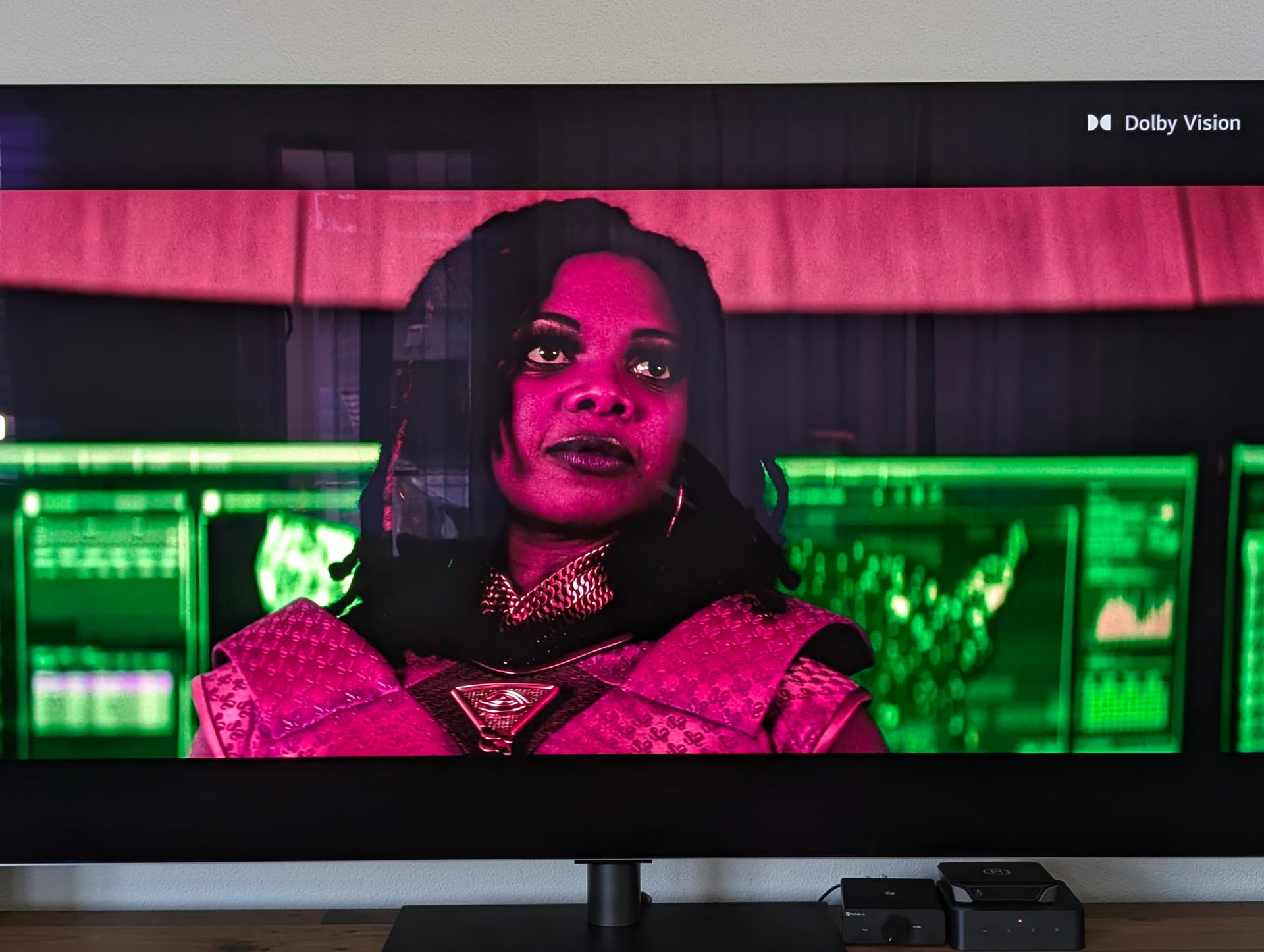
DV Profile 5 Green/Violet Colors

Hi There,

I have issues watching a DV Profile 5 file.

I get shifted colors. I read through the forum and it seems the vero v should do an automatic tone mapping. But in my case it doesn’t seem to work? Anything I am doing wrong?

TV is a 65” LG G5. Vero 5 is updated to the latest version (May 2026)

File info:

General
Unique ID : 219082229802590101637163492849366329555 (0xA4D1B3E1EB25A7D61B041CE0D0BFE8D3)
Complete name : E:\Movies\The Boys\Season 5\the.boys.s05e01.german.dl.dv.2160p.web.h265-rile.mkv
Format : Matroska
Format version : Version 4
File size : 8.82 GiB
Duration : 1 h 3 min
Overall bit rate : 19.8 Mb/s
Frame rate : 23.976 FPS
Encoded date : 2026-04-08 07:04:17 UTC
Writing application : mkvmerge 74.0.0 (‘You Oughta Know’) 64-bit
Writing library : libebml v1.4.4 + libmatroska v1.7.1

Video
ID : 1
Format : HEVC
Format/Info : High Efficiency Video Coding
Format profile : Main 10@L5@Main
HDR format : Dolby Vision, Version 1.0, Profile 5, dvhe.05.01, BL+RPU, no metadata compression
Codec ID : V_MPEGH/ISO/HEVC
Duration : 1 h 3 min
Bit rate : 18.6 Mb/s
Width : 3 840 pixels
Height : 2 160 pixels
Display aspect ratio : 16:9
Frame rate mode : Constant
Frame rate : 23.976 (24000/1001) FPS
Color space : YUV
Chroma subsampling : 4:2:0
Bit depth : 10 bits
Bits/(Pixel*Frame) : 0.093
Stream size : 8.27 GiB (94%)
Default : Yes
Forced : No
Color range : Full
Color primaries : BT.2020
Transfer characteristics : PQ
Matrix coefficients : IPT-PQ-C2
To get a better understanding of the problem you are experiencing we need more information from you. The best way to get this information is for you to upload logs that demonstrate your problem. You can learn more about how to submit a useful support request here.

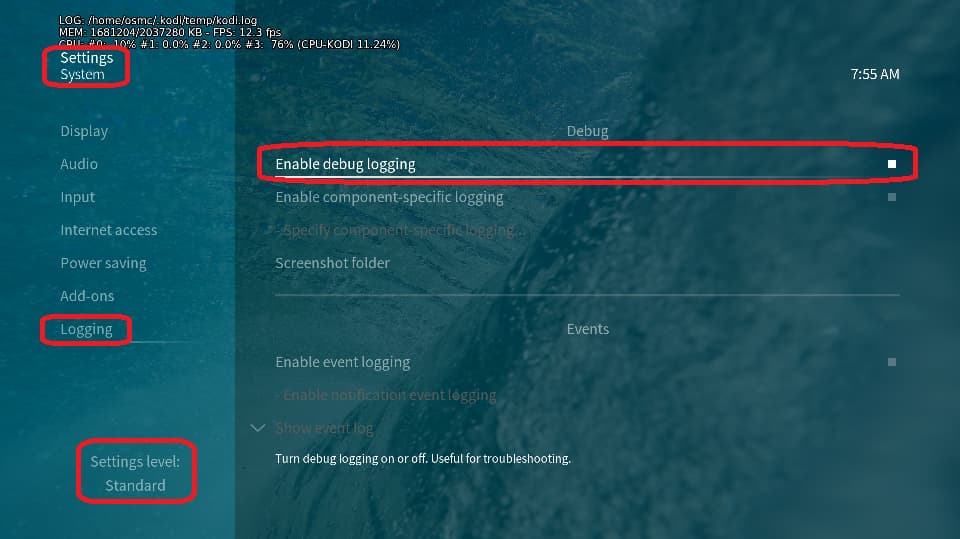
Depending on the used skin you have to set the settings-level to standard or higher, in summary:

  • enable debug logging at settings->system->logging

  • reboot the OSMC device twice(!)

  • reproduce the issue

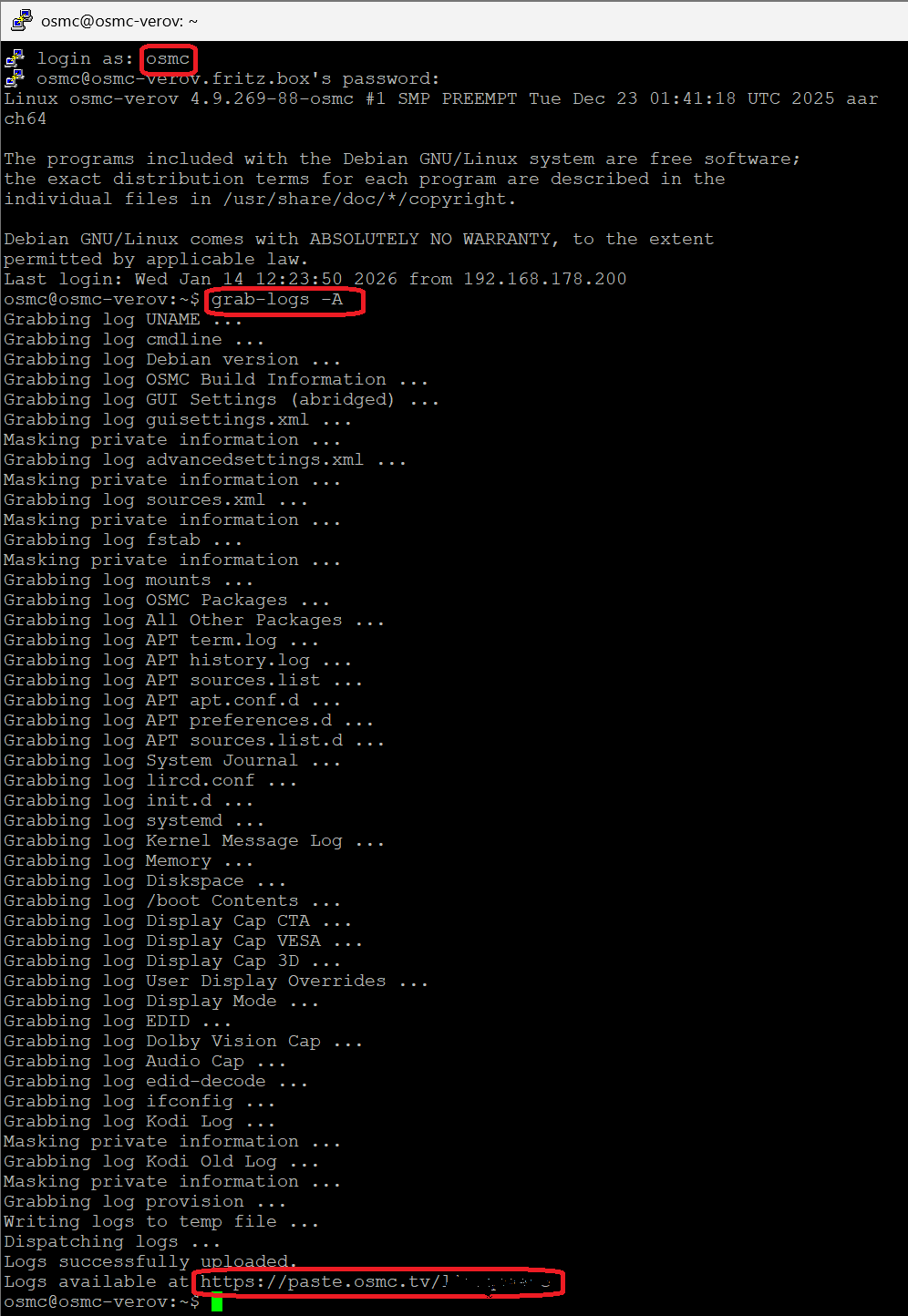
  • upload the log set (all configs and logs!) either using the Log Uploader method within the My OSMC menu in the GUI or the ssh method invoking command grab-logs -A

  • publish the provided URL from the log set upload, here

Thanks for your understanding. We hope that we can help you get up and running again shortly.

OSMC skin screenshot:

Alright I got the logs:

https://paste.osmc.tv/ocebababiw

I see this:

Jun 01 15:43:57.964588 osmc kernel: DV:[0,1361360000,12,DOVI,408,0]
Jun 01 15:43:57.964677 osmc kernel: am_vecm: signal type changed
Jun 01 15:43:57.964764 osmc kernel: hdmitx: hdmitx_set_hdr10plus_pkt: null vsif
Jun 01 15:43:57.964858 osmc kernel: hdmitx: hdmitx_set_vsif_pkt: type=1, tunnel_mode=1, signal_sdr=0
Jun 01 15:44:04.133614 osmc kernel: DOLBY ERROR: meta(322), pts64(1367741000) -> parser process fail
Jun 01 15:44:04.133965 osmc kernel: DOLBY ERROR: meta(322), pts64(1367741000) -> metadata parser process fail

Can you upload a short clip of that video somewhere so we can see why you are getting that message?

Can you give me a hint which tool to use to crop out a short clip of the whole file?
I can also upload the whole file or would this be overkill? 8,64GB.

NVM I used lossless cut.

Here is the sample: https://drive.google.com/file/d/1HhrCzFcAjlWJufUIBF5WIyXWZKbTavkQ/view?usp=sharing

Thanks. 8G would have been overkill :stuck_out_tongue: I think I know what this is. Stay tuned.

Different symptoms but I think you will find the answer here DV profile 5 shows white screen on one show only - #14 by grahamh

1 Like

Hi!

After applying the patch from your linked thread I can confirm that the colors are back to normal!
Awesome!

I hope this patch finds its way into the stable release channel too :slight_smile:

1 Like

Hi,

It will be soon, but we plan to get a few more fixes in first before the next stable release

Cheers

Sam

3 Likes

That is fine. Thank’s a lot for the fast support.