I’ve just replaced my proj with a 4k device, & am now starting to use Vero for video, mostly used it for audio previously.
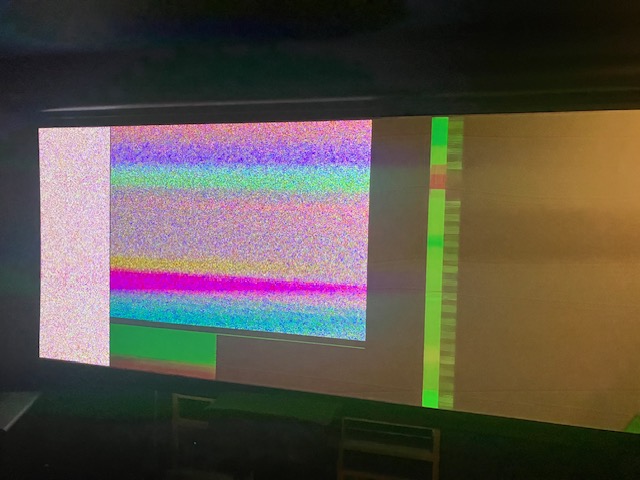
I have a variety of test clips in a lib, with different resolutions, mostly mkv, & getting various types of issues, ranging from flashing screen to Vero switching off, etc.
Before I try an updated HDMI cable, are there any settings I need to check on the device, to get the highest resolution sent to the display please?
thanks
edit: don’t think it’s the HDMI cable, tried connecting it direct to proj using hi-speed fibre cable, still get failures…..
Hi, hard to say what’s wrong here. A log set is required. I’ve no idea idea what you mean by hi-speed fibre cable in the area of hdmi. Please, explain this more in detail.
To get a better understanding of the problem you are experiencing we need more information from you. The best way to get this information is for you to upload logs that demonstrate your problem. You can learn more about how to submit a useful support request here.
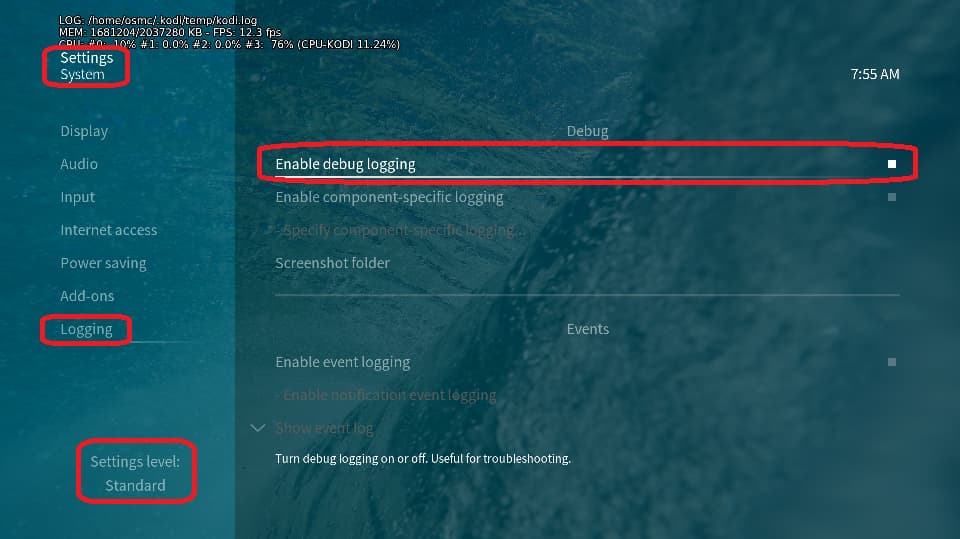
Depending on the used skin you have to set the settings-level to standard or higher, in summary:
enable debug logging at settings->system->logging
reboot the OSMC device twice(!)
reproduce the issue
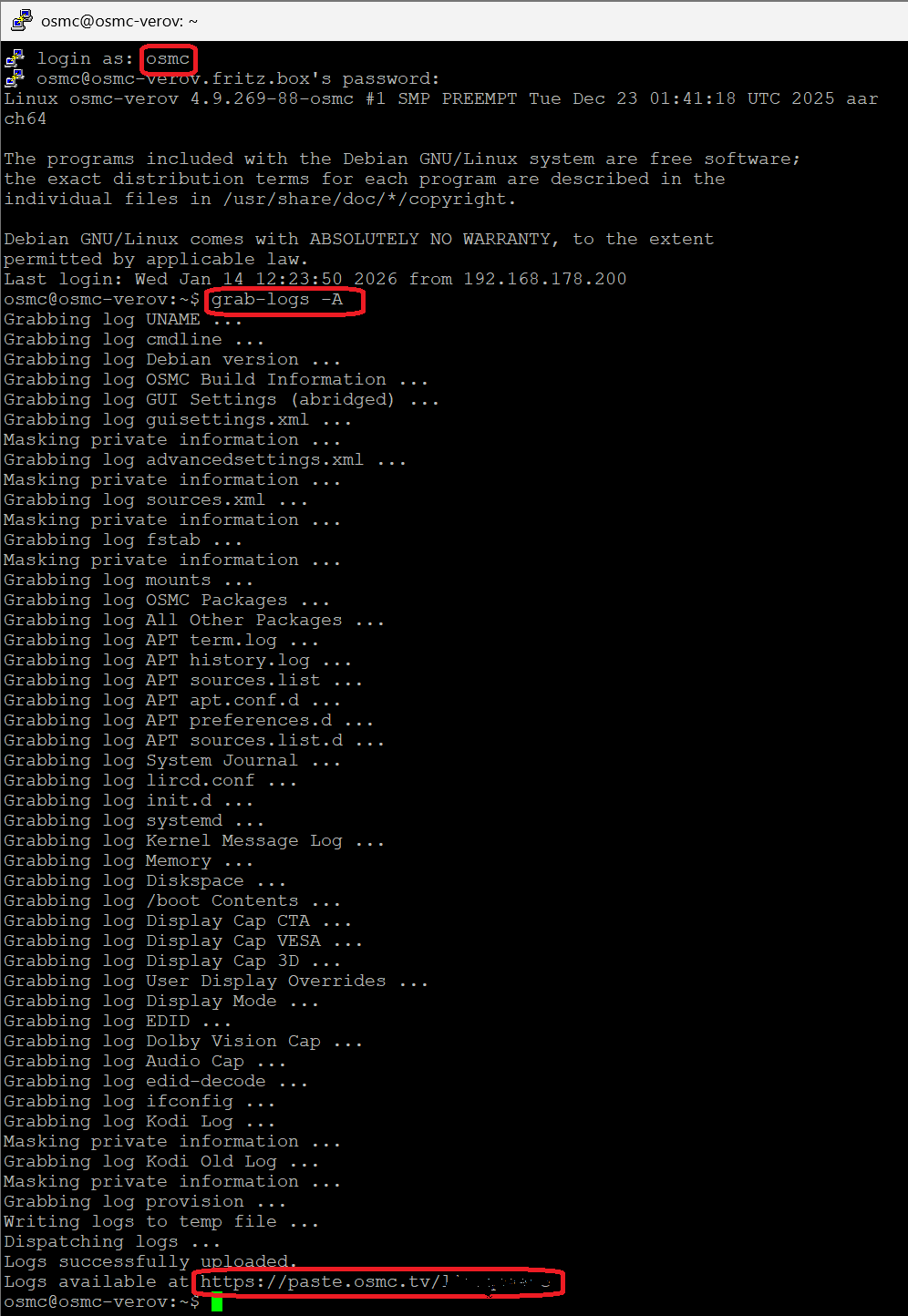
upload the log set (all configs and logs!) either using the Log Uploader method within the My OSMC menu in the GUI or the ssh method invoking command grab-logs -A
publish the provided URL from the log set upload, here
Thanks for your understanding. We hope that we can help you get up and running again shortly.
Hi, I cannot see any obvious problems in the logs: You started 2026-07-03 08:37:27.636 the playback of a 10 seconds video clip located at a samba source, the data was completely read in at 2026-07-03 08:37:31.298 and the playback ended 2026-07-03 08:37:39.211.
Whatever issue you see, it’s not reflected in the logs.
Can you temporarily connect the Vero directly using a good, short “Premium High Speed” HDMI cable—or better yet, an “Ultra High Speed” HDMI cable, or even better, an “Ultra96” HDMI cable—to rule out the AVR and HDMI extender as potential sources of the error? Looks like a hardware problem somewhere in between.
Can’t you just use the HDMI cable that came with the VeroV to connect the Vero to the projector and the new TV for some quick tests? The point is to rule out the AVR and all that HDMI extension gear as the cause.
Hi Jim - the Vero isn’t connected to a TV, just a ceiling-mounted proj (which is new). That’s why my 1st test is to use the new fibre cable to connect Vero → Proj, even though they’re opposite ends of the room. That will at least bypass AVR & Lumagen.
If that works, I can then route through L/gen, skipping AVR, & lastly through AVR.
Hi - the prob seems to happen on short clips, when routed through AVP→ Lumagen→ Proj. It seems that by the time the proj syncs with Vero, it could be close to end of the clip, ie 8-10s.
If I skip the AVR, & go → Lumagen→ Proj, it’s more stable. I might need to look at an HDMI splitter, send video to L/gen, & audio to AVP.
You might try going to settings>system>display and change the option for delay after refresh rate. When there is a long delay for switching display modes this setting inserts a delay before playing the video to allow this to happen without cutting off the start of the video.