The set-top box freezes while watching a movie. This happens after 20–60 minutes of viewing. The only way to fix it is to unplug it from the power outlet.
I reinstalled OSMC yesterday — the problem is still there.
The problem has existed since the purchase (2–3 weeks).
log: https://paste.osmc.tv/zoyupaqome
So, I tested with NFS 3, SAMBA, and fstab — freezes still occur.
It always happens at a random moment.
I also limited some Wi-Fi frequencies (previously my Wi-Fi was broadcasting 2×5 GHz + 1×6 GHz) — didn’t help.
I did a test with intentional Wi-Fi signal loss — the video froze, but the box itself kept running, and after the connection was restored it continued to work.
Something specific about my setup: I have a Philips 77OLED TV. The Vero V is connected to a Hue Sync Box 8K, and the Hue Sync Box 8K is connected to the TV. Today I’ll try connecting it directly to the TV.
I will also try again today to make sure that playback from a USB drive definitely doesn’t freeze.
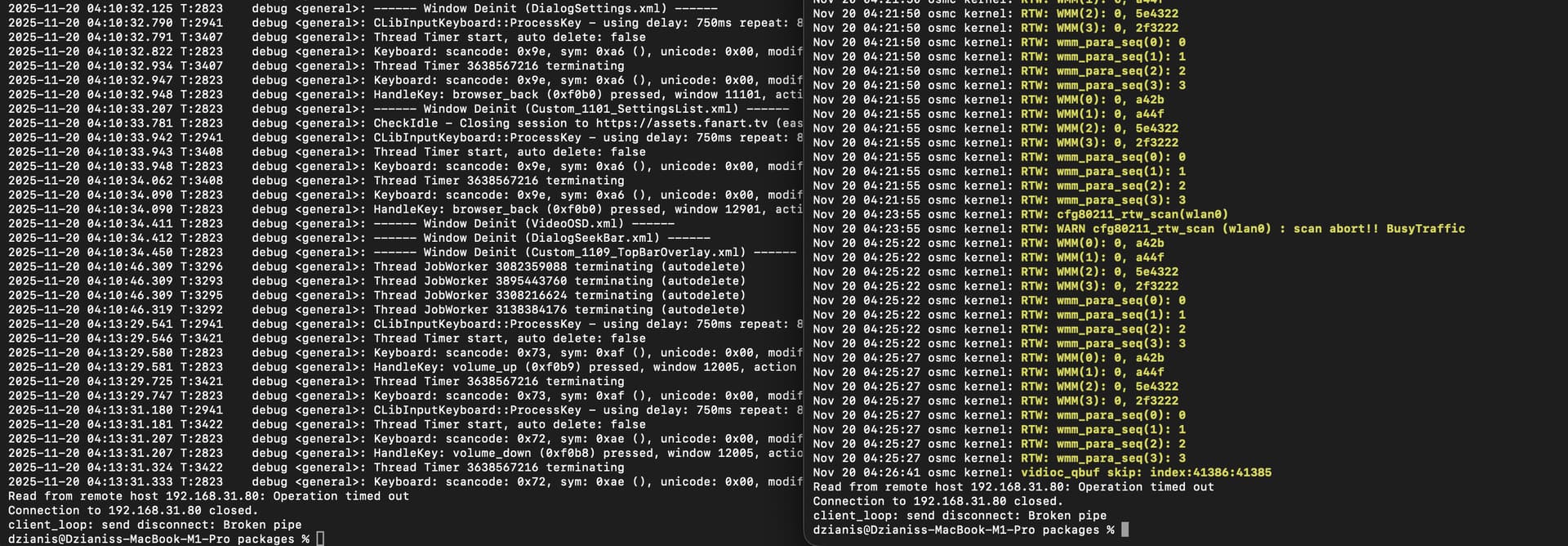
I’ll also attach a screenshot of the real-time logs. You can see what was last logged before the crash.
In the end, I stopped looking for the cause. I noticed that it freezes on one particular movie. I’m not watching that one through Vero V Other movies/ series don’t freeze
 Other movies/ series don’t freeze