Hey guys, I have an issues where when I play HDR content, the screen goes black and no audio. If I then switch away from the HDMI input and then back to it, the picture and sound is there. If I then stop the play back and then immediately select the same HDR video, the same thing happens.
I’ve tried all HDMI ports, I’ve gone through all the settings I can find on the tv and nothing works.
I can run Kodi on the tv itself as it’s an android tv and HDR works perfectly.
Can anyone offer any suggestions? Non HDR content is fine.
Im a real Noob, but I think I’ve seen instructions on how to set logging up.
Also important to note, previous Sony TV played nicely with the Vero. It was 14 years old, so can’t really duplicate settings as they’re very different.
Also this happens if streaming HDR, or playing directly from attached HD’s
Again, was all fine in previous TV, so something to do with handoff of HDR to the new tv
Is your issue specifically with Dolby Vision content?
A recent Sony firmware update has messed things up with my A95L - I get a black screen and no audio when DV content is played.
If I open TV settings then back out, picture and sound returns.
A few others online are reporting the exact same issue with other Sony models too after this recent firmware update. I’ve reported the problem to Sony.
I’m not experiencing any problems with standard HDR content though, only Dolby Vision.
ps. My Sony tv has been working well with Vero V for ages before this update.
To get a better understanding of the problem you are experiencing we need more information from you. The best way to get this information is for you to upload logs that demonstrate your problem. You can learn more about how to submit a useful support request here.
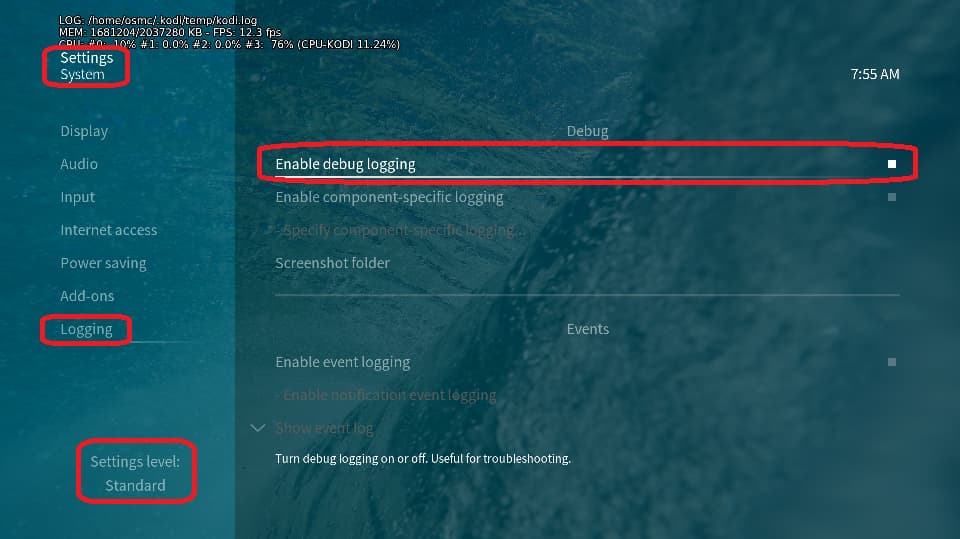
Depending on the used skin you have to set the settings-level to standard or higher, in summary:
enable debug logging at settings->system->logging
reboot the OSMC device twice(!)
reproduce the issue
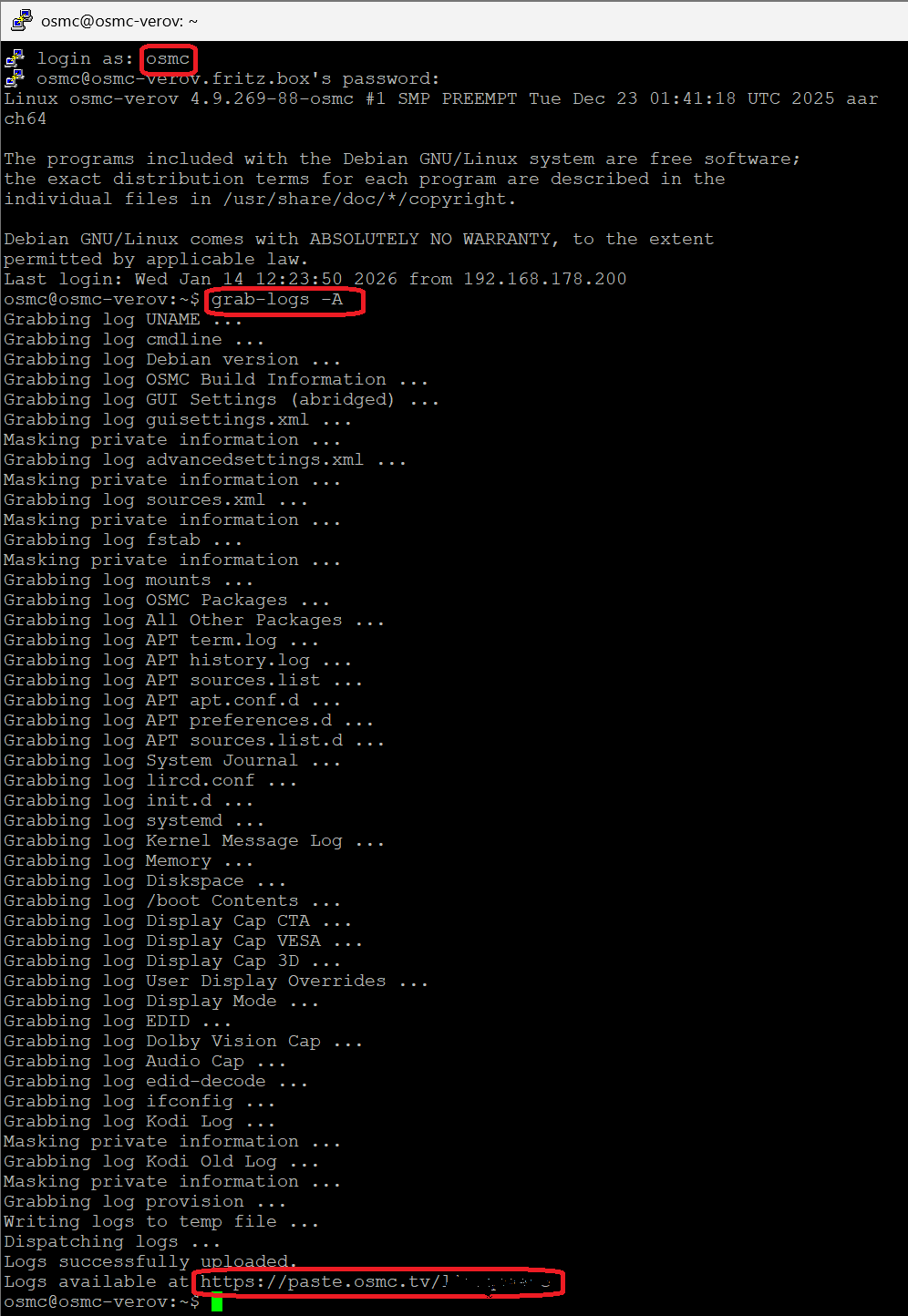
upload the log set (all configs and logs!) either using the Log Uploader method within the My OSMC menu in the GUI or the ssh method invoking command grab-logs -A
publish the provided URL from the log set upload, here
Thanks for your understanding. We hope that we can help you get up and running again shortly.