To help you out, these are the steps to cut a video with MKVToolnix.
Note that MKVToolnix can input other extensions than MKV, but output will always be MKV and changing the extension may not produce the same issue.
1. Download and install MKVtoolnix
- Click the link below if you don’t already have MKVToolNix
MKVToolNix Downloads – Matroska tools for Linux/Unix and Windows
2. Open video with MKVToolNix
- Start MKVToolNix
- Drag-n-drop video file to the “File name” box
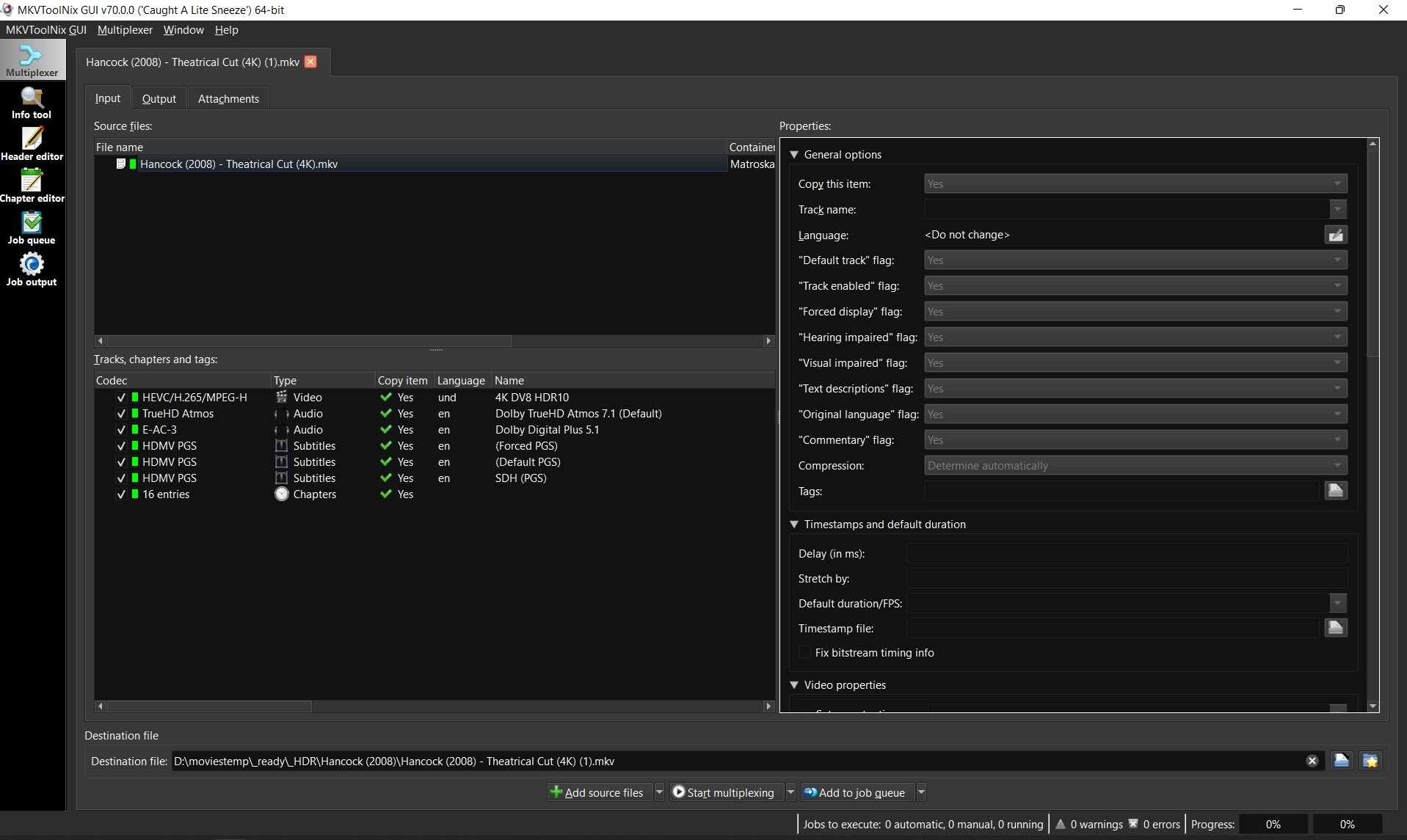
3. Choose method to split video
- Click the “Output” tab
- Click the dropdown box next to “Splitting” and choose to split by output size or duration depending on what you think will be just enough video to troubleshoot your problem.
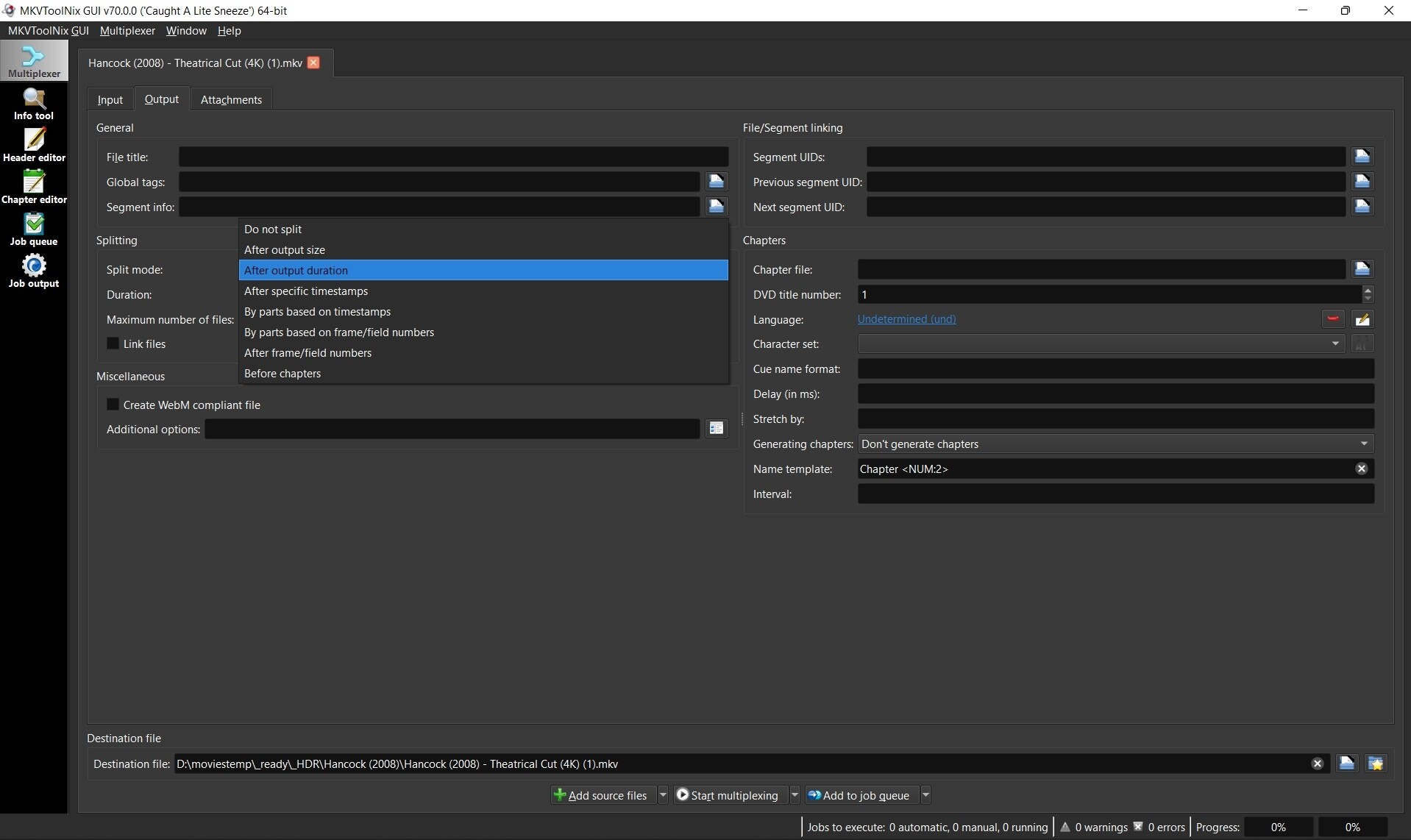
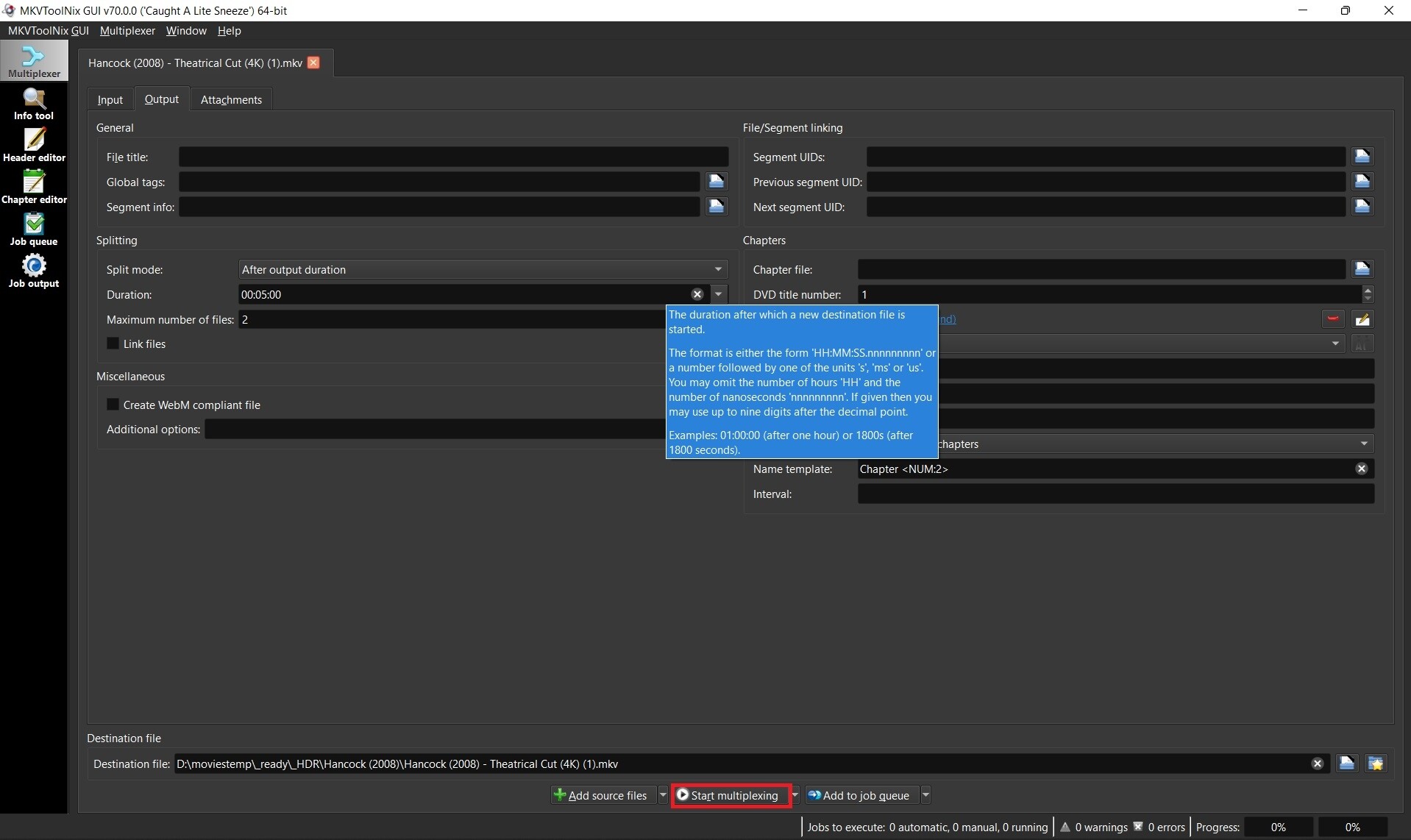
4. Enter size or duration and max number of files before multiplexing
- place mouse over the size or duration box to see a popup for format of options. Ex: 00:05:00 for 5 minutes
- Set max files to 2. You only need the first file so you can abort after the second file starts to be created if you want.
- Click “Start multiplexing”
5. Test your sample file
- Test it before submitting. Ex: Hancock (2008) - Theatrical Cut (4K) (1)-001.mkv
- It’s very possible that remuxing while splitting your file fixed the problem and then sending your sample won’t help.
Tip: If your sample plays good, then try just remuxing the original file and testing that. Remuxing sometimes fixes problems with bad headers, etc.
Nb. I took this info from Emby where they also need this type of samples 