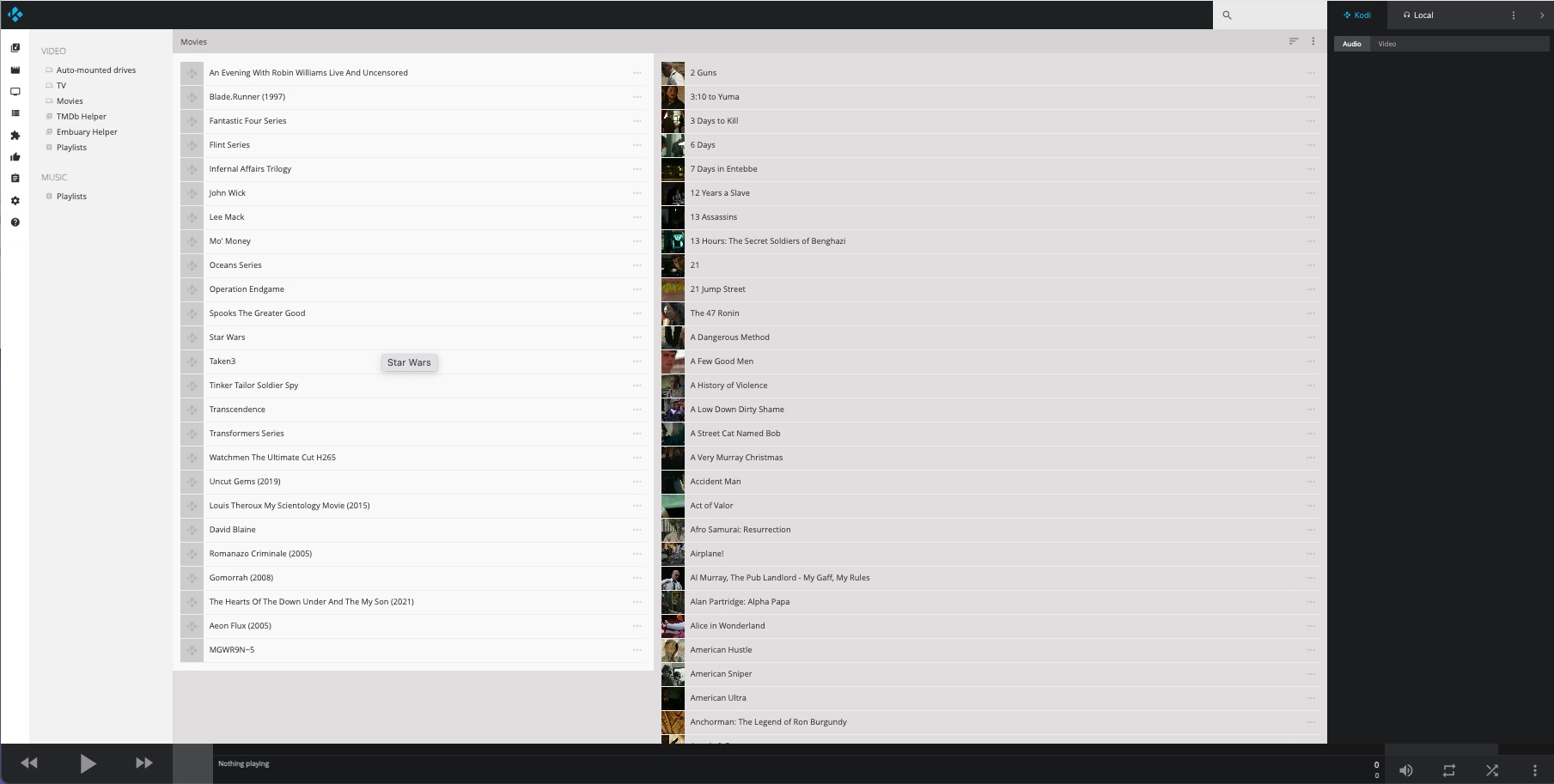
Hope someone can assist as I am rapidly going a little crazy.
Raspberry Pi 4, 8g, running OSMC 2025.08-1 Kodi 21.2.
Media lives on a Synology NAS, SMB Share.
Ran an update library as per when adding new movies to the share, and now nearly 95% are duplicated, but only the movies, the TV shows, which live on the same share but different folder, are fine.
Checked the NAS - only single copy
Checked sources.xml - only one entry.
I have rebooted everything.
I have removed the share from the NAS and re-added it.
I have removed the source from OSMC, cleaned the library, and re-added it.
Yet every time it has 2 entries for each movie in the library
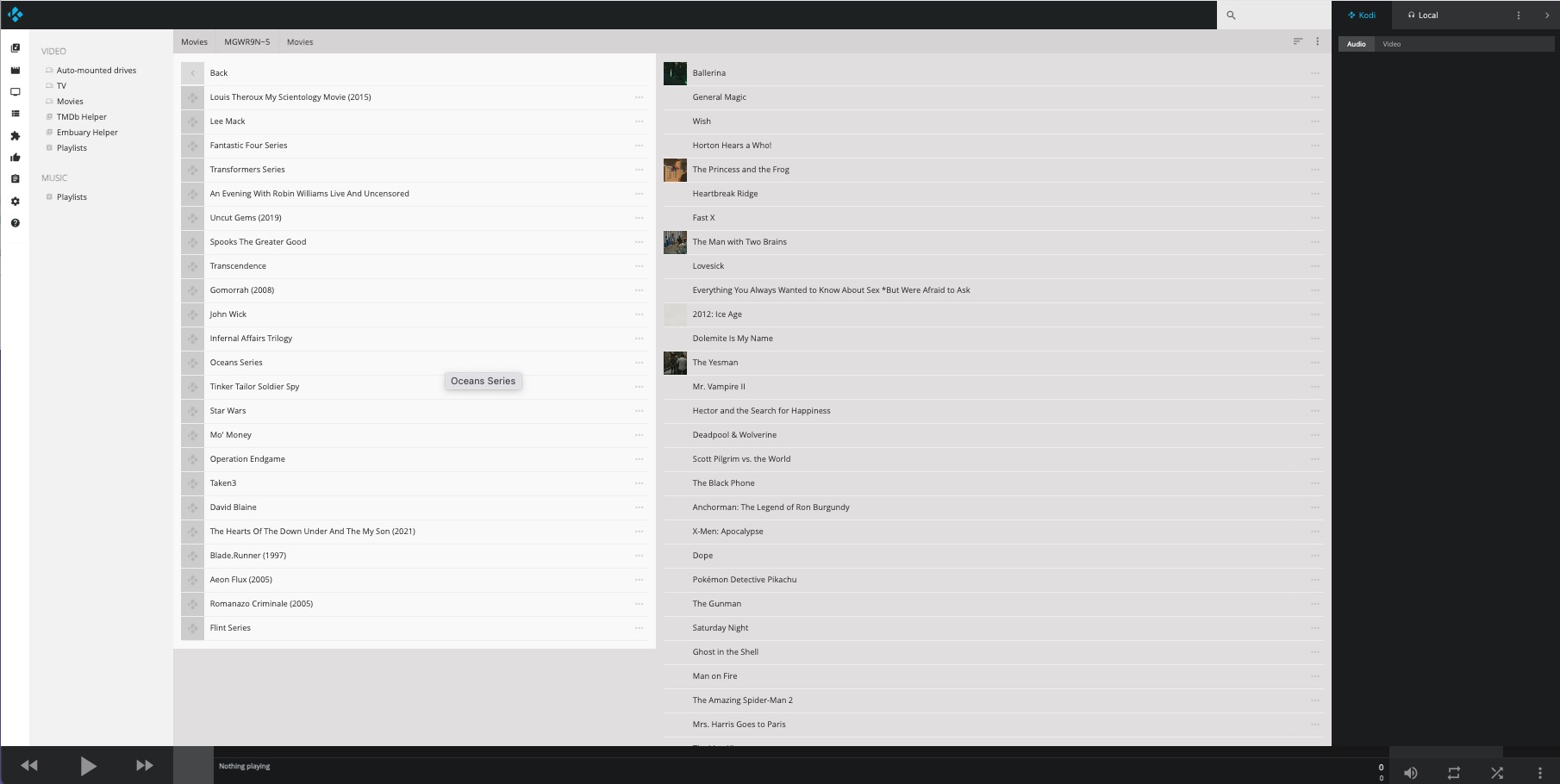
The two entries have different file paths but both play the same file:
I don’t know where it is picking up the MGWR9N~5 from.
Can anyone shed any light, fix, for this as I have quite a large library and I don’t really want to trash the .db files and have to re-add/re-scan all the TV shows as well.
I’ve no clue what would be making that “MGWR9N~5” folder, but the quick and easy way of fixing is as follows…
Navigate to videos>files>movies> and see if “MGWR9N~5” is visible. If it is not navigate from the home screen to settings>media>general> and enable “show hidden files and directories” then go back to the previously mentioned location.
Navigate to highlight the “MGWR9N~5” folder and bring up the context menu. Select the “change content” option. Change the “This directory contains” option to “none” and click “OK”. A dialog box should come up asking if you want to remove these items from your library. Tell it yes and it should remove the duplicates from your library.
FYI the clean library only removes library entries that no longer have a valid file path. Kodi is seeing files in that subfolder that appear to be valid so it would have no reason to remove them. Even if you removed the source the clean library would not remove them as it does consider whether they are in a current source or not.
The “MGWR9N~5” is not visible anywhere when using either the File Manager via OSMC on the Pi, or if I go onto the NAS directly or using Finder to the share on my laptop. Hidden files are turned on for all of these.
Where it does appear is if I use the web interface into OSMC on the PI. See screenshots.
For some reason it seems to sit under the “Collections” file structure. Also, I have found out when scanning new files, the new movie now has a path of the “MGWR9N~5” location.
If I SSH into the Pi, under ~/.kodi/userdata/Database, there are 3 MyVideos .db files, MyVideos119.db, MyVideos121.db and MyVideos131.db. Of these MyVideos131.db was written to today,
Has something screwed up and there is some sym link to the share that OSMC is seeing?
If I remove the source from OSMC, trash the MyVideo DB files, then re-add the source, will it recreate the db file and fix the issue without removing all the TV shows as well?
Collections are a function of the database/library and are not directly related to any kind of setup for the scraping sources. Are you saying that if you add a new movie it is not duplicated but is using a different source? That kinda sounds like maybe you added a path substitution or have changed the source address. What would be helpful in trying to figure out what is going on is if you could post a link to a full log set so I could review your configuration files. From the terminal just do a “grab-logs -A” and post the url it gives in this thread.
All major Kodi revisions update to a new database with a new name.
All library items are stored in the same database so if you remove the database it removes all library items (series and movies) as well as scraping info which is also stored there. If you dump the database you would also want to delete texturecache13.db and the Thumbnails folder as well so you don’t have a bunch of dead cache files sitting there that will never be accessed.
I don’t remember ever seeing something like what your describing and it is a bit of a head scratcher. How could this folder be showing up in the web UI but not in videos>files>movies? Hopefully some logs will provide a clue. If there was a symbolic link in that folder you should see it browsing your files on the synology.
I am only saying Collections as that is the only place the “MGWR9N~5” shows up as per the screenshot of the web interface, It’s doesn’t show anywhere else.
This happened out of the blue, nothing had been changed (that I did or initiated) on the NAS or the Pi and this was before the Aug update of OSMC.
There is has been no other file substitution, the share hasn’t been recreated or changed, it’s sits at root level on the NAS and the source address hasn’t been changed.
So the TVxx.db files don’t just contain the TV show data?
Once again, thank you for investigating, if turns out that I have done something monumentally stupid without knowing it, then please take it as I am suitably chastised.
Just trying to not have to re-install everything and then have to re-scan and correct the entries for all the media.
Thanks for the logs. Unfortunately you have me stumped. I’m not spotting anything problematic in your configuration.
That is for the Live TV/PVR function of Kodi which are separate from the regular series library info.
That is understandable. You have some options. If you have write access from Kodi to your NAS you can tell Kodi to export your library to separate files and allow overwrite. This will preserve the current metadata and watched status information for anything that gets scrapped in later. This will put .nfo files along with any artwork files next to the videos themselves. Do be aware though that for series there can be an issue where one had their scraper set to the old default TheTVDB which exports out in tvshow.nfo files and then if they scrape in anew with the scraping provider set to something else like TMDB then episodes without nfo files will not scrape as the series is pointing to the wrong online source. This can be fixed by just removing those tvshow.nfo files or editing them with correct urls before scraping, or else after the fact by bringing up the information screen in Kodi for the series, click refresh, then tell it to ignore local and scrape online (for every affected show).
You could also just remove only the newest database (MyVideos131.db) so your library reverts to whatever was there before the last major Kodi version to limit how much you have to rescan. If you do that then it may or may not be prudent to remove the artwork cache (texturecache13.db and the Thumbnails folder) depending on how much new content has been added.
You could also use this as an opportunity to organize your files such that there should be little to no fixing necessary and start fresh. Obviously this would likely be the most time consuming but there are tools out there that can do much of the work for you. I’m partial to Tiny Media Manager and TV Rename. They can properly move and rename files as well as generate Kodi compatible nfo files.