Osmc skin feedback

Hi. I’ve been using the osmc skin since purchasing Vero V about a year ago. The initial draw was the tv guide - which in my opinion is the best designed guide of any Kodi skin - but the skin’s simplicity and elegance has really grown on me.

Having now spent a decent bit of time with the skin, here’s some feedback/ requests.

Tv guide (using tvheadend):

Sometimes the option to record or set reminder in the guide just disappears, and only returns after a channel change, or stopping playback.

Occasionally, selecting a programme to record in the guide triggers a different programme being recorded. Doesn’t happen often but have had this happen a few times over recent months. Again, this can usually be fixed by changing channels/ stopping playback, then trying again, but would be great if these issues could be ironed out.

Movies/TV:

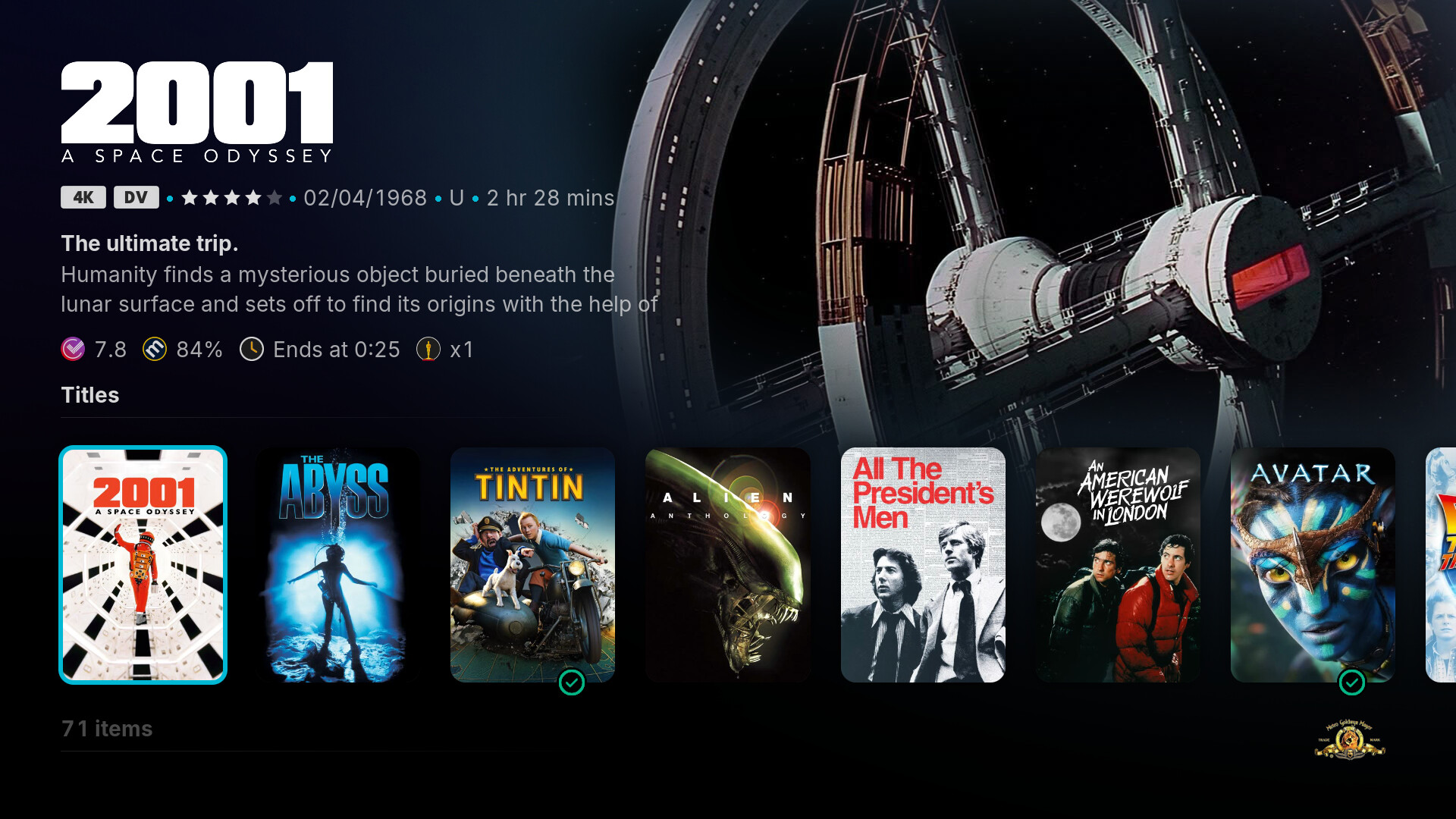
Would you consider adding a new view type - similar to wide low info but with all posters (including the highlighted item) all the same size? Pretty much how a current tall/poster widget looks.

I feel that posters are way too big in wide view, and way too small in wide low/ wide low info. Tall poster widgets look perfect to me, but that same view isn’t available in library view.

I also think the Page Down action in library could be more intuitive…

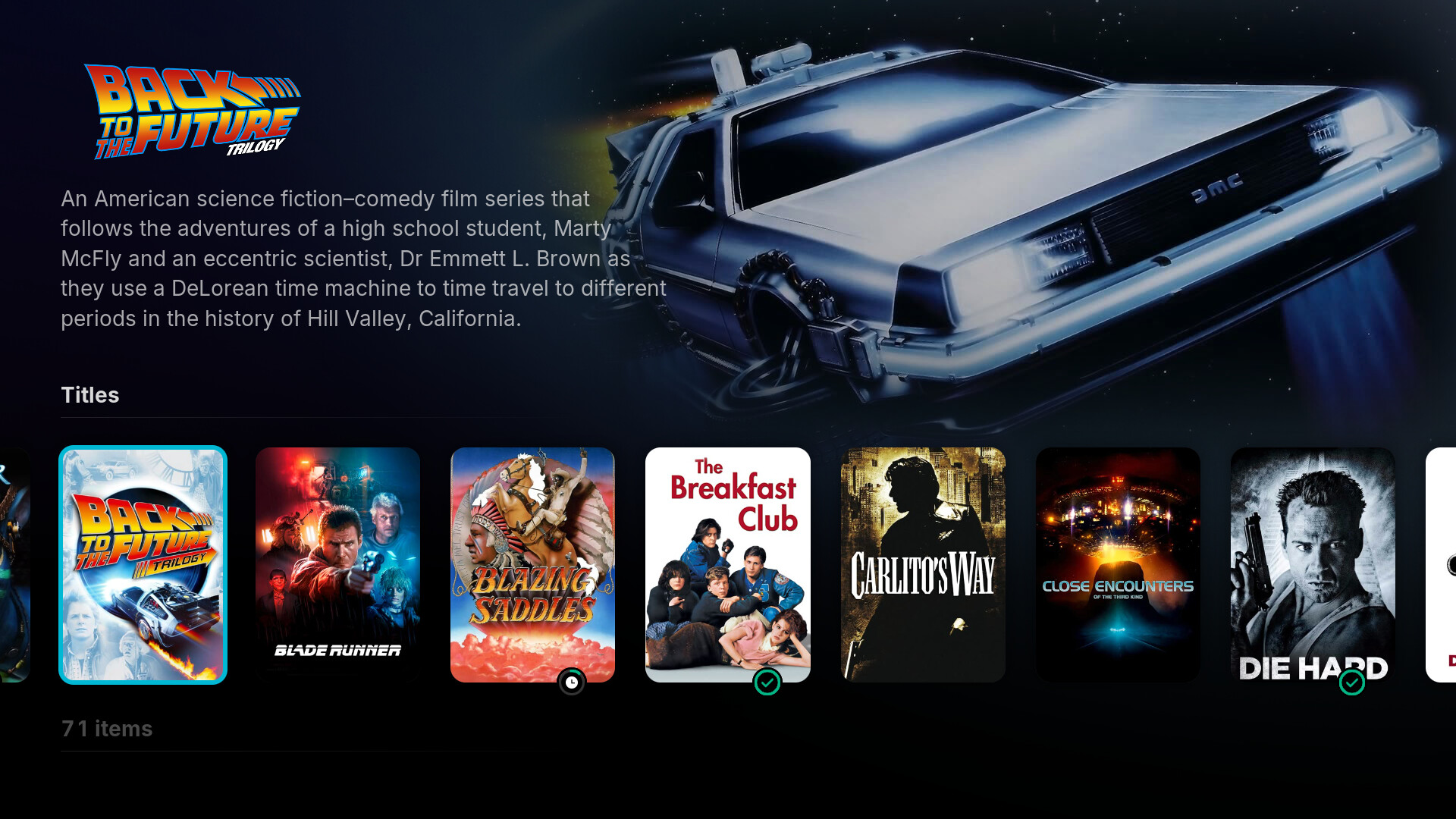
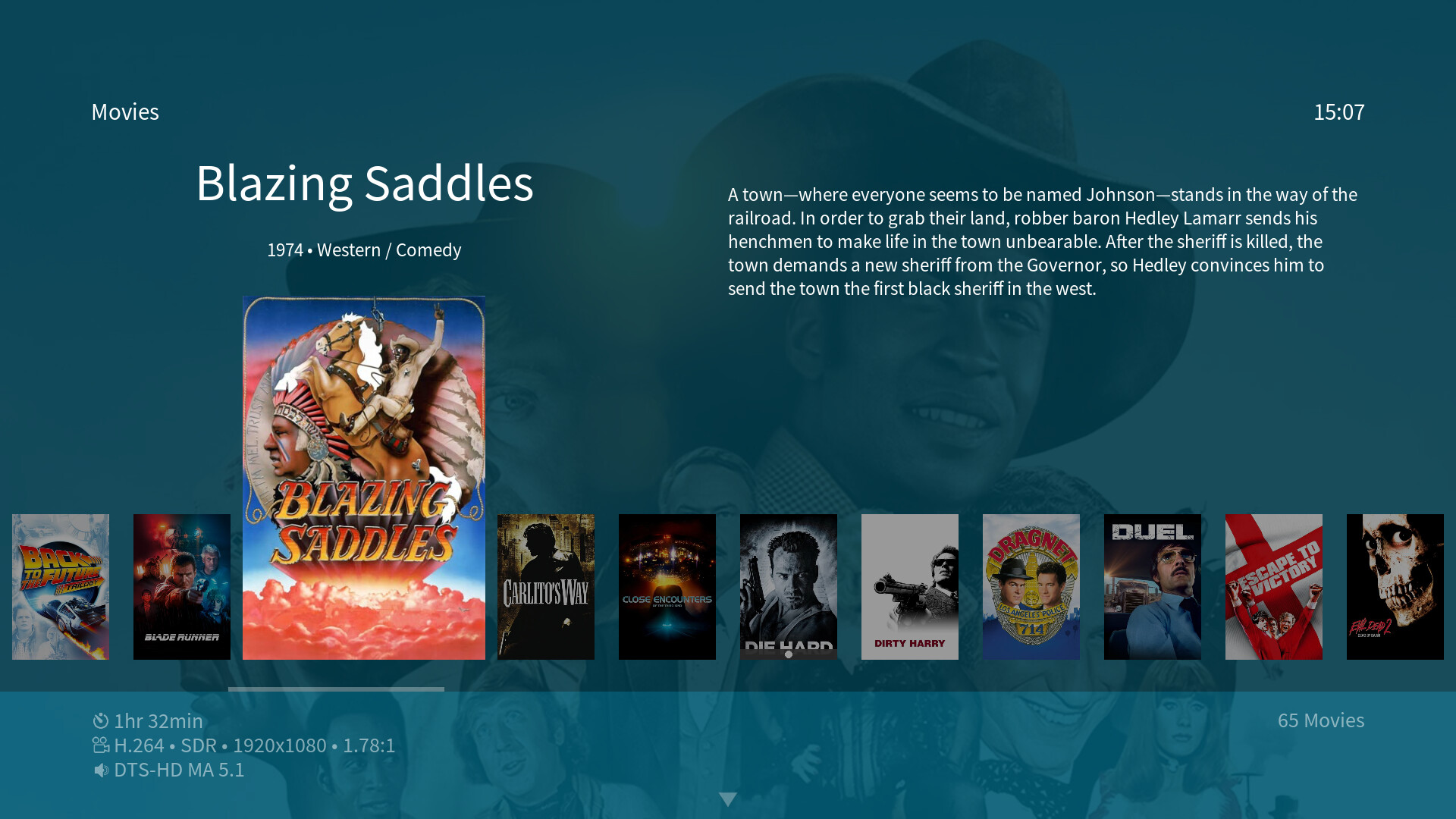
For example, Blade Runner is the last film on the first page, and Blazing Saddles is the first film on the next page.
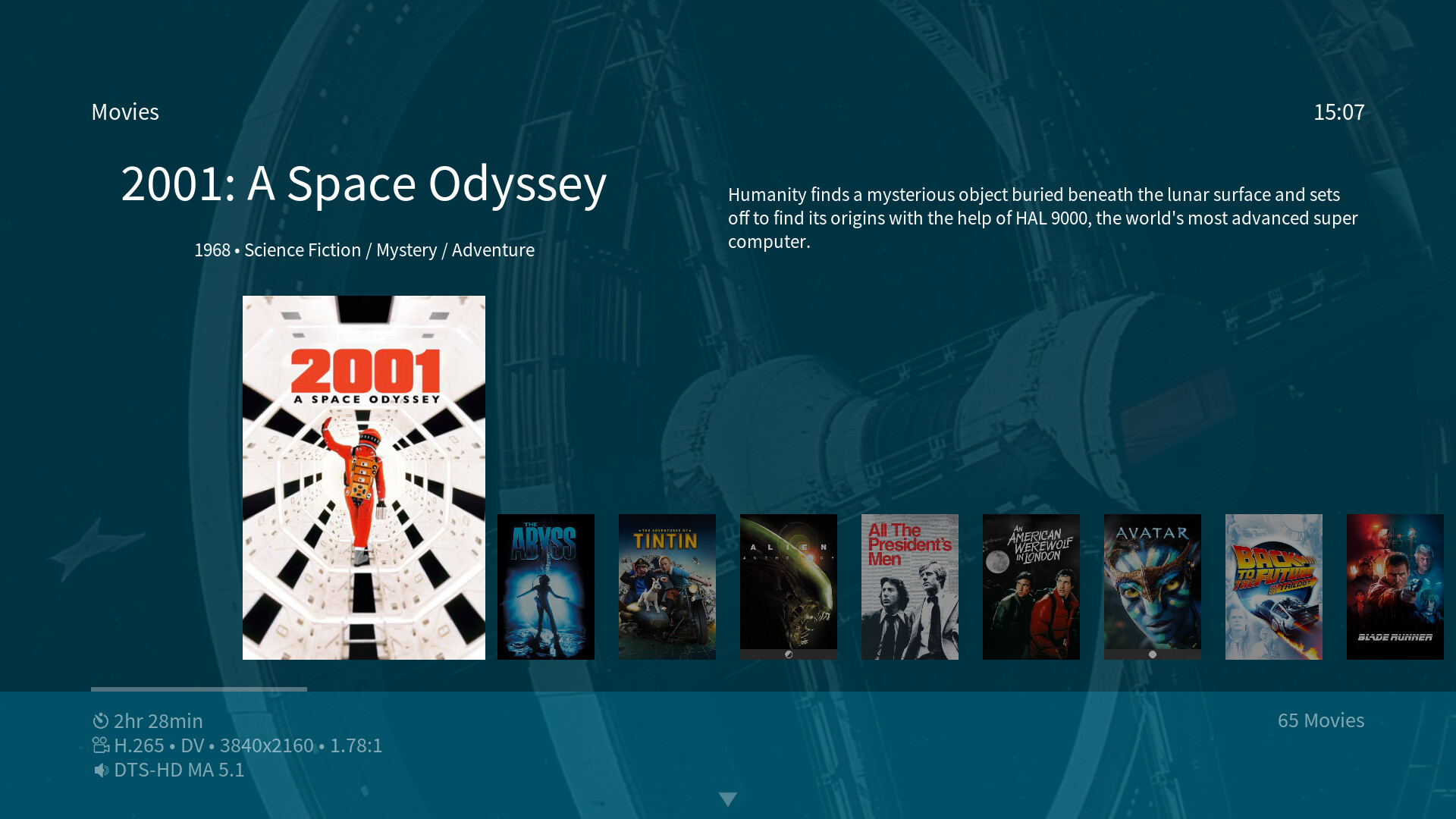
Pressing Page Down takes me to Close Encounters of the Third Kind on the second page, completely skipping Blazing Saddles (and Carlito’s Way), requiring me to go backwards/ press left to select them, which doesn’t feel very intuitive.
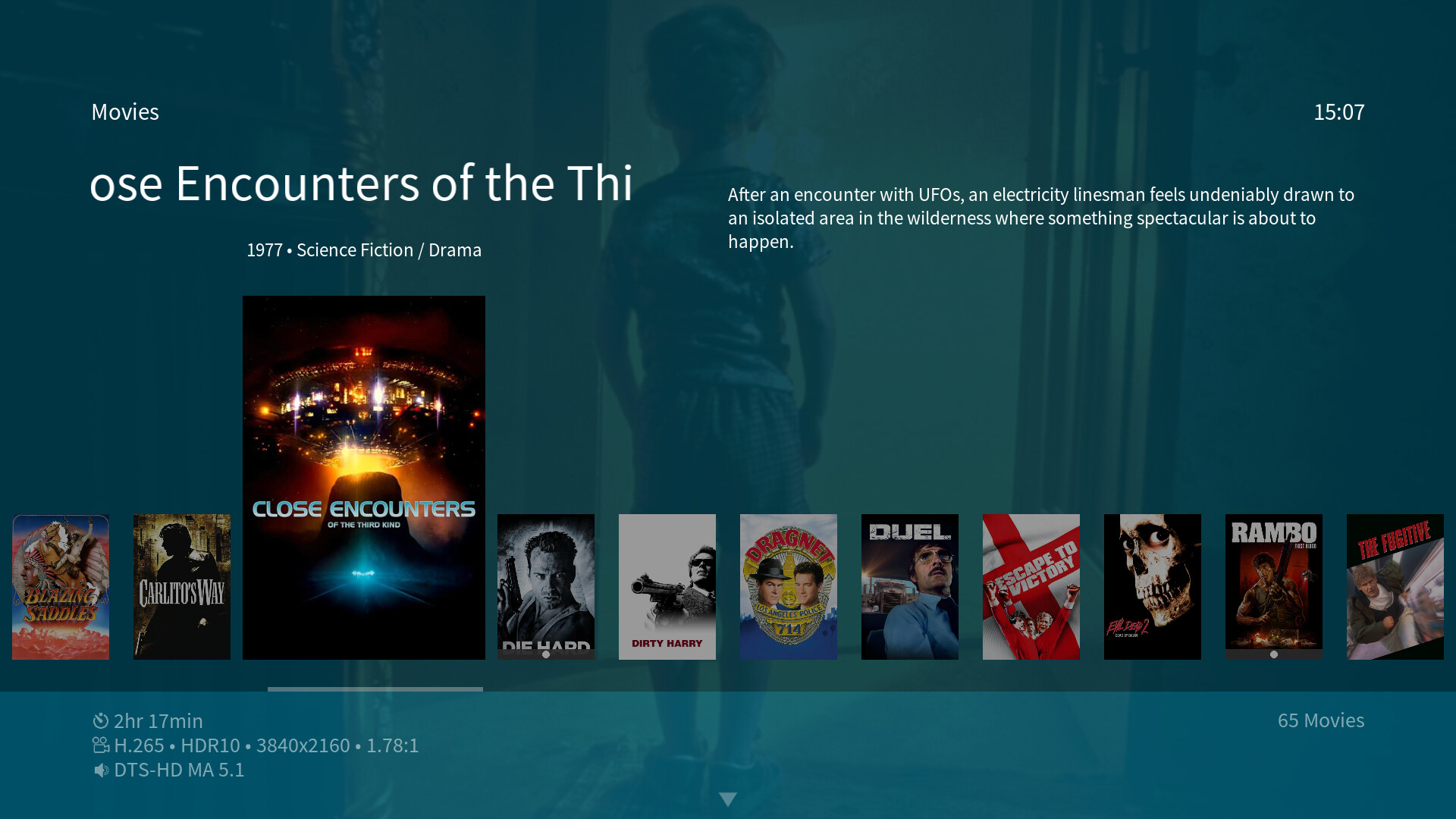
I would argue that Blazing Saddles is the film that should be highlighted after pressing Page Down, like this…
Also, when clicking info on a film, the info dialogue page - in my case - opens up the film’s description, but the cursor is often highlighting Extras or Play - it seems to change randomly. Could an option be added, allowing us to choose what we want highlighted? e.g open description/ highlight trailer, or open details/ highlight play? This way, navigation would be far more predictable.

Couple of other minor things…

Would it be possible for widgets to round robin? Pressing right at the end of the widget takes you back to the first item in widget. Or even pressing back?

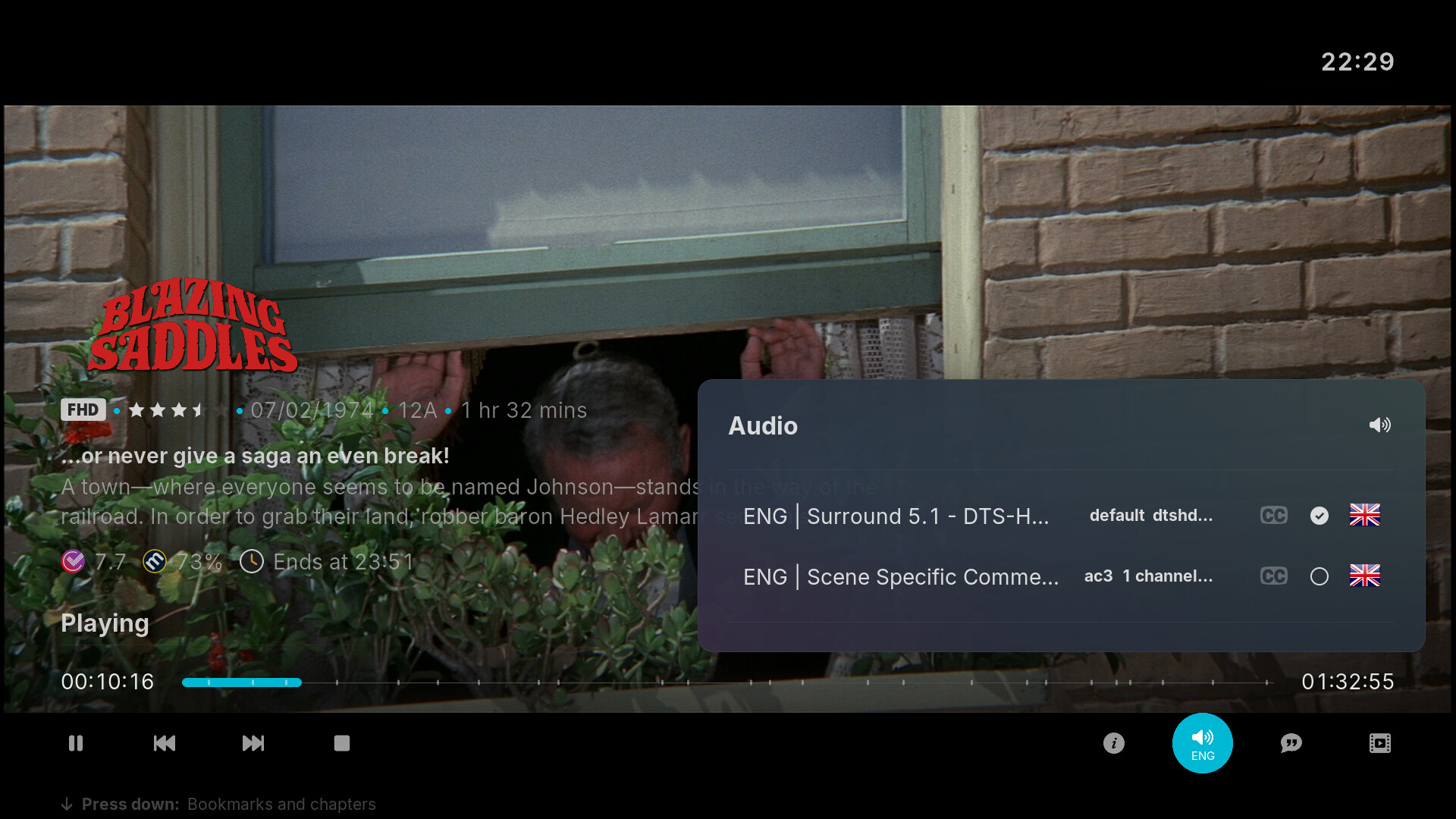
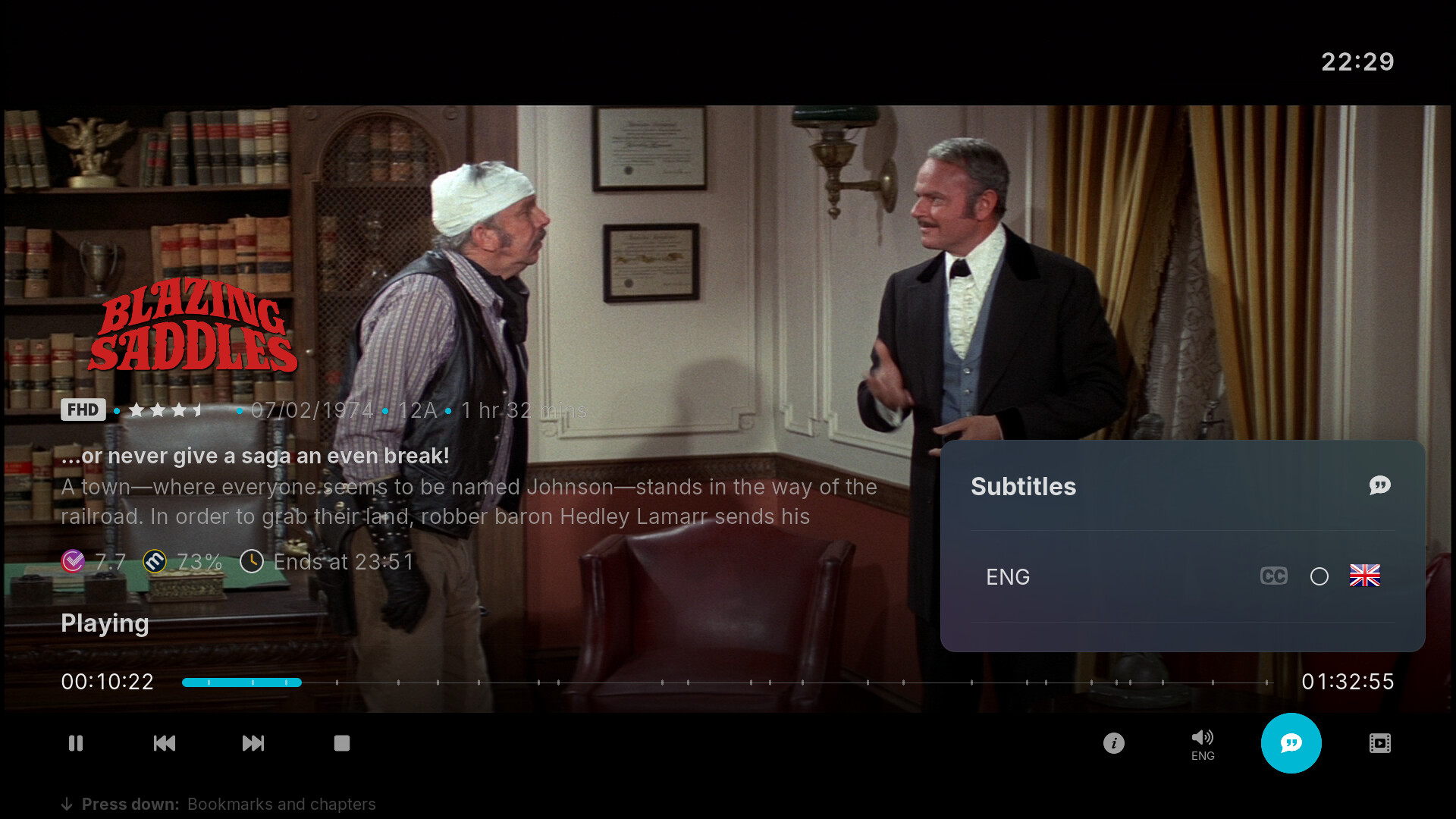
Finally, I’ve noticed when cycling through audio/subtitle tracks that each track’s title needs to be fully scrolled through in the notifications pop up before it disappears, which can create a massive backlog of notifications that aren’t necessary. e.g. I’ve quickly cycled through a few audio commentary tracks to get to the one i want (track 4) but have to wait 20 seconds for notifications from the previous 3 tracks to finish scrolling before the pop up disappears.

Sorry for the massive information dump - been meaning to share this for a while now! If none of this possible, no worries - still an awesome skin.

Hi Tariq,

I hope you are well

I don’t think your screenshots have uploaded properly.

Behind the scenes, @Chillbo has been working on the skin a lot.
I’m not sure how much he wants to reveal yet, but I’m sure he’ll check this out and get back to you.

Cheers

Sam

That’s great to hear Sam!

Thanks for the heads up re screenshots- hopefully fixed now.

Hi Tariq,

They’re now showing, thanks.

Have a good evening

Sam

1 Like

Hi there,

That sounds like a Kodi bug - the skin usually just offers what Kodi passes down to the skin engine. Have you tested with e.g. Estuary? Does the same happen there?
If it does, it might be good to open an issue over at the Kodi Git to maybe get this fixed in time for v22: Issues · xbmc/xbmc · GitHub

I’ll take that as a request and will consider it during the extensive skin reworks I’m currently working on :+1:t2:

Same as my first reply: That’s a Kodi skin engine feature - nothing we can do about it on the skin side of things.

This is happening due to Kodi quite randomly loading these buttons when the dialog is opened. If I’d hard-code which button should be focussed, but Kodi loads it too slowly, you’d end up with no button highlighted - which is even weirder. It annoys me a lot as well, but I haven’t found a proper work-around for this yet. An option for this would certainly be absolute overkill, TBH :innocent:

This could be done, yes. :+1:t2: “Back” is reserved for jumping back to the home menu list though - otherwise you’d have to scroll all the way back to the left of a widget before being able to go back to that main list.

Again, Kodi behaviour. We just offer the dialog to show this. If we’d disable scrolling in that dialog altogether (which would somehow mitigate this behaviour), you wouldn’t be able to read any long texts in any notification anymore as they’d all be cut off.

Hi @Chillbo, thanks for following this up.

I haven’t tested this with Estuary, but never experienced this with the skin I was using prior to osmc (Arctic Fuse 3) over years of daily use.

Awesome.

Ah ok no problem. I thought each skin could implement its own behaviour for things like this. Previous skin I was using didn’t do this - page down would highlight the next movie that wasn’t visible on the previous page. I could try installing that skin on my Mac to show you if helpful.

Agreed. Wasn’t really after an option for this to be honest - it is overkill! - was just looking for more consistent/ predictable standard behaviour.

Excellent!

Yeah, makes sense. Scrolling aside, is it possible for notification behaviour to be more responsive to actions? e.g. quickly cycle through audio tracks 1-3, and settle on 4. Tracks 1-3 are redundant so don’t all need to be fully displayed in popup one after the other until it catches up to track 4?

Also, a random question. Are you familiar with TMDBHelper add-on from team Kodi member Jurialmunkey? An option to allow native integration would be cool, allowing things like online look ups of cast members (for local library items) with direct links to filmography for example, would be nice. No problem if it’s not of interest, or doesn’t fit your design philosophy for this skin, but thought it worth mentioning just in case.

If you are finding yourself frequently needing to change audio tracks then perhaps you need to make some adjustments to your audio selection behavior in Kodi’s settings>player>language. There is options for auto selecting your prefered language as well as original language if that is your preference. If you are looking just for a quicker way to select audio tracks then it is possible to add a custom keymap that would allow you to make a button on your remote directly switch to the next/previous audio track without even going to a menu.

1 Like

Doesn’t hurt to have a look at its code, if it works differently on screen. But I wouldn’t have any idea why and how from the top of my head.

Maybe, yes. But not a skin thing - it’s all Kodi. I’d like to add an option to toggle through the audio track same as you can through the subtitle tracks via our on screen OSD controls right now. The issue is, even Kodi v22 doesn’t offer “previous audio track” and “next audio track” toggles (yet). That give you a nice and responsive way of toggling through the tracks. But it wouldn’t change the notification behaviour…

I have, yes. It’s been mentioned before, but I wasn’t inclined to support it yet - also because it’s an addon that needs installing of an external repo via a zip. But I’ll keep it in mind.

1 Like

Just to confirm…installed Arctic Fuse 3 skin and in library view, Page Down does indeed highlight the first film on the next page. I have no understanding of code so can’t offer any insight, but it’s there as proof of concept if you’re interested in pursuing. You may not be of course.


Not sure if this is of interest, but this skin also offers a way to select audio track just by highlighting the audio option on osd…


It’s expected - Kodi always scrolls a full page. When the middle of the list or any other position than the left or right most is the focussed on in this fixed list, it’ll still scroll a full page, not just to the side of the screen.

This is also a new v22 feature that our skin will adopt. So, keep your eyes peeled :wink:

Thanks @Chillbo, think I understand.

Given that the wide low view effectively pivots/ is anchored around the third movie on each page by design, and Kodi skips a full page on Page Down, it’s not possible to avoid skipping over the first two movies on the next page.

Should you decide to implement the equivalent of OSMC’s tall poster view as a library view, would you consider having the pivot/anchor always on the first item on the left (even if its position has to be indented to align with the movie title above) - for both Page Up/Down and manual left/right navigation?

I’d quite like to see this behaviour in widgets, where the eyes didn’t have to track selection across to the right, and movies advanced together rather than coming into view one at a time, but understand your design decision here, aligning with movie titles on the bottom right. Was surprised to see this is actually how Apple does it on Apple TV.

Anyway - all just ideas for you to consider. If you choose not to implement any of this, that’s fine - you’re the creator and the skin looks great.

side note re. option to record disappearing. Happened again recently. Switched to estuary and it reappeared. Switched back to osmc - disappeared again.

Like I said, I moved away from Arctic Fuse to OSMC skin and haven’t looked back, but I never experienced the option to record or add a reminder disappearing over years of daily use.