The channels screen has so much wasted space! Mine is only showing 4 channels. Can that screen be changed to show more channels? Maybe a different view? I personally don’t need the big box on the left either, that’s what I use the guide for. I view the channels screen as a way to just see what is on now on all (as many as possible) channels.
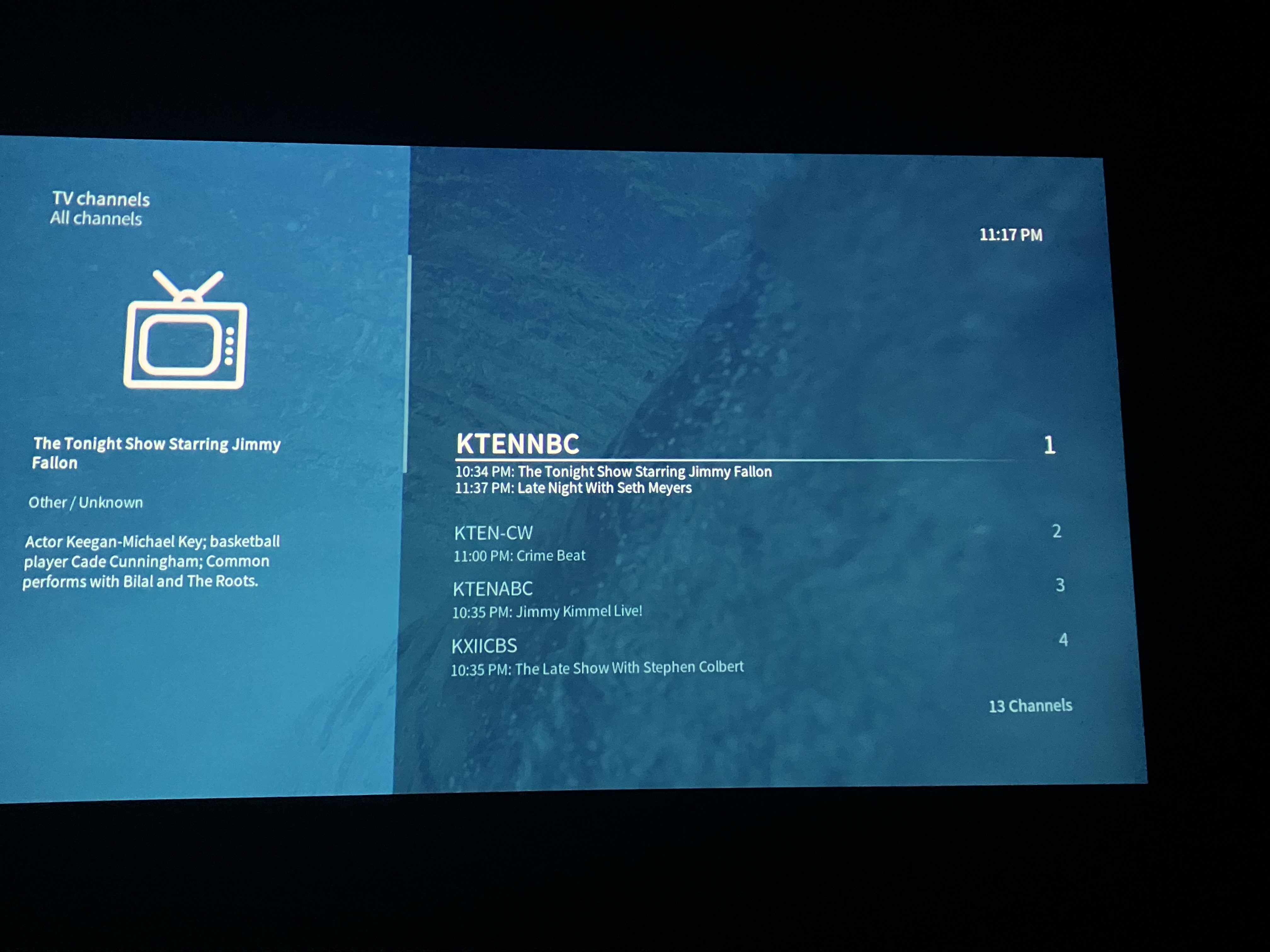
If you scroll down a bit, you’ll see more channels on screen. All lists of our skin have the same layout, so this just fits in with everything else nicely.
For your use case I’d recommend sticking to the guide view as it’s cramming as much info on screen as possible. I’m not sure it would be feasible to try and achieve the same in this particular view here that’s not built for this specific purpose.
The hope was that all my channels, there are not that many, would fit as it does in other skins. Oh well. But it’s a pretty much a useless screen as is.
I don’t get it. The OSMC skin shows 9 channels while Estuary shows 11. Is that such a big difference? And the information on the left is about the same in each skin.
I was not using Estuary. I converted from other skins I had been using. As you can see, mine shows an entire 4 channels not 9 as you say before scrolling if that even matters. Kind of pointless when even the guide with more info shows more than that right?
I have always, for 10 years now (guess), used the channels screen with and without OSMC version to see what’s on in an easy manner, thought that was the purpose of the screen. In Emby, I can see 20 channels (which is not Kodi of course) and that serves the purpose well.
So, why does yours show 9 and mine 4 if we are both using OSMC skin? I am talking about with 0 remote or keyboard use, just enter the screen. For me, the point of the screen would be ease and quickness. Do you even use the screen over the guide?
Well I don’t know if it’s possible to start that screen with 9 channels showing. TBH I never use it and struggled to find it. I have TV set up so it starts up with the EPG and Estuary annoys me by defaulting to channels. I want to know more than just what’s playing now, and typically I want to know what’s on tonight (coming up).
Maybe @chillbo can consider if more channels can be shown on start-up or more fitted in (presumably without extra info).
1 Like
Yeah, my use may be as yours, wanting the guide, OR, it might be just seeing what is on now to watch live. A good channels screen is better and faster than the guide for the latter, but useless if it has only 4 channels.
The OSMC skin allows me to customize the menu, so, channels is currently on my menu. However, if the author is not interested in fixing this, I will remove it as there is no point to the screen.
You haven’t endeared yourself to the devs. It looks like you should have the chops to customise the skin the way you want it. It’s all on github. Then maybe PR it in case anyone else feels the way you do.
I don’t see why, don’t see anything terrible I have said other than reality. Maybe few use the screen so no one cares I guess. I’m fine with the dev not wanting to mess with the screen. It was a feature request, so, if the dev thinks it’s not a useful use of their time, fine by me.
What did I say to make you think this?
I’m open to pull requests to improve the view pending consultations of other users.
Cheers
Sam
1 Like
There was a bignoid nox livetv mod years back used on wetekplay device that was very good and would give the desired effects OP is looking for.
Hope this helps 
The WeTek Play was released 11 years ago.
The Kodi skinning engine has come some way since. I suspect what you are proposing isn’t copy and paste and the OSMC skin was just a few drawings back then.
Again, I’m happy to receive some proposals and PRs.
Sam
1 Like
Given the comments here when all I did was ask for something, I will just forget it and unfortunately use the guide screen. I’ve asked a few questions about skins, and each time the same, apparently a touchy subject. Not interested in changing it myself.