ITV4 sd. MotorsportUK is unwatchable. Pixelation and picture stutter. Recording plays perfectly however.
Experienced these issues after installing August firmware, so decided to revert back to March firmware with a fresh install and everything played perfectly.
Decided to update again to share logs and see if this can be fixed. Thanks.
Unfortunately, any recordings I make play without issue.
From limited testing, it seems SD content is affected. Can go for long periods without issue, then get pixelation and stuttering. Some programs - like motorsport the other night - are unwatchable throughout. Also seems like there’s consistent picture breakup with transitions to ads on SD channels.
Happy to go back to previous firmware to be honest, but was hoping to identify the issue, particularly if others are affected by it (although it doesn’t seem like anyone else is!).
I could try plugging the Hauppage tuner directly into Vero and setting up tvheadend server on it (bypassing the rpi tvheadend server) to check if that makes a difference?
What version of TVH are you running on the Pi?
There has not been a stable release of TVH for a while, but the TVH guys keep saying they will cut a release ‘soon’.
I would be curious if things work fine on Vero directly, and if you’re watching on the Pi, if the inverse is the same
Hi. I’m running tvh 4.3 on pi. It’s been solid as a rock for ages to be honest - hasn’t skipped a beat.
Connected Hauppage directly to Vero and experienced same pixelation / picture breakup on SD channels.
I run the rpi5 headless so couldn’t check performance directly on it.
I know my transmitter has had some engineering works going on for the last few weeks (which coincided with me upgrading to August firmware) so is probably what’s causing this.
The weird thing is, when I upgraded and noticed live tv performance issues over the course of a day, I downgraded to April release and everything played perfectly again for days, so thought it had to be the newer firmware causing issues.
Anyway, having done a clean install of raspberry pi os (seems a new ‘Trixie’ version has been released) things seem to have settled a bit, although not perfect. Hopefully things will improve.
It’s going to be hard to improve things if we don’t know what the issue is, and right now we don’t.
Can you try watch a stream via VLC or another client and see if it also exhibits issues?
How easy is it to reproduce the stuttering now? Is it constant or do you have to wait a while
Only some muxes or all. Sorry if I have asked these questions before. Furthermore if you’re watching fast live sports it might be that you just notice it more on channels like ITV4 as opposed to say BBC showing news…
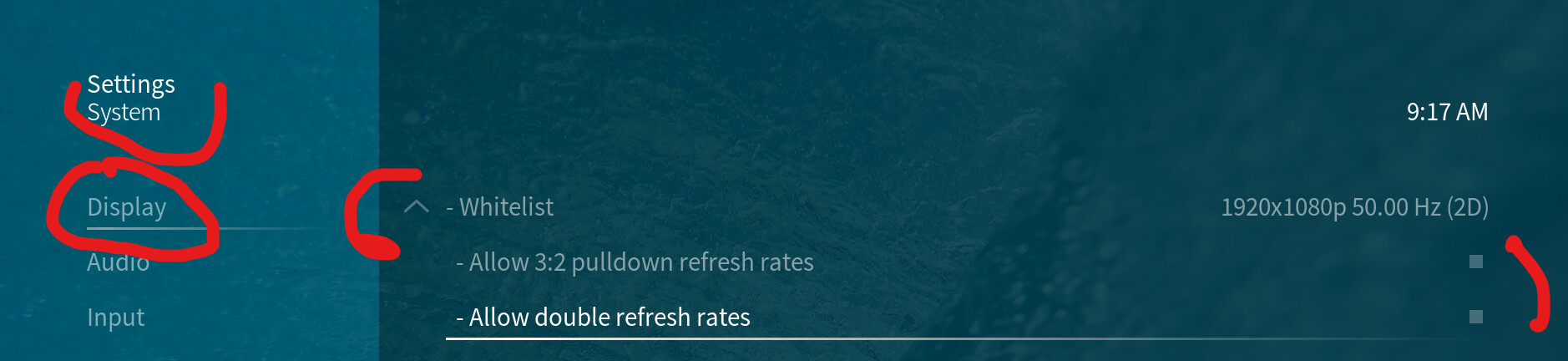
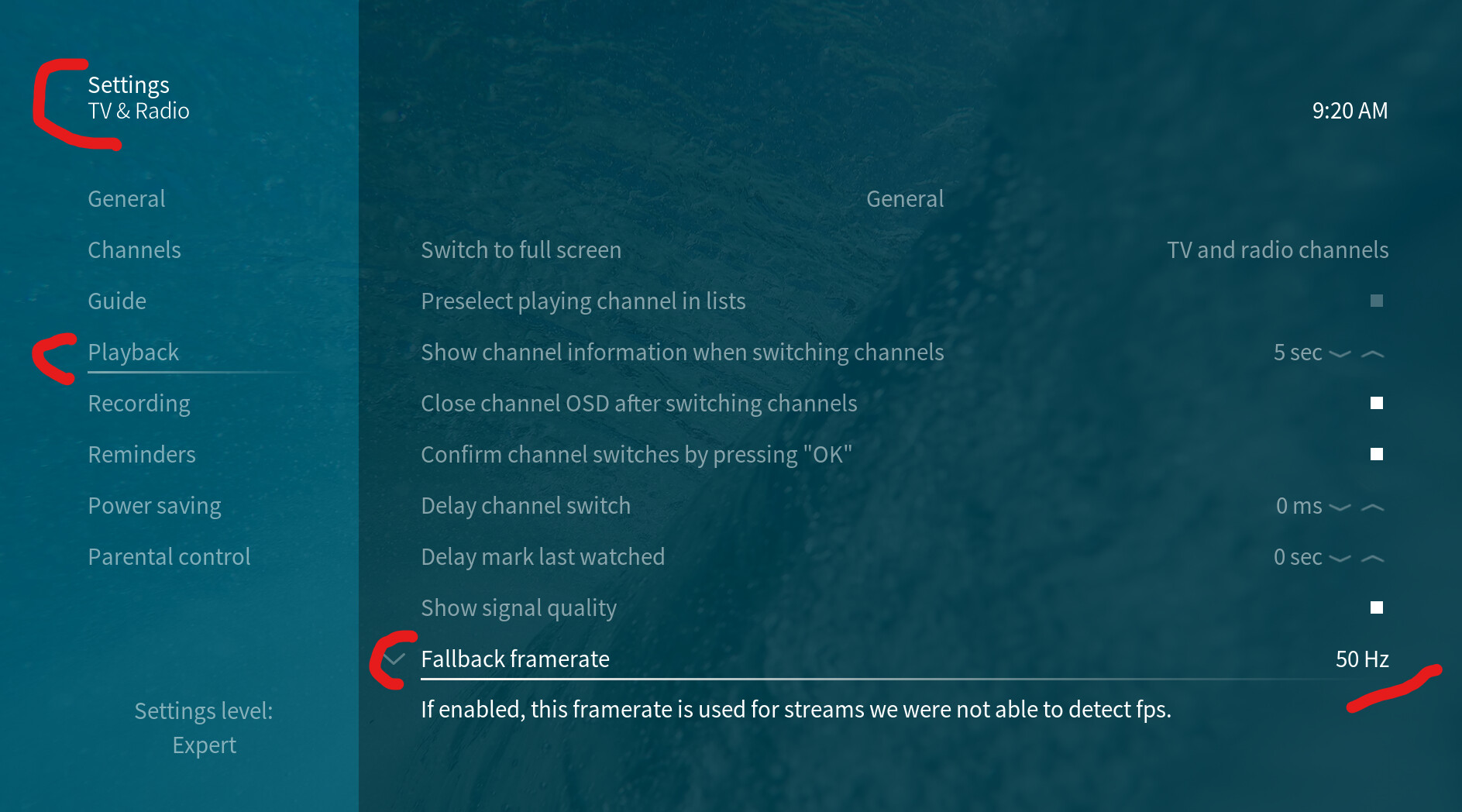
I removed 1920x1080p50hz whitelist (disabling 3:2 pulldown and double refresh rates) and also added 50hz as a fallback framerate.
Still experiencing issue unfortunately.
Interestingly, I just checked dmesg a minute ago while end credits of a film4 film were running, and see a lot of dim:warn:peek busy messages. I then noticed a heavy stutter on credits, checked dmesg immediately after, and noticed vidioc_qbuf skip had appeared, so guessing that message is connected to the skipping?
2025-10-28 01:33:32.572 T:2807     info <general>: VideoPlayer::OpenFile: pvr://channels/tv/All%20channels@-1/1@pvr.hts_1878223605.pvr
...
2025-10-28 01:33:34.716 T:3047     info <general>: [WHITELIST] Searching the whitelist for: width: 720, height: 576, fps: 25.000, 3D: false, 3d mode flags: 0x0
2025-10-28 01:33:34.716 T:3047    debug <general>: [WHITELIST] Using the default whitelist because the user whitelist is empty
2025-10-28 01:33:34.716 T:3047    debug <general>: [WHITELIST] Searching for an exact resolution with an exact refresh rate
2025-10-28 01:33:34.717 T:3047    debug <general>: [WHITELIST] No match for an exact resolution with an exact refresh rate
2025-10-28 01:33:34.717 T:3047    debug <general>: [WHITELIST] Searching for an exact resolution with double the refresh rate <<← !!!
2025-10-28 01:33:34.718 T:3047    debug <general>: [WHITELIST] No match for an exact resolution with double the refresh rate
Depends on your definition of ‘wrong’. It is expected - with no user whitelist, resolutions less than GUI are not used. @Tee77 needs to add 576p (at least) to a whitelist.
Just chiming in here to keep a track. I’m also seeing this on channels like ITV4 and ITV Quiz. Only noticed the other day and not had a chance to test much and don’t use those channels all that often.
Hi @grahamh can you explain why I need to add 576p to whitelist? Never used it before and never had any issues (as recently as March firmware, where everything played perfectly).
Is it worth me posting a video - side by side of kodi/tvheadend on Macbook vs Vero on tv - so you can get an idea of the issues I’m seeing? I can’t see how whitelisting would affect what I’m seeing.
As explained above, without that Vero will be not switch to 576p so it will be converting 576 lines, 50Hz to 1080p50. I don’t know why that would have worked before August and not now but it’s how I’ve always used the whitelist. Can you try it? Thanks for the reminder about the ‘GUI is stuck’ bug. I think someone’s working on that.
I should add - I tried watching TV with no whitelist and there do seem to be an annoying number of picture break-up incidents. Seems to vary by mux. No need for you to post videos.
Ok thanks for the info. Tried switching whitelist to 576p - still experiencing picture breakup/ pixelation - regular as clockwork after ads on film4, transitioning into the red film4 logo screen.
So you’ve always whitelisted 576p…the low resolution tv guide not bother you?