Hi - sorry to hear that. Do you have any way of testing your external USB ports? I found that both the internal & the external USB3 ports failed, leaving only the single external USB2 port active.
I use a DAC over the external USB port which is still working, for me it’s just the remote that is not working.
@prohling Hi, just to verify: Can you connect a USB mouse or keyboard on the other external USB port of the Vero V and check whether the mediacenter then shows a mouse pointer you can move or reacts on the direction keys of the keyboard?
Dependend from that, we’ll split your posts from the original topic.
Hi Jim, interesting: I tried the left USB with a mouse and keyboard, both don’t work. For the right most usb port (which I use for my DAC), the keyboard works and allows me to browse the interface. The mouse gets power, but nothing shows up in the interface.
Ok, thx. To get a better understanding of the problem you are experiencing we need more information from you. The best way to get this information is for you to upload logs that demonstrate your problem. You can learn more about how to submit a useful support request here.
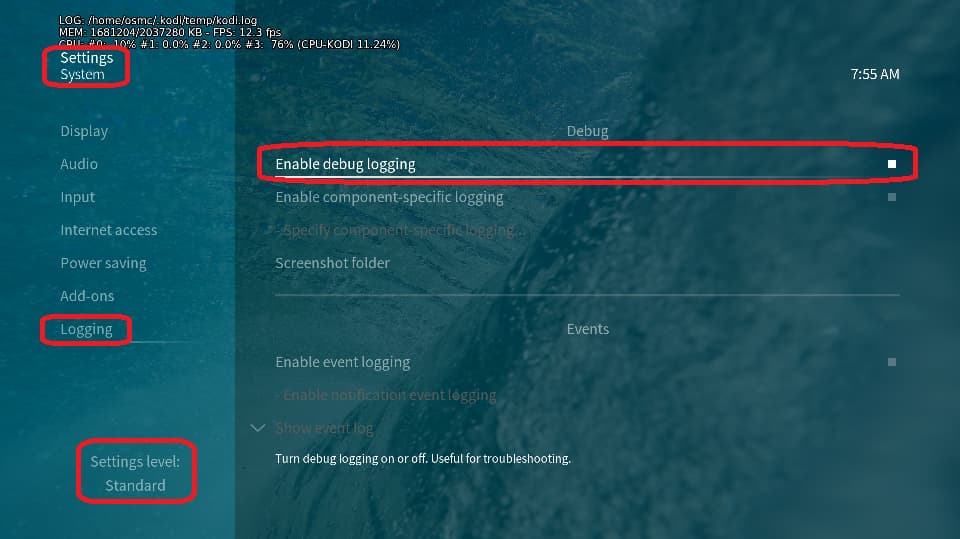
Depending on the used skin you have to set the settings-level to standard or higher, in summary:
-
enable debug logging at settings->system->logging
-
reboot the OSMC device twice(!)
-
reproduce the issue
-
upload the log set (all configs and logs!) either using the
Log Uploadermethod within the My OSMC menu in the GUI or thesshmethod invoking commandgrab-logs -A -
publish the provided URL from the log set upload, here
Thanks for your understanding. We hope that we can help you get up and running again shortly.
OSMC skin screenshot:
I think the Mouse need to be activated in the input section first so that might be normal. As long as the Keyboard works in one port and not the other that gives the indication.
Are you sure the skin you are using supports mouse?
Thanks for the quick responses, my log is over here http://paste.osmc.tv./utewafaliw
I use the estuary skin, as far as I can tell it doesn’t support a mouse
@prohling I suggest contacting support@osmc.tv along with your order number for your box with a dead external USB 3.0 port and non-working OSMC remote.
sounds like the issue is the same as mine, ie both internal USB & external USB3 port not working. Would be good to know if this is fixable, or whether it’s a h/w issue. Worrying to have these failures on boxes less than 24 months old though.
Have you tried a USB 3.0 capable device in the USB 3.0 (blue) port?
Because I have a similar syndrome, except that only USB 2.0 devices don’t work in the blue port, but 3.0 devices do.
The internal 2.0 port does not work for me either, so the only port that works with all devices is the external USB 2.0 (black) port.
that seems really odd, if USB 2.0 devices don’t work in USB 3 port, I thought they would be backwards-compatible?
None of my USB 2.0 sticks work in USB 3 port, neither does the remote dongle or keyboard, however I’ll try anything at this stage! Have ordered a USB 3.0 stick, when that arrives I’ll try it…..
Before this USB issue appeared, USB 2.0 devices worked without any problems. I tested it thoroughly with a bunch of devices: wifi adapters, bt dongles, dvb tuners, optical drives, flash drives, etc.
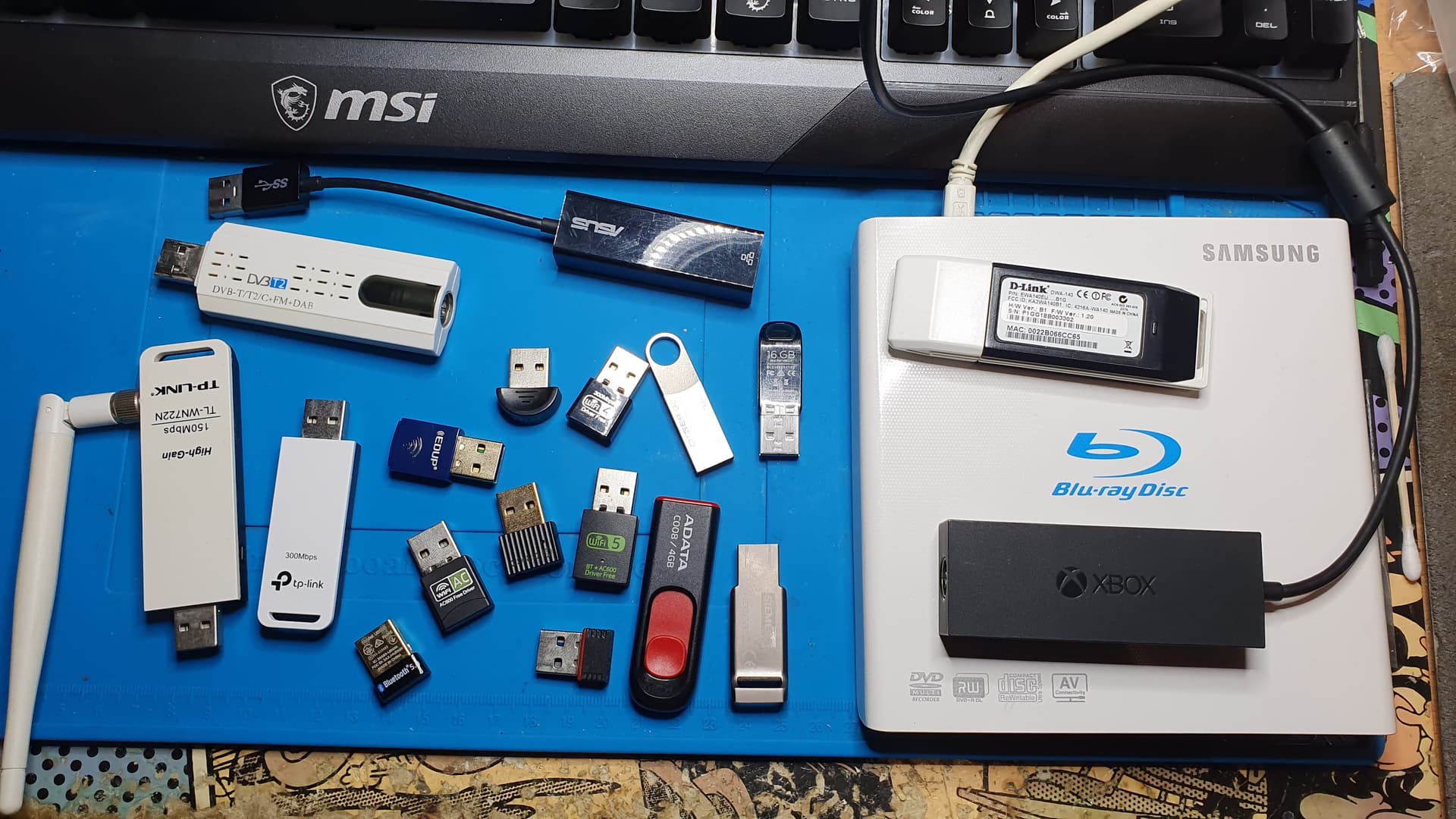
When connecting/removing 2.0 devices to/from the 3.0 port, nothing appears in the kernel log, nor does lsusb see any new devices, but the 5V USB Vcc can be measured. (At least the Keweisi USB tester worked.)
@dtech I got the info that you use a pre production beta board. Please, contact support@osmc.tv with you specific issue.
1 Like
I don’t think dtech needs support because he soldered his own solution (please don’t suggest that here @dtech).
But I think this could definitely influence behaviour. Will check the USB2.0 not working in the USB3.0 issue shortly. I have had another report about this but we couldn’t conclude what the problem was as the user hasn’t responded for a while for personal reasons.
Sam
1 Like
Yes, I had a workaround to overcome the internal USB issue, but since it would obviously void the warranty for other users, I didn’t even think of publishing it.
However, the USB 3.0 port behavior was suspiciously similar, and since I tried it with multiple devices, I assumed that the issue experienced by others with the final production Vero V might be related to this.
I just wanted to share my experience, in case it helps the development team to investigate the problem further.
I appreciate that, thanks
Sam
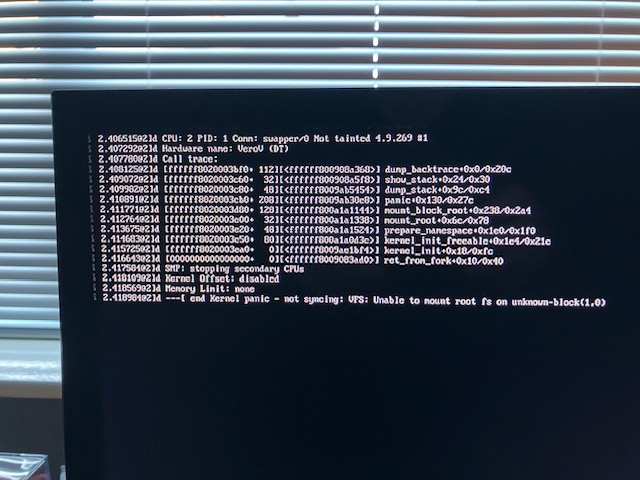
ok, I tried putting a copy of the latest release of s/w from the Installer onto a Sandisk USB 3.0 stick, & putting this into the USB3 (blue) port - no joy…..
Hi @mickb. May I ask what your intention was with your last post? @sam_nazarko already offered you the option of contacting support@osmc.tv via email in the other thread? See Re-install of s/w from SD or USB fails? - #31 by sam_nazarko
Hi Jim, it’s just to give visibility to others, since I’m not alone with this issue. I’ve sent details to Sam via the Support mail-box, but as yet, there seems to be no solution to the issue.