Can you point us to a publicly available test clip that shows this effect?
Only in his own opinion. He says in the comments
profile 5 is wrong only on iTunes because apple is a stupid company that doesn’t care about quality.
which means he doesn’t understand how Profile 5 is supposed to work. Yes, if their content is prepared as Profile 5 with optimised shaping and they stream it with no shaping it will be wrong (very wrong) but if they just take a HDR10 original and package it as P5 with no shaping all they are losing is the extra 1.5 bits of precision Profile 5 is supposed to add. If anyone can tell the difference between 10bits and 11.5bits, especially on a film like Barbie I’d be very surprised.
I suspect he’s very good at guessing the causes of the differences between renderings that he ‘measures’ and mostly getting it wrong.
He’s not very good at explaining his methods (unless you want to spend hours wading through AVSForum posts). I doubt whether the washed-out look he claims he’s getting (I can’t see it in the comparison pics) is because Apple aren’t using shaping.
Just my 2d.
You can use the clips that Kontrarian shared in this thread. Dropbox
“Aliens (1986) Special Edition [UHD DV Profile 7.6] Test Clip.mkv” for example. It’s showing the same issue I’m getting when ripping a Dolby Vision Blu-ray with MakeMKV.
1 Like
I can’t reproduce this on my Philips OLED. Borders are black as it gets. Can you post a log?
Logs: https://paste.osmc.tv/fusenogije
I tried taking a screenshot but that just produced something garbled. Not supported with DV?
Not supported with 4k hevc. Thank you.
Yeah, it’s very subjective… and it’s nauseating.
UHD, HDR, DV, etc. are just standards (and very fluid to say the least), and just like any other, how well it is utilized ranges.
Most UHD discs were gimmicky at first.
Upscaled, so the benefit in detail is mostly just a better codec and bitrate, HDR color grading that’s controversial, and sometimes blown out aggressive HDR, etc.
Then some people did it right; get a good scan from the original elements, do a tasteful color grade, etc.
It’s so hit and miss.
Is the Arrow version better than the Criterion… etc?
And now that DV is getting ground it’s DV vs HDR10, but most of the DV releases are arguably just crippling the HDR BL, etc.
It can all be rather disorientating and overwhelming for most.
And people want to inject WEB DV into UHDs that didn’t have DV etc and that introduces all kinds of new issues.
And then everyone has an opinion on how it should look.
Maybe Apple has it right and everyone else has it wrong?
For all these reasons I stopped doing encodes and just remuxed my discs.
If it doesn’t look right, well… that’s how it was in the source, no second guessing my handbrake settings or something else like that.
It used to drive me crazy!
I’d watch a movie and then something wouldn’t look right, maybe some black crush or something, and it would continue in the next dark scene as well and I totally lose emersion because I start thinking maybe I used poor encoding settings, etc.
Now when I see stuff, I notice, but I don’t dwell on it because I know there’s really nothing I can do about it and I just enjoy the movie.
You guys do amazing work dealing with all these issues.
Can you remind us which display you have? Can’t tell from the EDID.
He has an LG B7 OLED.
1 Like
You said above you have a B7. Why are you bothering with the Scope skin?
Tested it because I’m deciding which projector to get next and whether I want to bother with lens memory and things like that for constant height with different aspect ratios.
Currently use LG B7 but also have a Sony VPL-HW50 projector.
1 Like
Let me get this straight. You have grey bars on the LG, on the Sony, or both?
The Sony doesn’t do DV, so only on the LG.
Please upgrade, following the instructions at the top of this thread. Let us know if it’s fixed.
The upgrade also intruduces the GUIPeakLuminance setting requested by @mceron and others having issues with bright subtitles on HDR.
1 Like
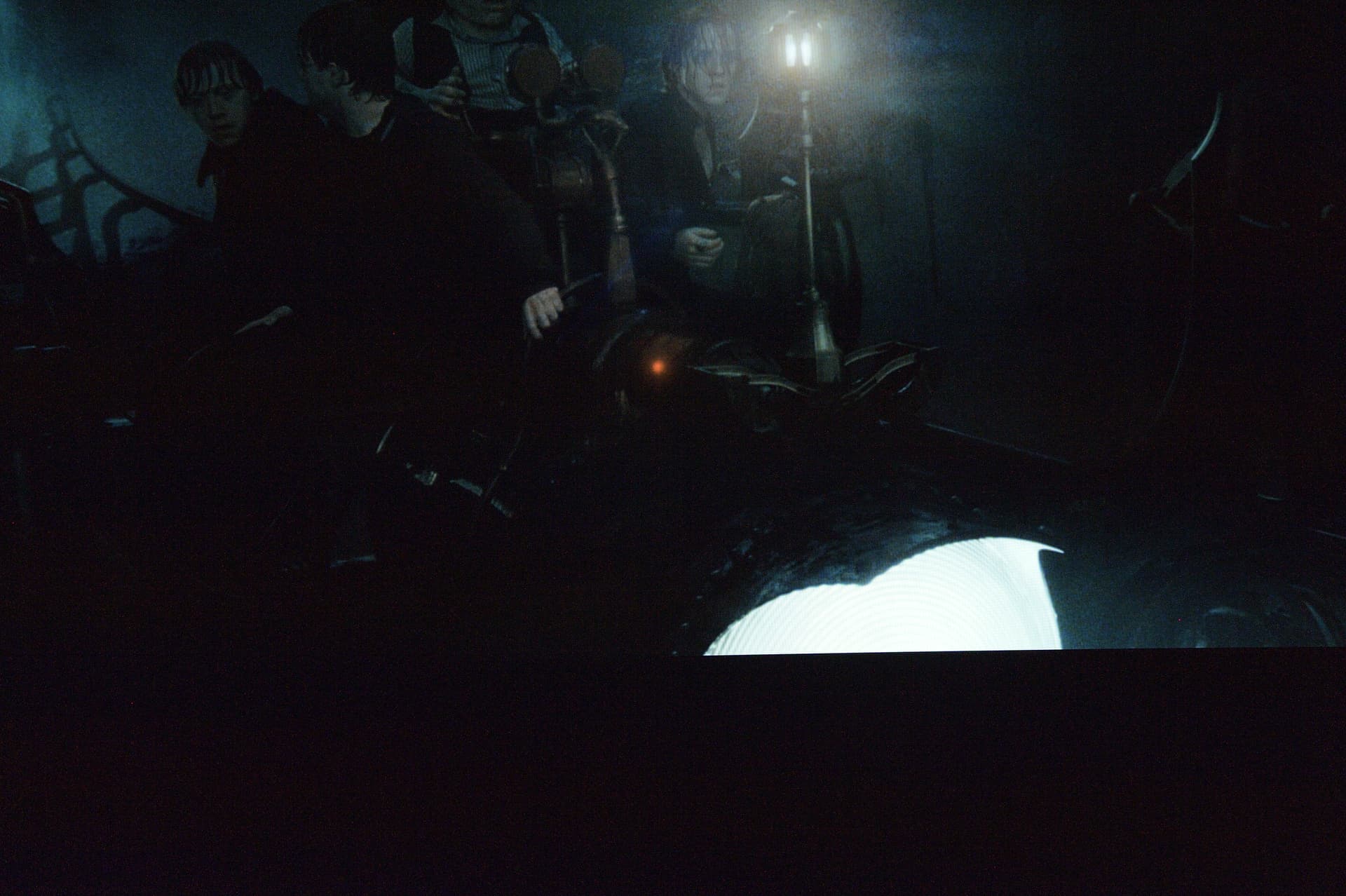
I noticed something today about DV performance from the Vero V that has me wondering whether it’s managing DV correctly/differently from CE. My daily driver for DV playback of mkv’s is an Ugoos/CE. I hooked up my DV test Vero and noticed that highlights had a lot more brightness compared to CE. At first I found that pleasing, and then I realised: the highlights are so bright because CE is doing a better job of rendering highlight detail. I’ve attempted to illustrate this via a shot from Harry Potter and the Deathly Hallows part 2. I have a disc-sourced HDR10 rip, processed via dovi_scripts to add a CM v4 P8 RPU. There is an underground labyrinth sequence where the gang are on a sort of rollercoaster car which has a very bright headlamp. When I watch this in HDR10 on my Panny HZ980, there is next to no detail in the headlamp. Watching the dovi_scripts conversion via CE (mainline or latest CPM build), I get to see that there is a design detail of concentric rings within the lamp. However, when I watch this on the Vero, the design detail in the headlamp is largely missing, giving me pause for thought as to whether DV from the Vero is correct?
I dug out an old DSLR to take the following shots that give an indication of the issue. The first is from the Ugoos, the concentric rings in the headlamp clearly visible:
Here is a shot giving an indication of what the headlamp looks like via the Vero, the concentric rings have gone. The overall brightness level in the second shot is brighter, but this is taken during a moment when the light in the top of the frame is coming on and I may not have matched exactly. I’ll investigate further whether the overall brightness profile of DV content is elevated vs CE, in addition to highlight detail.
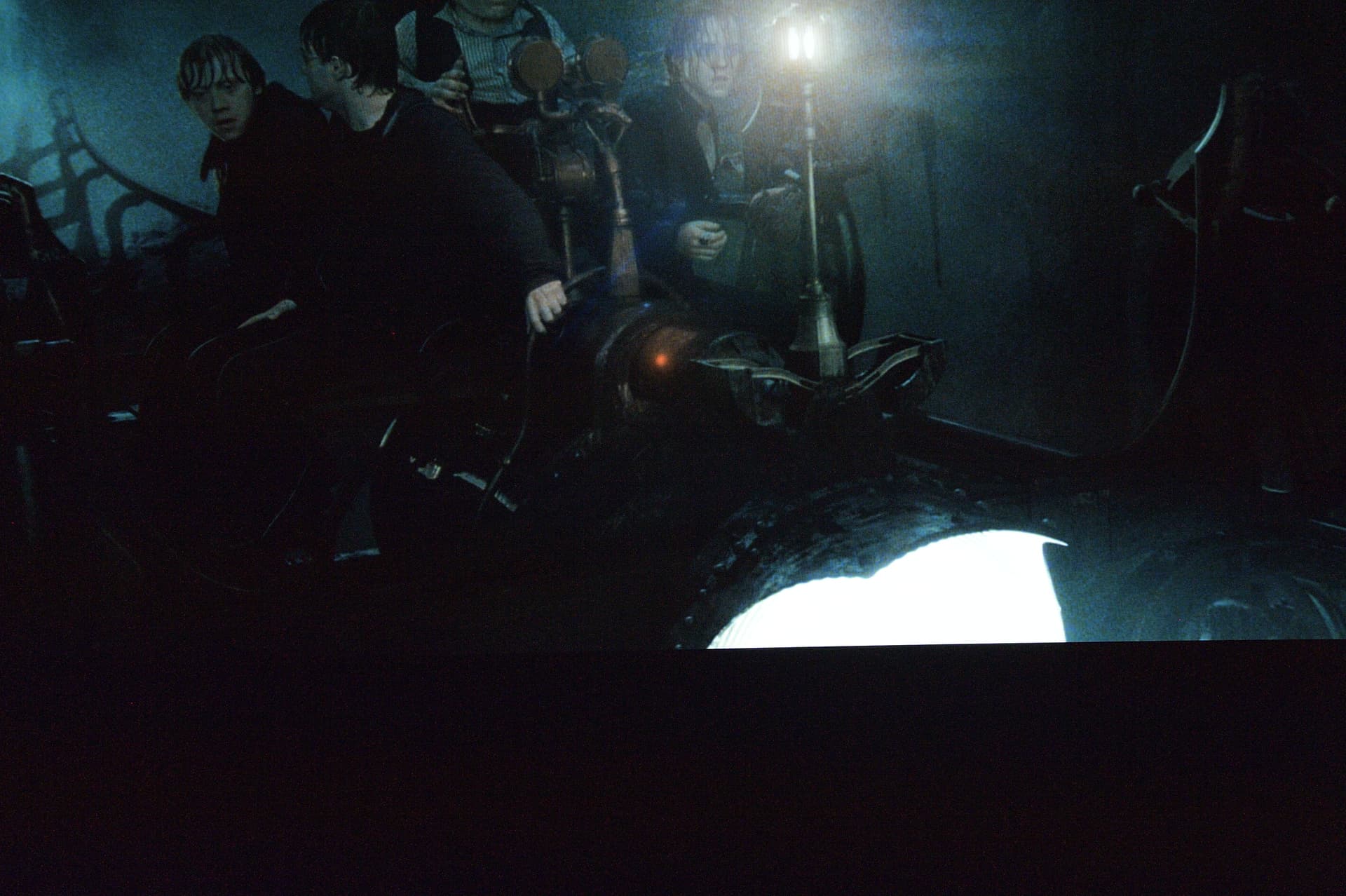
EDIT: just compared to the ATV/Infuse, Infuse is giving detailed rendering of the headlamp in DV, essentially same as CE. Does look to me like the entire brightness profile of the shot is elevated on the Vero vs the other platforms.
further to previous post, there is an even more glaring example in Goblet of Fire. Just after 9mins in, there is a shot of Robert Hardy in the glare of floodlights. Watching this in HDR10, his face is a burnt-out over-exposure on my Panny HZ980 (even in filmmaker mode - my TV can’t deal with the highlight brightness in this film).
The DV conversion played via the latest test build on the Vero still shows him with a burnt-out face, even though the TV and the AVR register a DV signal. Playing the DV version via Infuse or CE, Hardy’s face is rendered far more sympathetically - it’s an example of how comparing HDR10 vs DV for a given display can result in the HDR10 version looking unwatchable.
Looks good with the Scope skin now. 
2 Likes
Based on those two pics, the difference is quite, er, subtle. Would most people notice it without a side-by-side comparison? Not trying to diss your report, that’s a genuine question to get a better idea of the scale of the difference.
As it happens, I’ve spent a lot of today looking into this, as also reported by HDRpotato. The only device I can compare with and actually get meaningful measurements from is a well-known cheap s905x4-J box that CE refuse to support but running CE-ng just fine.
If I measure the output of that box, it’s actually brighter than the output from Vero so I’m a bit stumped. Maybe it would be different if I ran CE-ne with the dovi.ko that came with it. I’ll have a close look at your two pics to see if there’s a systemmatic difference we can use.
If you have a moment, can you clip that bit from Goblet of Fire for us? Say, 30 seconds each side of the bit where it’s ‘glaring’?
And, just checking, your TV is set to DV mode 1, right?
it was a struggle to get shots that fairly represent what I can see. The in-play difference is obvious, via the Vero the headlamp is a blinding glob of light, via the other platforms you see the detail. But the Goblet of Fire sequence is far more obvious in highlighting an apparent issue with the Vero in how metadata is being managed. The TV is indeed running in its display-preferred DV mode 1.
I’ll snip a clip from GoF and send you a link.
1 Like
We don’t manage metadata, we just pass it through with P7 and P8 streams. For the GoF clip, is that also over-cooked if played as HDR10?