Test computer: Vero, Raspberry Pi 2
Test Monitor: Samsung TV, Samsung Ultrawide
I have over 1600 albums and only the songs from one album give playback problems
The problems only occur for a specific combination of factors:
1: With the Vero (V and 4k+), and not with Raspberry Pi
2: All the tracks from a FLAC 192khz album, and not any of the other music albums
2: Over HDMI, and not via 3.5mm analogue audio output
 2.1 Old Samsung television: garbled sound

 2.2 Newer LG ultra-wide monitor: no sound

 Playback continues (I see the counter moving)
I am aware that more information is needed to investigate and resolve this.
If somebody can tell what kind of logging is required or (when needed) how a track can be uploaded I would appreciated that.
To get a better understanding of the problem you are experiencing we need more information from you. The best way to get this information is for you to upload logs that demonstrate your problem. You can learn more about how to submit a useful support request here.
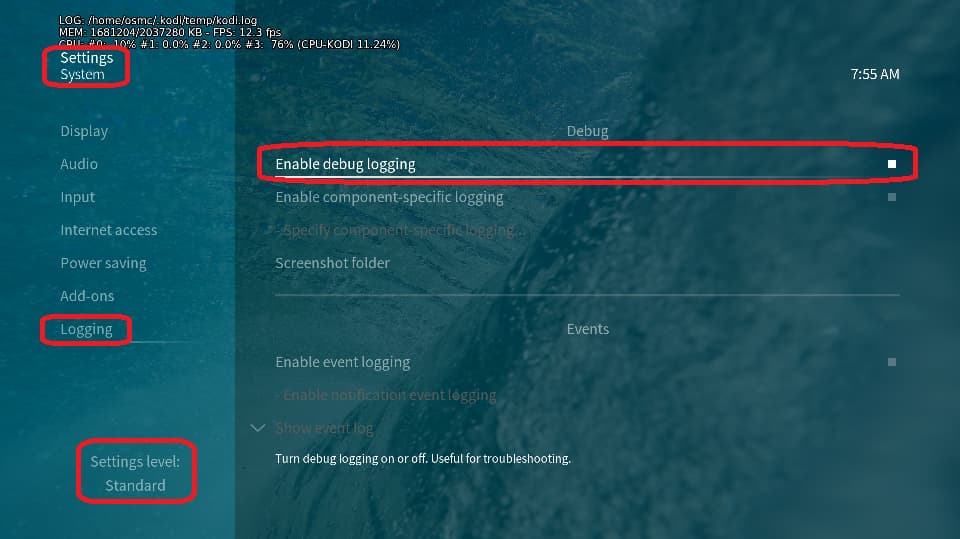
Depending on the used skin you have to set the settings-level to standard or higher, in summary:
-
enable debug logging at settings->system->logging
-
reboot the OSMC device twice(!)
-
reproduce the issue
-
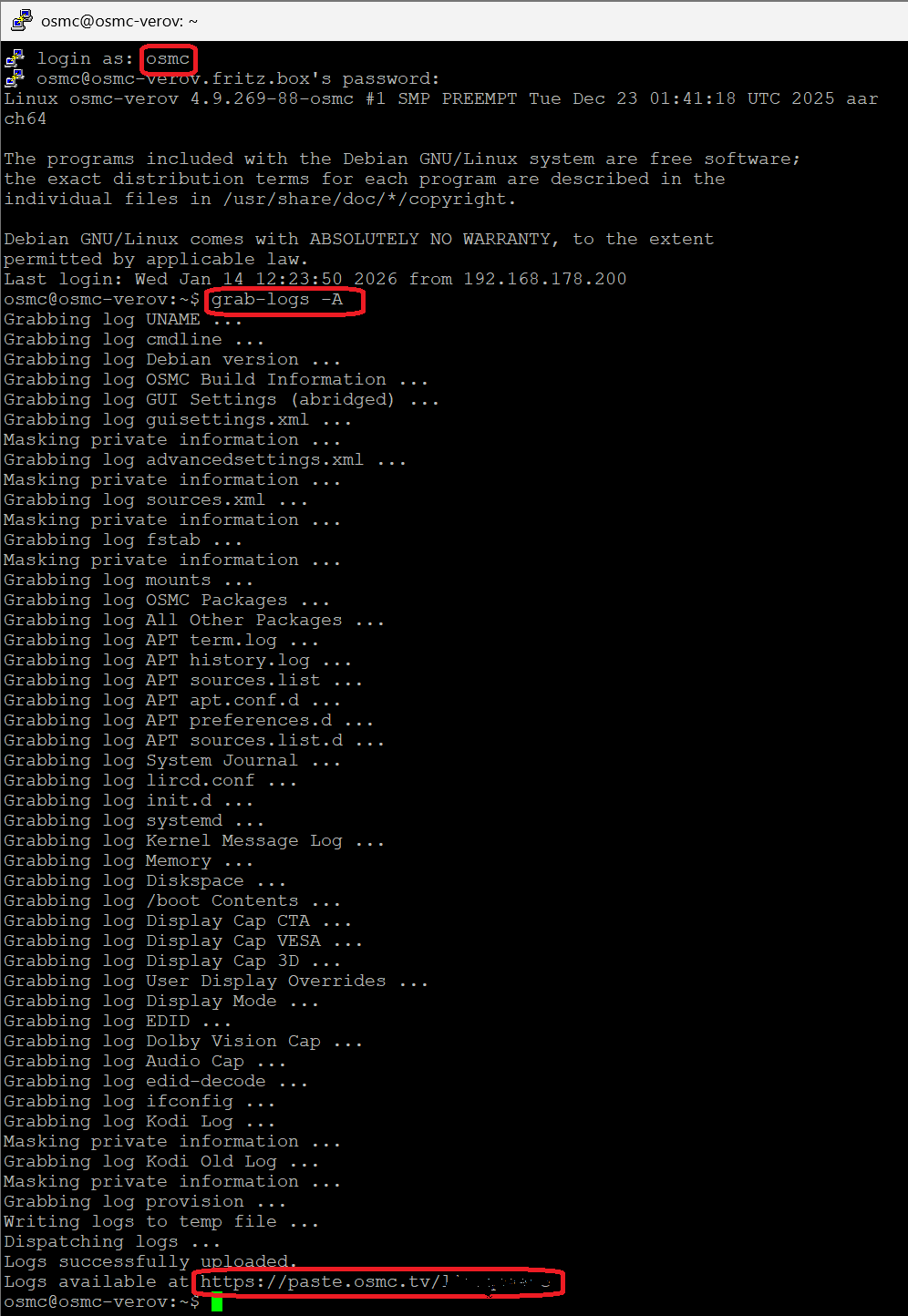
upload the log set (all configs and logs!) either using the Log Uploader method within the My OSMC menu in the GUI or the ssh method invoking command grab-logs -A
-
publish the provided URL from the log set upload, here
Thanks for your understanding. We hope that we can help you get up and running again shortly.
OSMC skin screenshot:
Hello,
The logfiles for the first track Vero via HDMI SamsungTV:
https://paste.osmc.tv/locuceyowa
Result from MediaInfo for the first track:
https://paste.osmc.tv/ifogemavop.tex
I hope this sufficient to investigate the problem.
Kind regards,
Ronald
2026-07-04 14:56:07.565 T:2955 info <general>: Disabled debug logging due to GUI setting. Level 0.
As requested previously, we need debug logs to get a better understanding of the problem. Please see previous instructions again.
Also helpful will be the exact model strings/numbers of your Samsung and LG TVs.
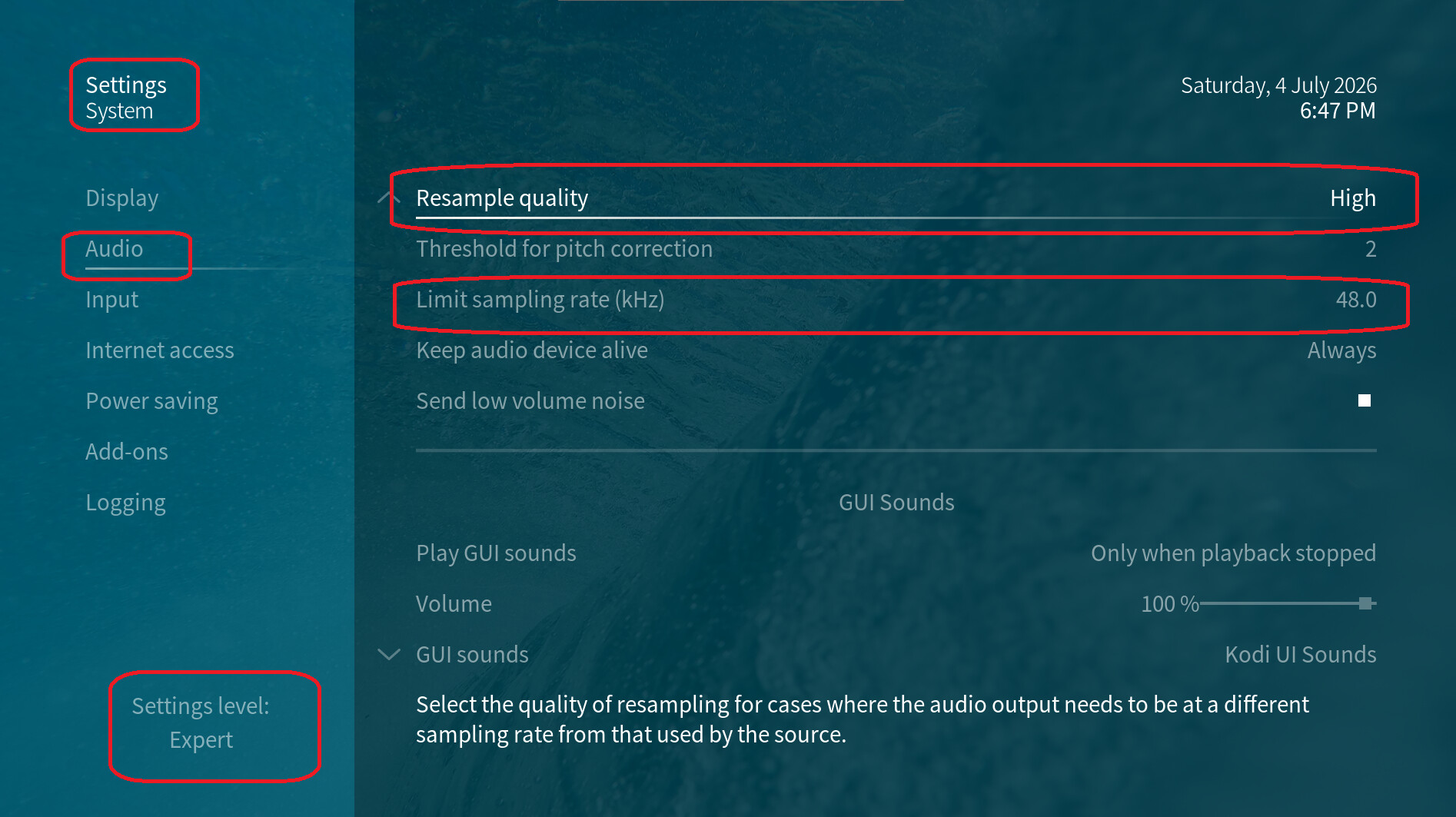
Besides the missing log data from kodi, the connected Samsung device is not able to process higher bandwidth than resulting from 48 kHz sampling rate; so, 192 kHz is a nogo, here.
CodingType MaxChannels SamplingFreq SampleSize
PCM, 2 ch, 32/44.1/48 kHz, 16/20/24 bit
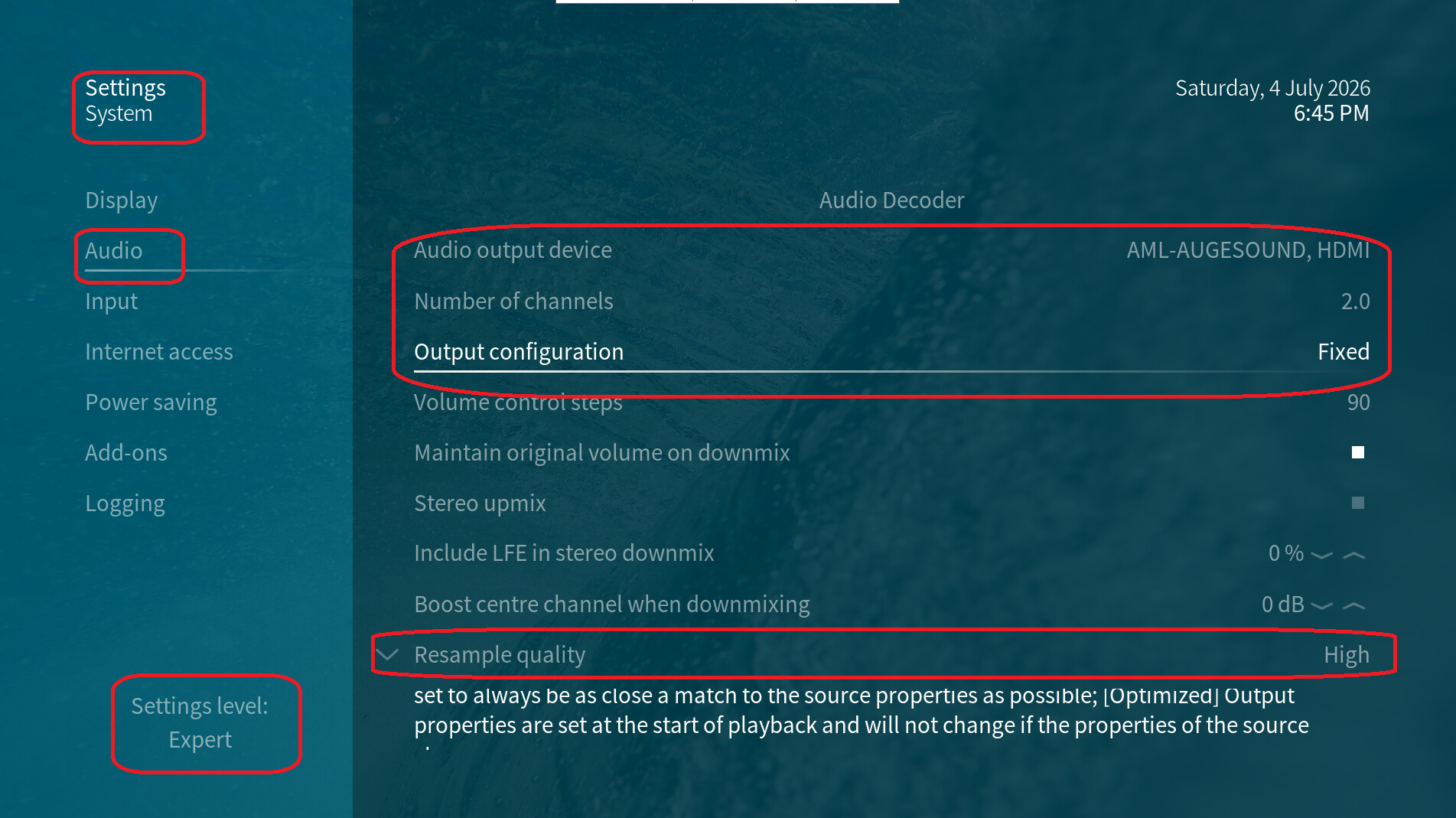
Perhaps, you can downsample this by using a fixed configuration at settings -> system -> audio:
I guess, you’ve configured something similiar on your RPi 2, so it is working with the Samsung device.
Hello,
Thanks for your response.
Unfortunately I will not be at home for a while.
So currently I cannot do what you ask.
But I did have the time a quick test before I left.
I set "Output configuration“ from “Optimized”/"Best match“ to "Fixed“.
This resolves the playback problem.
It is strange, because I do not recall ever changing this setting on any Kodi installation.
It could imply that the default settings might differ from one Kodi installation to another (I have been using Kodi for over 10 years).
For me this is sufficient.
If you want more information please say so (but then it will take a while).
Kind regards,
Ronald