I have a Vero V from the soft launch where the remote stopped working.
I’ve seen a few others have the same issue post on the discourse and the recommendation seem to be to email support@osmc.tv about this, which I did (on May 7th) but haven’t heard back so trying this way as well.
I updated to the May release when it was released, and a few hours later had a system/OSMC crash (first time in over a year), and when the system came back, the remote was no longer working. The system has been rock stable since (I’ve been using my old Vero 4k remote, but I’d like to have a separate one for my V, as now I have to move the dongle between my bedroom and living room which is a pain).
I can’t pair it either, I enter pairing mode (blue light on remote lights up, stays lit without blinking for 30ish seconds) and it never succesfully pairs. Been trying to do a few cold resets, but hasn’t worked for me.
Helpful for guidance on if I can trouble shoot this further, or if I need a replacement or similar?
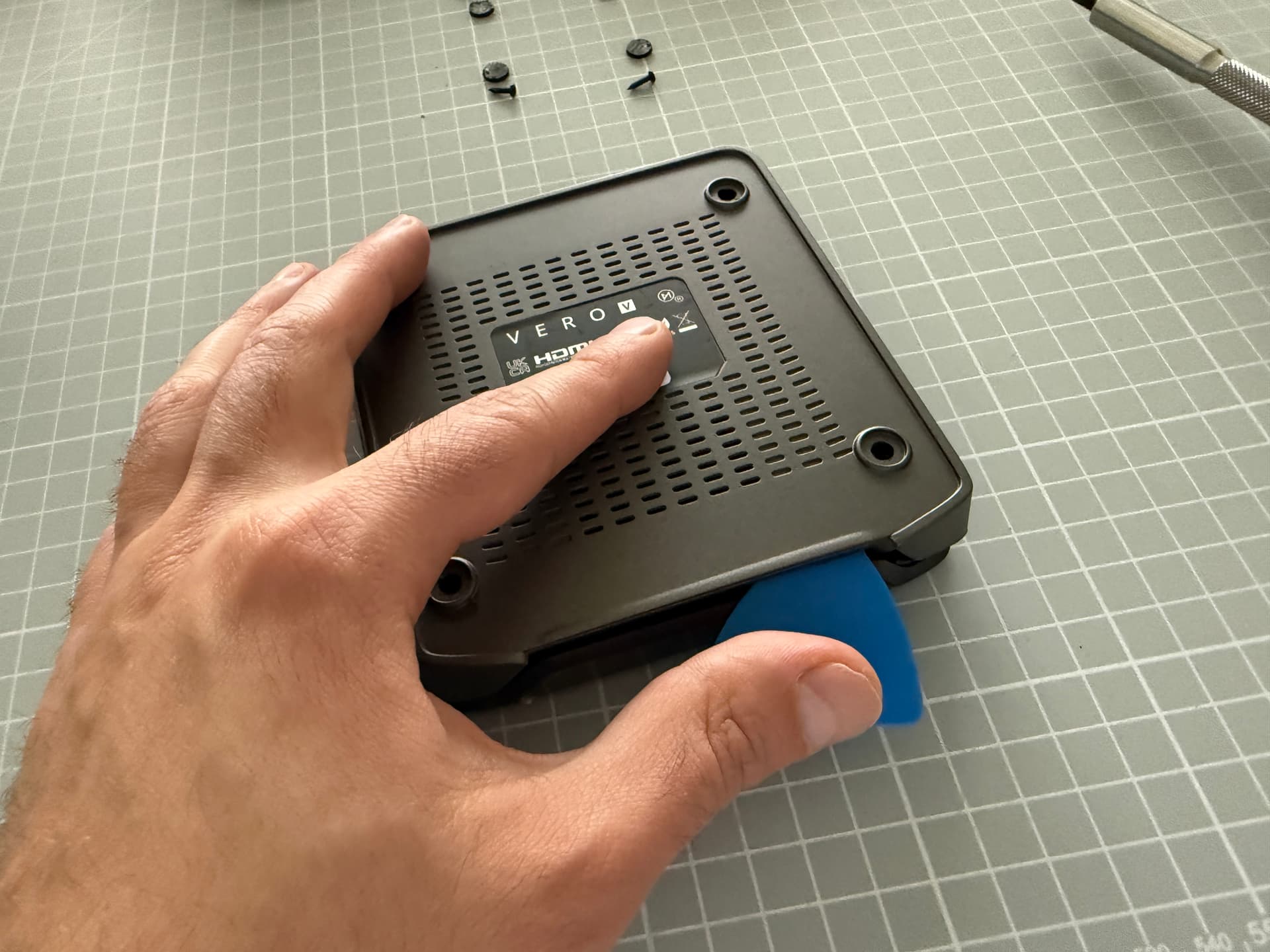
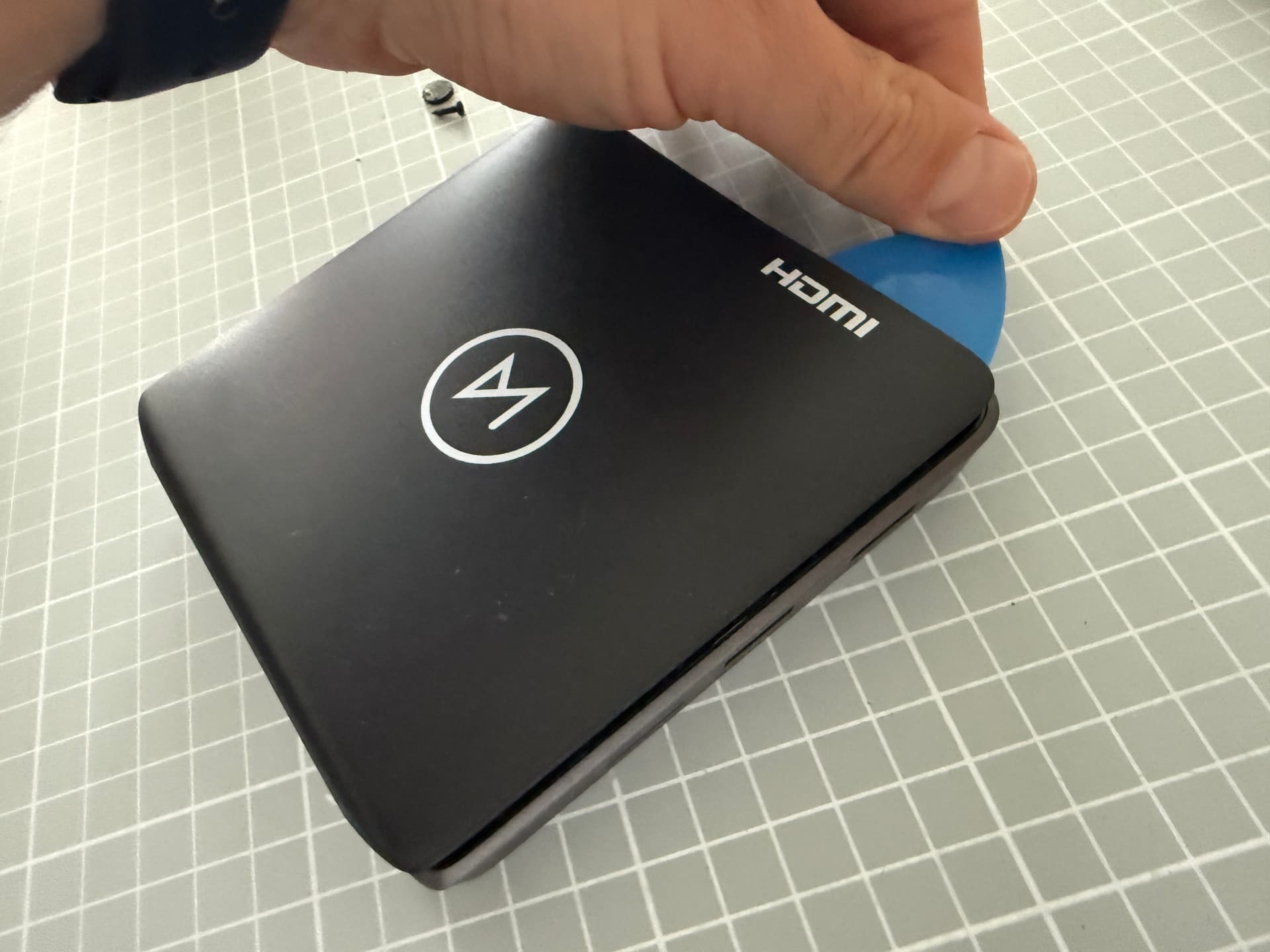
I’ve seen other people mentioning it works when moving the internal receiver to the external slot, but I couldn’t get the case open to try it (remove the 4 screws, but there’s something else that prevents the top+bottom from separating, if there’s any guidance on how to safely open that I can try it).
Hi - so sorry you’re having a similar prob that some of us have had here. Hopefully Support will be able to help you, but a word of warning: if you open the box, it completely invalidates any warranties. Those of us who did that are now basically on our own in terms of potential future h/w issues.
And while I don’t know about lvikstrom, my Vero V is over 2.5 years old. So given that the hardware warranty is anyway just for one year, at least for me, any support at this stage would be goodwill support
So with all these disclaimers and warning aside:
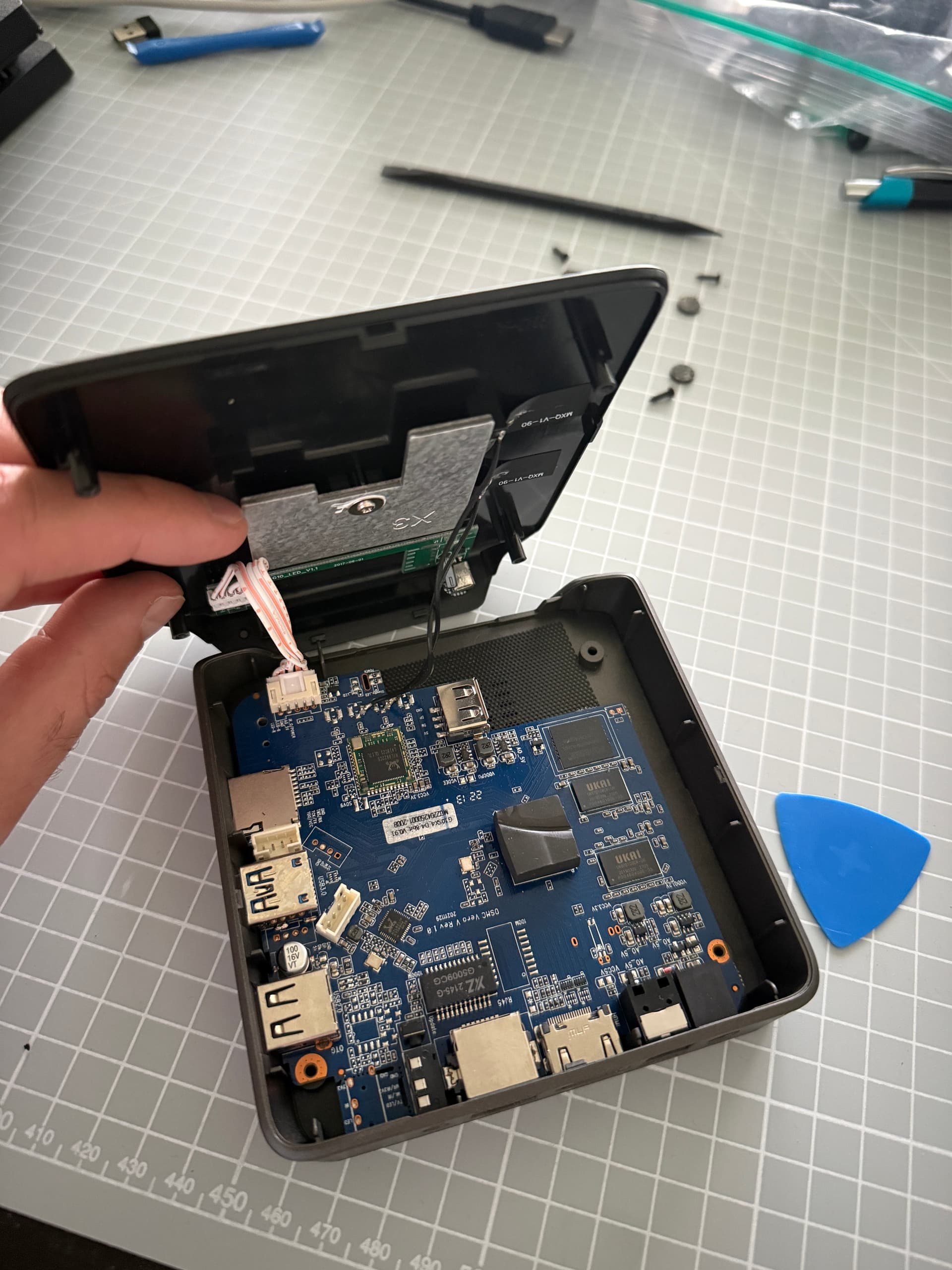
There are no additional screws (beyond those four). The top cover just clips in several places. You can insert an opening pick or a credit card into the gap and gently lift - then move to the side and repeat until the cover unclips in all locations. For the next step, watch out for the cable and the antennae and make sure to lift up on the side of the HDMI / Ethernet port.
ran most recent update. remote stopped working. replaced battery multiple times. it will blink blue but the box DOES NOT RESPOND. Re-pairing is useless, it does NOTHING.
thankfully I have a few other methods of controlling the device, but the remote has been rendered NONEXISTENT. awaiting a patch to fix this madness!
As @lvikstrom stated, it’s certainly not the recommended fix. Many of us have had the issue, & those who did the above found out (in my case afterwards), that warranty was now void.
There’s more details in this thread, but for anyone else, go to Support, & do not open your unit….
I’ve been awaiting a reply to my ticket #916659 about remote since December 2025. I guess my best option is to open device (out of warranty) and move receiver to usb2 port.