My Vero V has worked flawlessly since I bought it, but starting a few days ago, all playbacks have become jerky, with the extent of the stuttering getting worse as the resolution of the files increases. 4K material which played perfectly on one day was close to unwatchable the next.
Files are stored on a 4TB solid state drive, connected to the Vero unit by a short USB cable. The drive specs report Size 3.8T, Used 2.8T, Available 1012G, Use % 74%. Playback is through a Denon receiver to either a standard def TV or a 4k-capable JVC projector.
The faulty playback was first noted immediately after my old Sky Plus box was replaced with a Sky Q unit. The Vero V remained powered up and connected during the installation but it’s hard to see how swapping the boxes could have caused the effect.
Could it simply be that the drive is failing? I’d be grateful for any thoughts. Many thanks.
To get a better understanding of the problem you are experiencing we need more information from you. The best way to get this information is for you to upload logs that demonstrate your problem. You can learn more about how to submit a useful support request here.
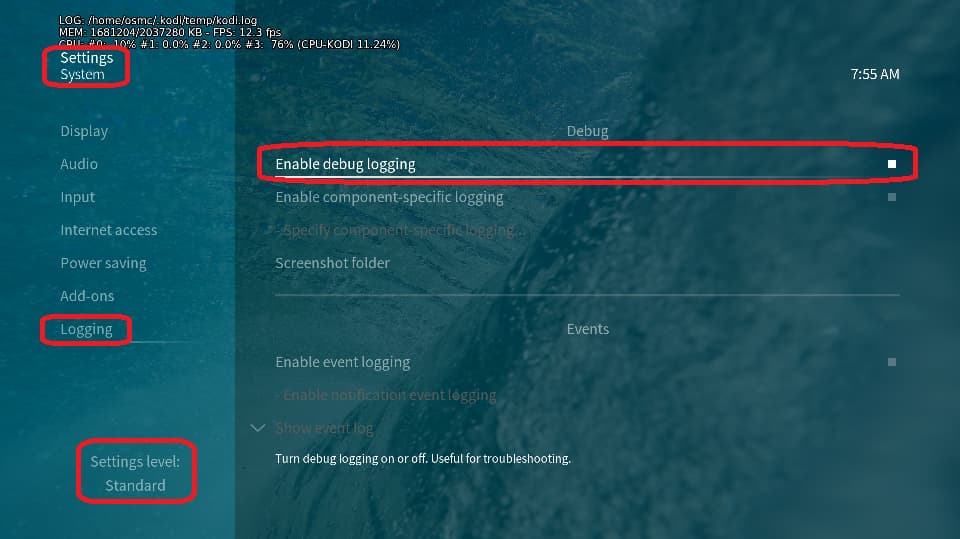
Depending on the used skin you have to set the settings-level to standard or higher, in summary:
enable debug logging at settings->system->logging
reboot the OSMC device twice(!)
reproduce the issue
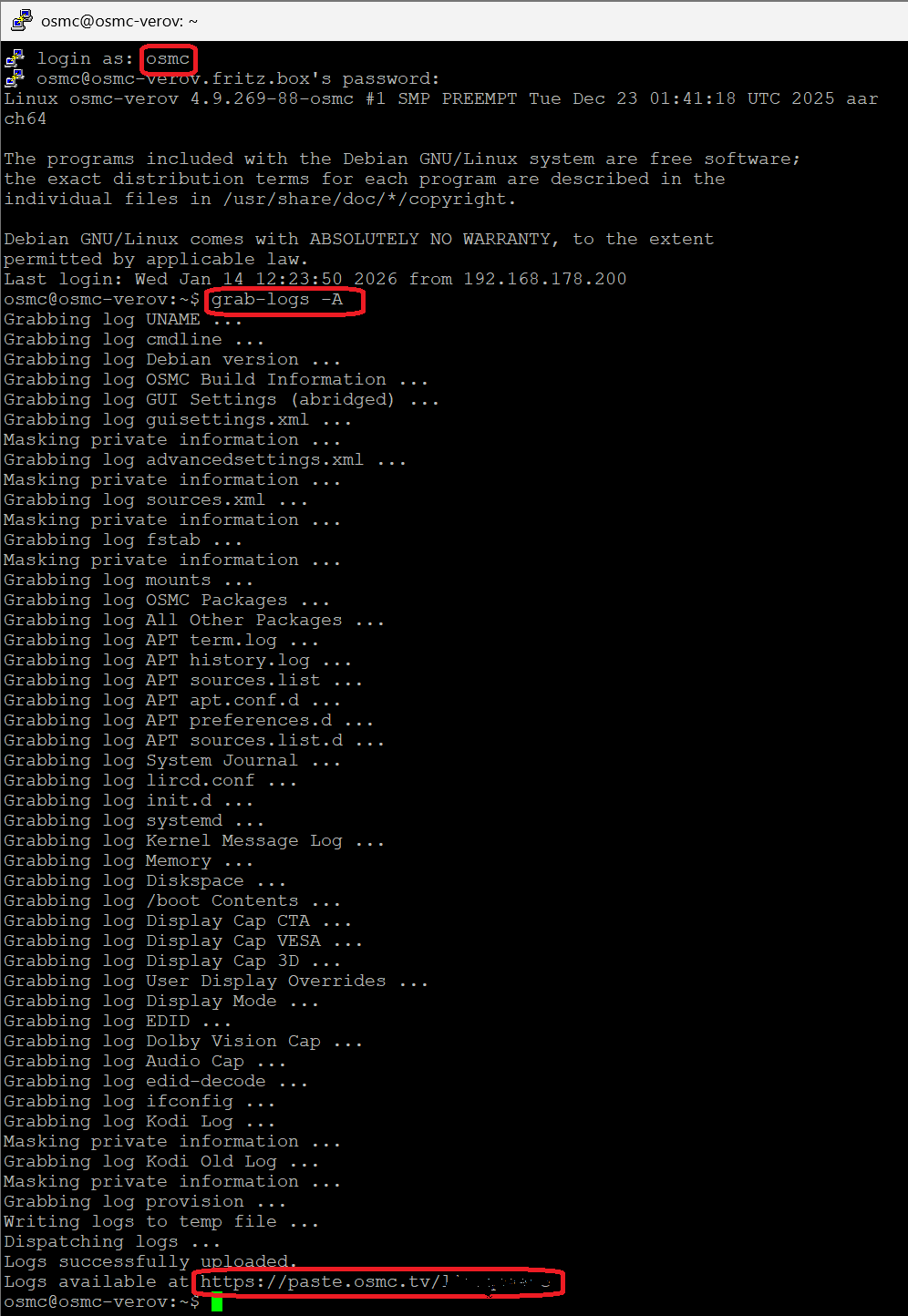
upload the log set (all configs and logs!) either using the Log Uploader method within the My OSMC menu in the GUI or the ssh method invoking command grab-logs -A
publish the provided URL from the log set upload, here
Thanks for your understanding. We hope that we can help you get up and running again shortly.
OK, here’s the log. Possibly relevant to the problem is the fact that following the two reboots, the 4K movie which showed the stuttering most severely wouldn’t play the first time I tried it. The second time I selected it, it did play but the jerkiness was still evident.
I hope this gives someone a clue as to what might be wrong. Thanks.
Thanks. I’m afraid I don’t know how to do that update (actually I don’t know what the CLI is): I’d be grateful for any advice you can give me with that.
That went smoothly, and after exiting the command line and rebooting the Vero V, playback was entirely free of the previous juddering, so many thanks.
To be sure, I redid the enable-logging and double-reboot process and then played back a 4K file (which again was faultless). This is the new log. I’m afraid it means little to me, but perhaps you could tell me if it confirms that all is now OK?