Hello, since some month, ponctually, when i starton my Vero V i have the screen is maintly green. The OSMC is working but to get a normal view i have to unplugg a little the HDMI cable on Vero V ans replug it. With orther cable or others HDMI port on TV is the same. I have no specific log . I suspect a VERO V Hardware problem (i don’t have this with my ancien Vero 4K in the same nvironnement) ? Is somebody have the same comportement ? How to fix it ? Many thanks Olivier
If you have some contact cleaner, try cleaning the HDMI plugs and sockets.
thks, i did it. it”s seem to work, let see in time .
Hello, It’s have been working for 1-2 weeks and know it’s strart again… Any idea to fix this issue definitively ??
Have you tried a different HDMI port on your TV or another TV to see if it repeats connected that way? If it was a bad connection on the plug that contact cleaner cleared up I would think it would have taken more than two weeks for the problem to come back. If it does the same thing with a different HDMI cable on a different display I’d suggest to contact support@osmc.tv with your order number and a link to this thread and see what Sam has to say about it.
Does it still show a picture if you unplug/replug HDMI? If so please post a log after you have done that.
yes i had test several cable and tv ports…
no there is a black screen when i unlugg (like no signal) .. There is no specific logs..
I’ve picked up this ticket.
@o.luke In case you don’t know how to take a log set:
To get a better understanding of the problem you are experiencing we need more information from you. The best way to get this information is for you to upload logs that demonstrate your problem. You can learn more about how to submit a useful support request here.
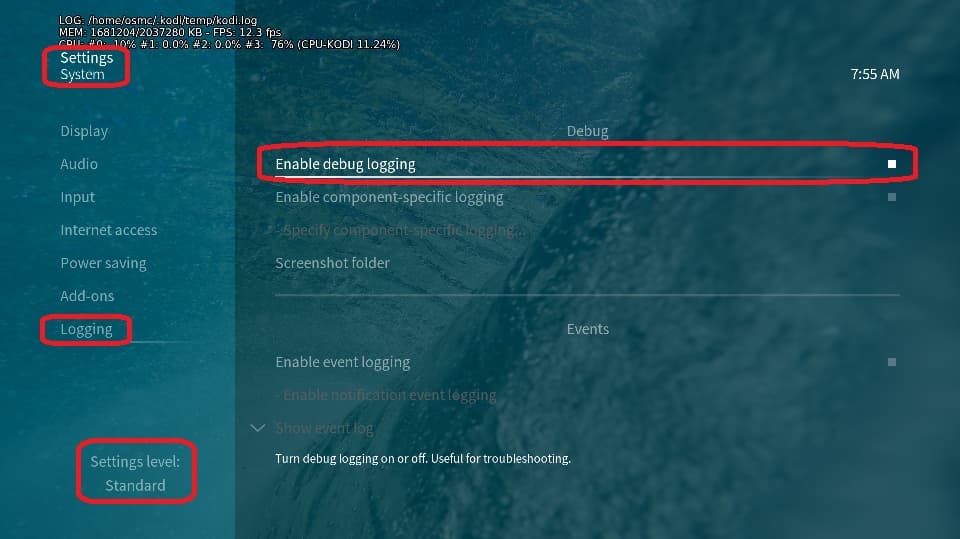
Depending on the used skin you have to set the settings-level to standard or higher, in summary:
-
enable debug logging at settings->system->logging
-
reboot the OSMC device twice(!)
-
reproduce the issue (start of the Vero V which ends in a ‘green screen’)
-
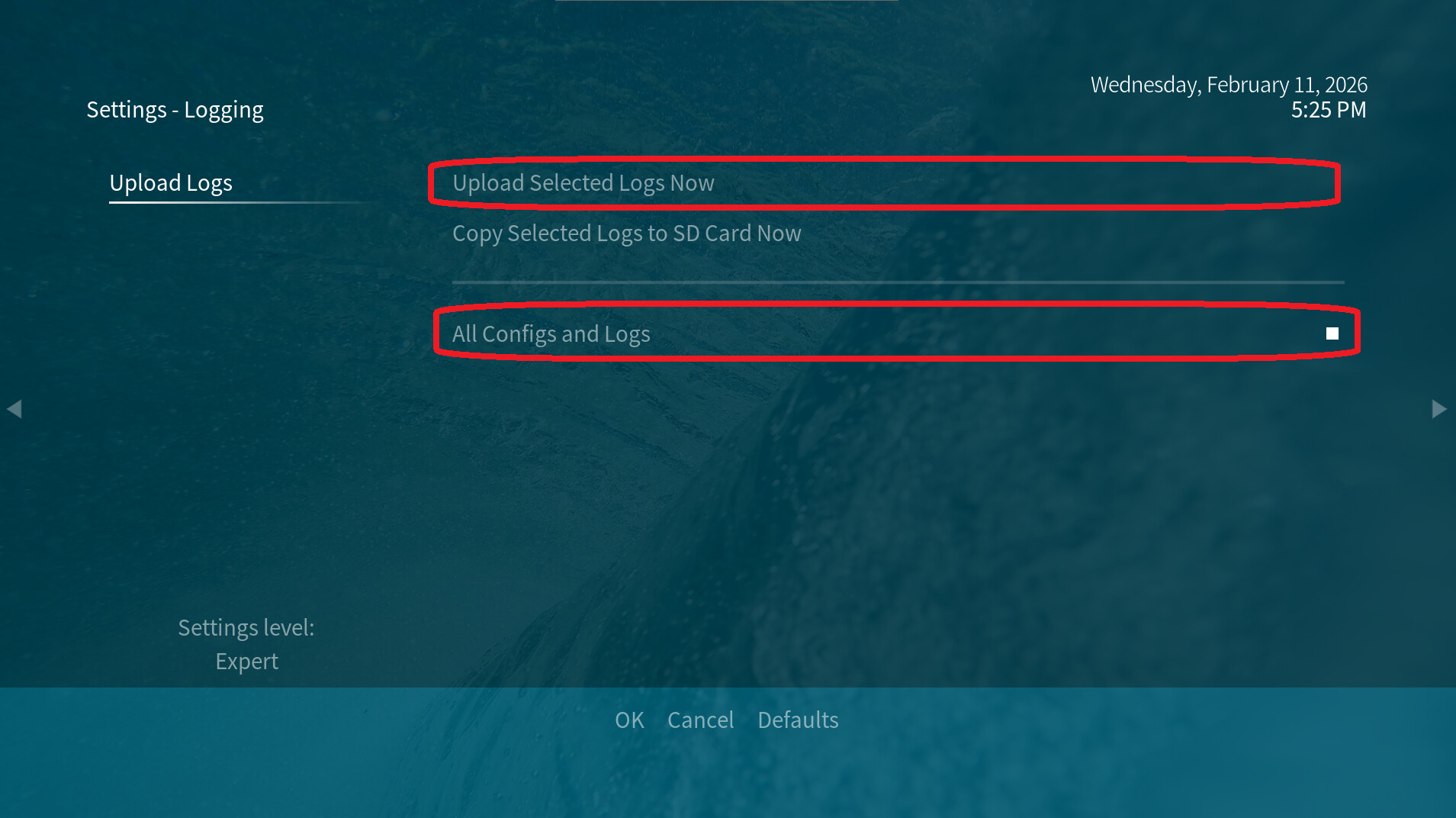
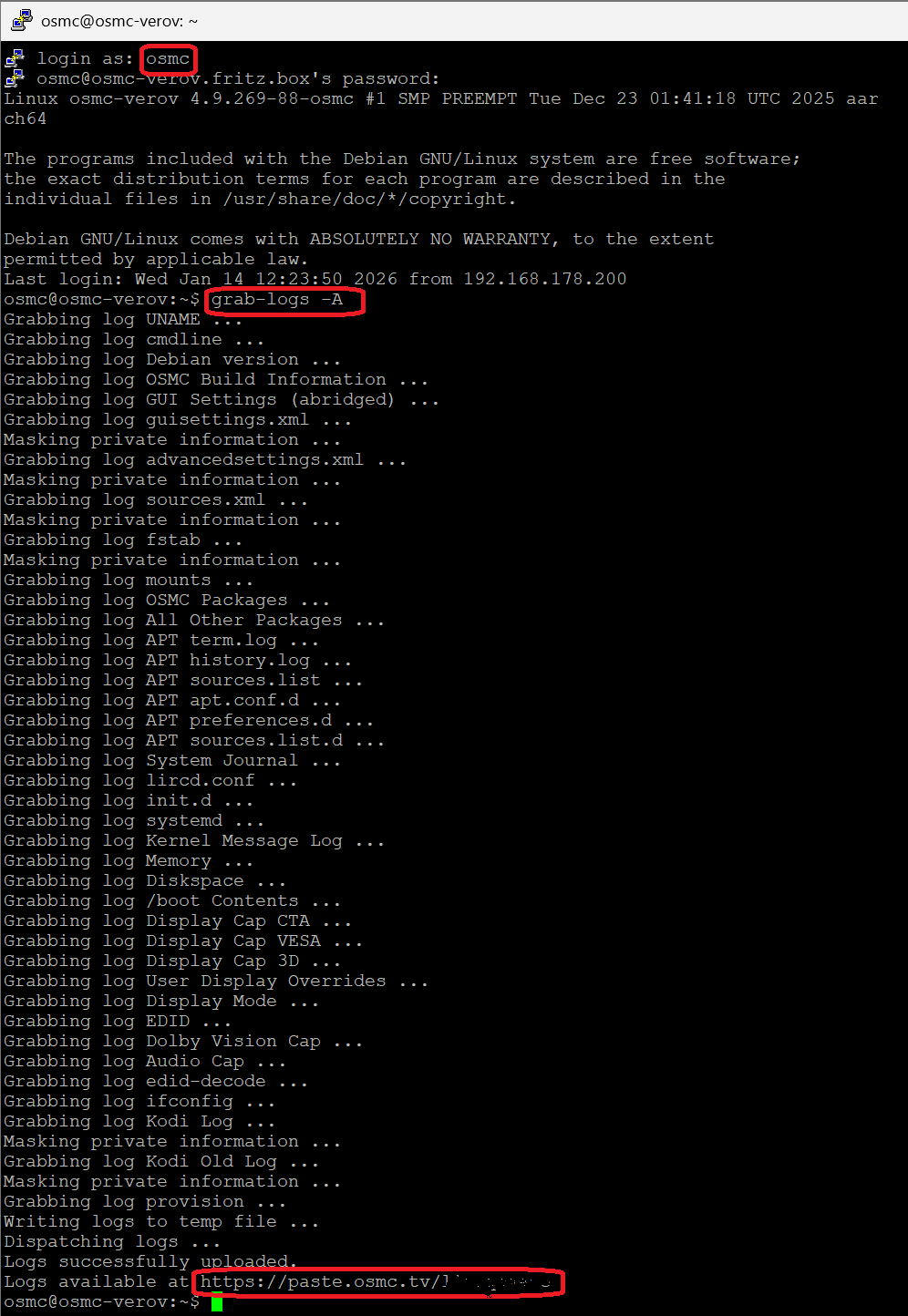
upload the log set (all configs and logs!) either using the
Log Uploadermethod within the My OSMC menu in the GUI or thesshmethod invoking commandgrab-logs -A -
publish the provided URL from the log set upload, here
Thanks for your understanding. We hope that we can help you get up and running again shortly.
OSMC skin screenshot:
1 Like
Thanks, but it’s seem to be a hardware problem (no specific log). Also it’s random …
Best regards
Without a log, it’s impossible to advise.
What makes you think it’s a hardware problem?
because when i plug off the hdmi cable and i plug it again on vero, it’s work. It happen randomly when i start Vero V (when it waking). (I’m electronician and i know how to reconize a hardware problem… I can ensure you this not a software problem)
So entertain me, show me a log and make me look dumb and confirm it’s a hardware issue?
Sam
1 Like
? i’m not here to entertain you neither to say you look dumb.. I’m just a customer !! And wouldnot spend time with that if there is no issue… I’ll send you log and photo of screen when it happen again (for the moment it isn’t). Regards
If you can give me both of those I’m confident we can get this resolved for you
Cheers
Sam
Hy, it’s append yesterday night !! So, as your ask, i took picture and i make logs :
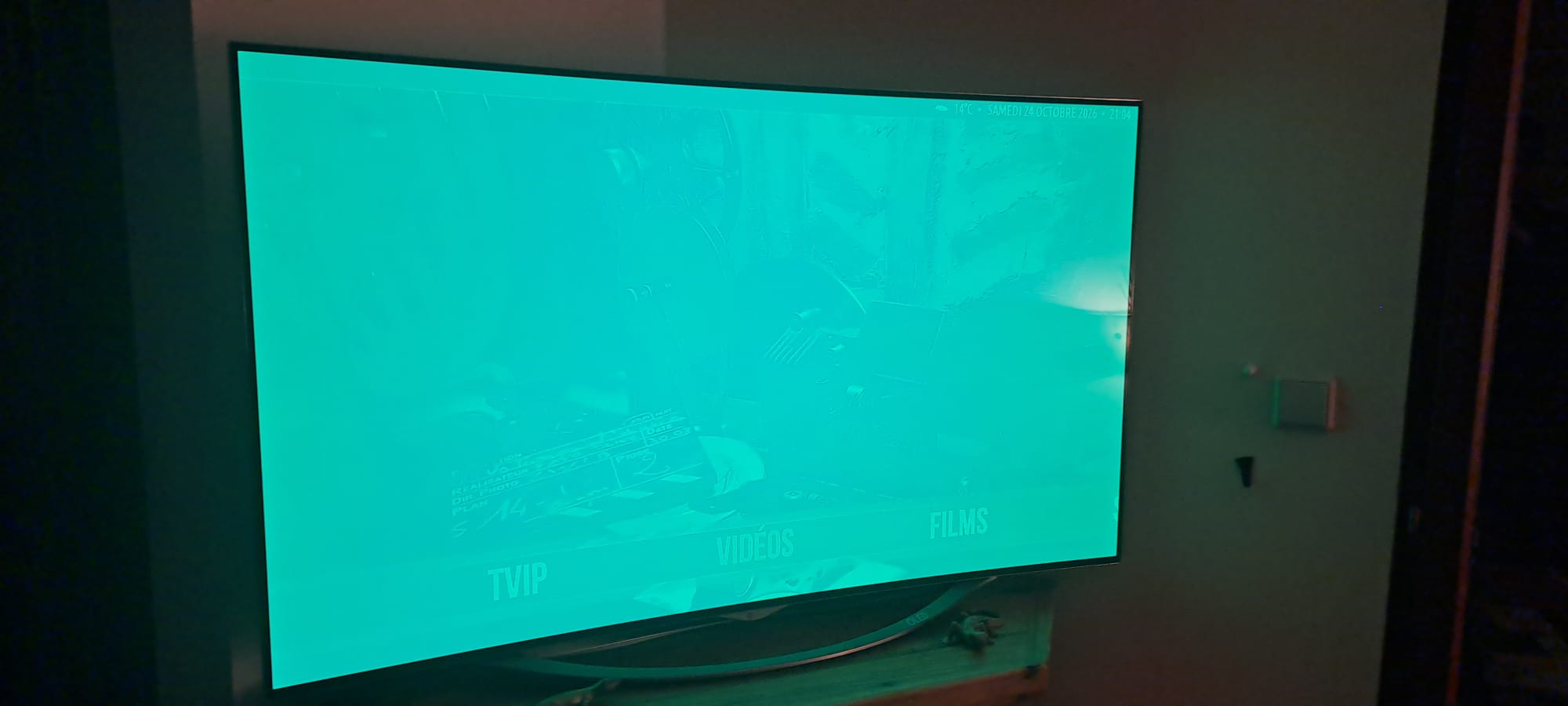
and log :xxx
I hope with all those information’s you can find the issue.
KR
In your log I see ‘Kodi old log’ (approx 1 minute) which is relatively free of error messages, then ‘Kodi log’ is jam packed with errors from various add-ons. Was the green screen showing when you grabbed the log or did you restart to get the logs?
As jimknopf said i reboot twice before uploading the log…
The green screen disapear when i reboot the first time (i reboot from interface).
So what i have to do ? Purge error from various addon (how ?) ?
This green screen appear ramdomly so how can i get the log from it ?
KR,
The instructions to reboot twice is to clear the logs before reproducing the issue. In your case that’s not appropriate as you can’t reproduce the issue on-demand. What we need is a log taken when the screen is green. You may have to do that from the command line with SSH if you can’t actually see the GUI.
Sorry for the confusion.