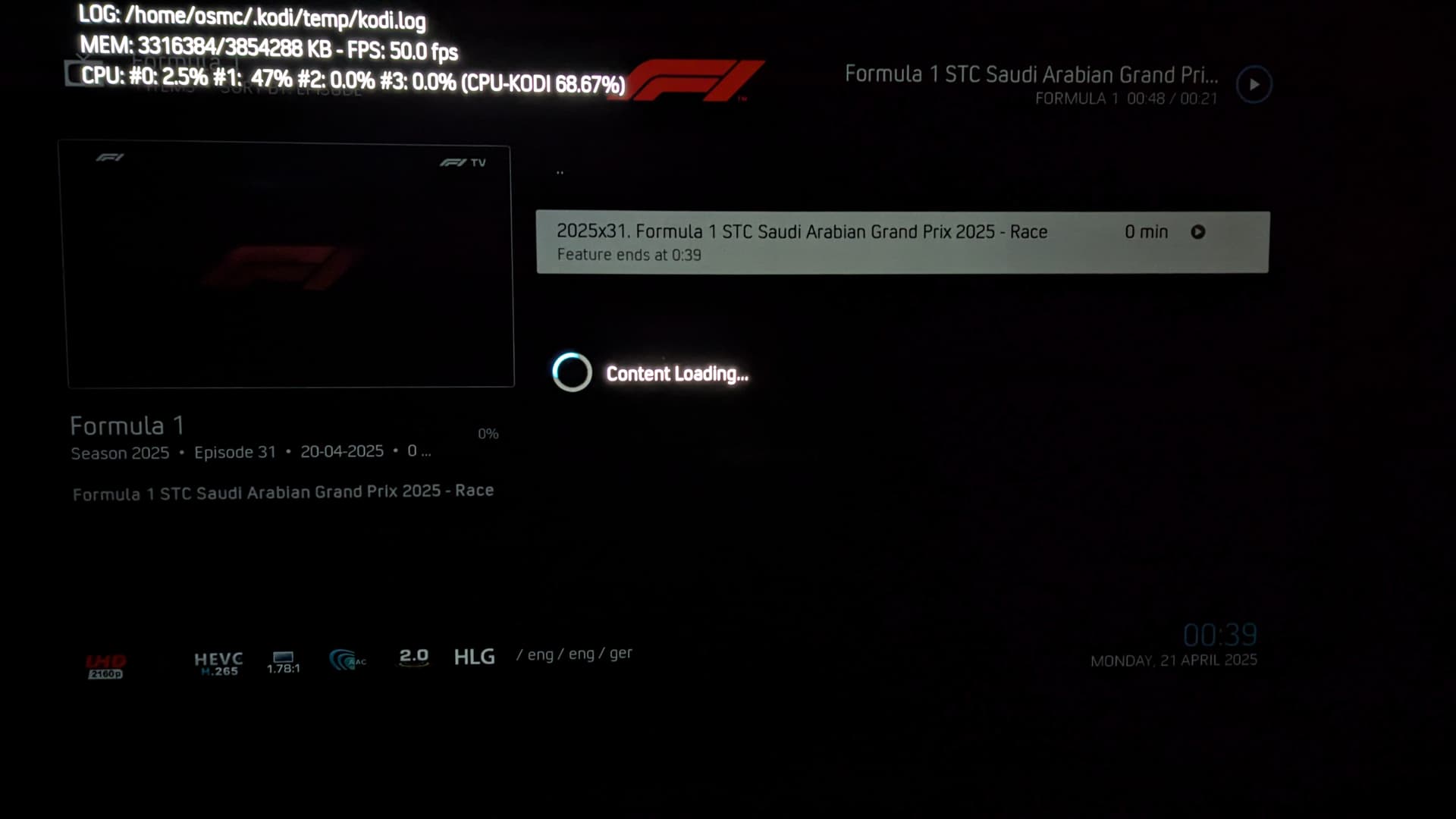
I have a file which is not playing properly. There seems to be something wrong with the file as Jellyfin clients on Fire TV and webOS are also not capable of playing it. VLC on my PC however does manage to play it. Has anyone with deeper knowledge an idea what the problem might be? Is there something I can do except for re-encoding the file?
Here is a photo of what happens when attempting to play the file
Sounds like a bad encoded file that can not be hardware decoded so only your PC can manage it decoding in software.
I would not spent time to investigate and just move on.
Kodi is setting the playback resolution to 1080p50
Matched a desktop resolution with an exact refresh rate 1920x1080 @ 50.00 - Full Screen (27)
The video file is a 3840x2160 50Hz hevc hlg file, an uncommon frame rate. OSMC/kodi has had issues in the past with beginning playback when there isn’t enough change from the gui default 1080p60 and the chosen display specification for playback. I found that success was much, much higher when there is both a resolution and a frame rate change i.e. a change from 1080p to 4k and a refresh rate change from 60Hz to 24Hz.
You should try editing your whitelist and allow 3840x2160p at 50Hz and see if it can now playback the file.
I can’t as 3840x2160p at 50Hz is not listed in the Whitelist selection menu. But I have other files with the same resolution and refresh rate which are also HLG HDR and they do work.
There isn’t much 4k 50Hz stuff on iPlayer, because there isn’t much 4k stuff on iPlayer, there is quite a bit of 1080p 50Hz stuff though. Additionally, this is not from iPlayer, it’s either SkyUHD or F1TV website (apparently).
The question is why is kodi is opting by default for 1080p50 instead of 2160p50, is it a kodi thing or an osmc thing? I suspect it is a kodi thing.
I was just looking at the EDID data from the debug log and there is a 4k50 mode but only for YCbCr 4:2:0 Video Data Block, it isn’t present in the YCbCr 4:4:4 or 4:2:2 section.