I’d like some clarity regarding setting up the VeroV with an existing IR remote control. I have read much about irrecord and setting things up on the OSMC & Kodi forums but am still confused about how to even start. I reckon there’s an easier way but I just haven’t found it.
I’m sure with some hints I can progress with this but at the moment it feels a bit like trying to push a car uphill!
The “easier way” is to not try to make a custom remote profile. If you open the My OSMC add-on you will find a remote control section with a number of options for pre-configured profiles. If your setting up a universal remote you can just program it so something in there and you should be in good shape.
You can. There is kinda two halves to the remote setup. One half is getting keys forwarded to Kodi. That part is taken care of with the remote selection. The other half is Kodi’s keymapping system. There is default generic mappings that you start with that are basically sane defaults that work across most remotes. When you want a button to do something different you can start by installing the “Keymap Editor” add-on which allows for a lot of basic tweaks right inside the GUI. If that doesn’t provide the control your looking for then you have the option of manually making your own keymap that modifies with a pretty expansive set of options…
If you would like to give specifics to what you are using for your remote and how it is configured along with what exactly it is that you want the remote to do then I might be able to ease some of the burden of figuring out how to get to your end goal.
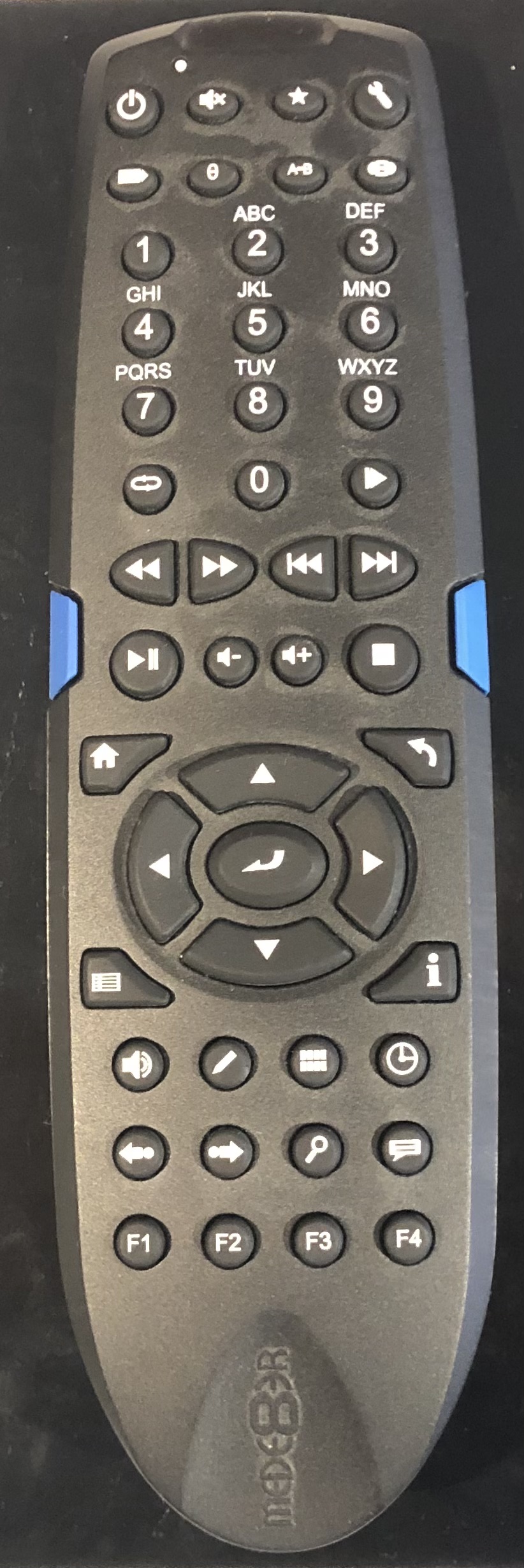
I have a “one-for-all” remote which is far inferior to my old Logitech remote (nobody makes them like that anymore) that I set up to learn from the Mede8er remote.
The remote supplied with the Vero V is very temperamental, seems to suffer from switch bounce and missed presses on certain buttons.
This one would probably be tricky as I don’t think any lirc conf files exist for it and it uses it own proprietary IR signals. The one-for-all remote could be programmed as a MCE remote and should work without much if any tweaking to keymaps. If your logitech remote is still functioning it can still be reprogrammed. Logitech stopped making them but they have kept the programing service working (at least for devices that were in the database before they stopped making remotes). I programed one just a couple weeks ago and had no issues.
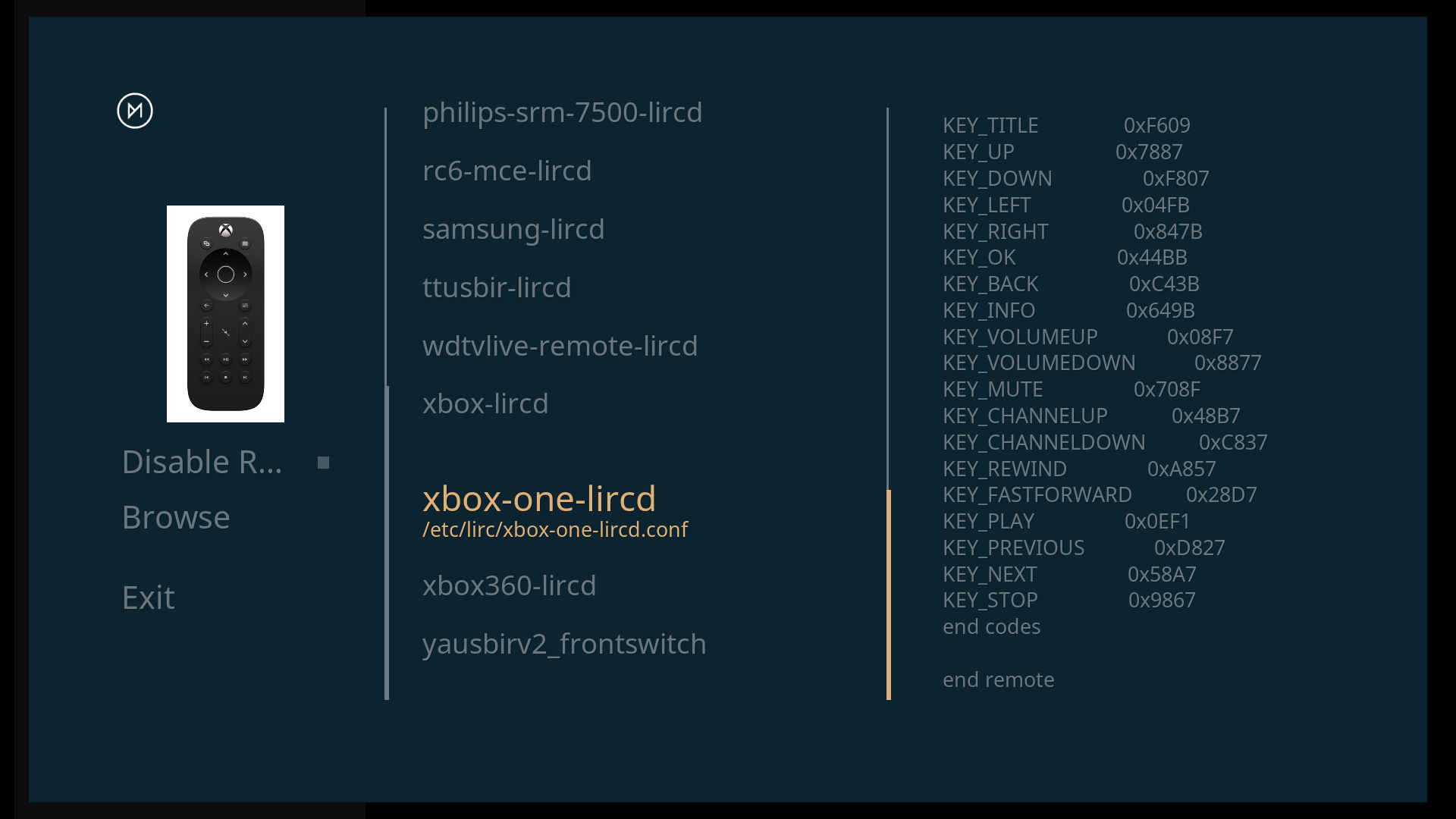
I picked the xbox-one because it was easy to find on the one4all settings and it works!
The play and pause buttons don’t work so I’m trying to tie up the correlation between the keys (which I suppose are self explanatory, presumably the instruction kodi understands) and the figures next to them in order that I can make some changes.
You can find lirc conf files on the interwebs and bring one of those into OSMC to fix the missing play button but I believe that remote never had a dedicated pause nor did it have number buttons which I assume your universal remote does. The much better option would be to program your remote to an xbox 360 profile or Microsoft MCE which should give you a much more complete mapping (ie 360 was more of a full remote and the one a minimal remote).
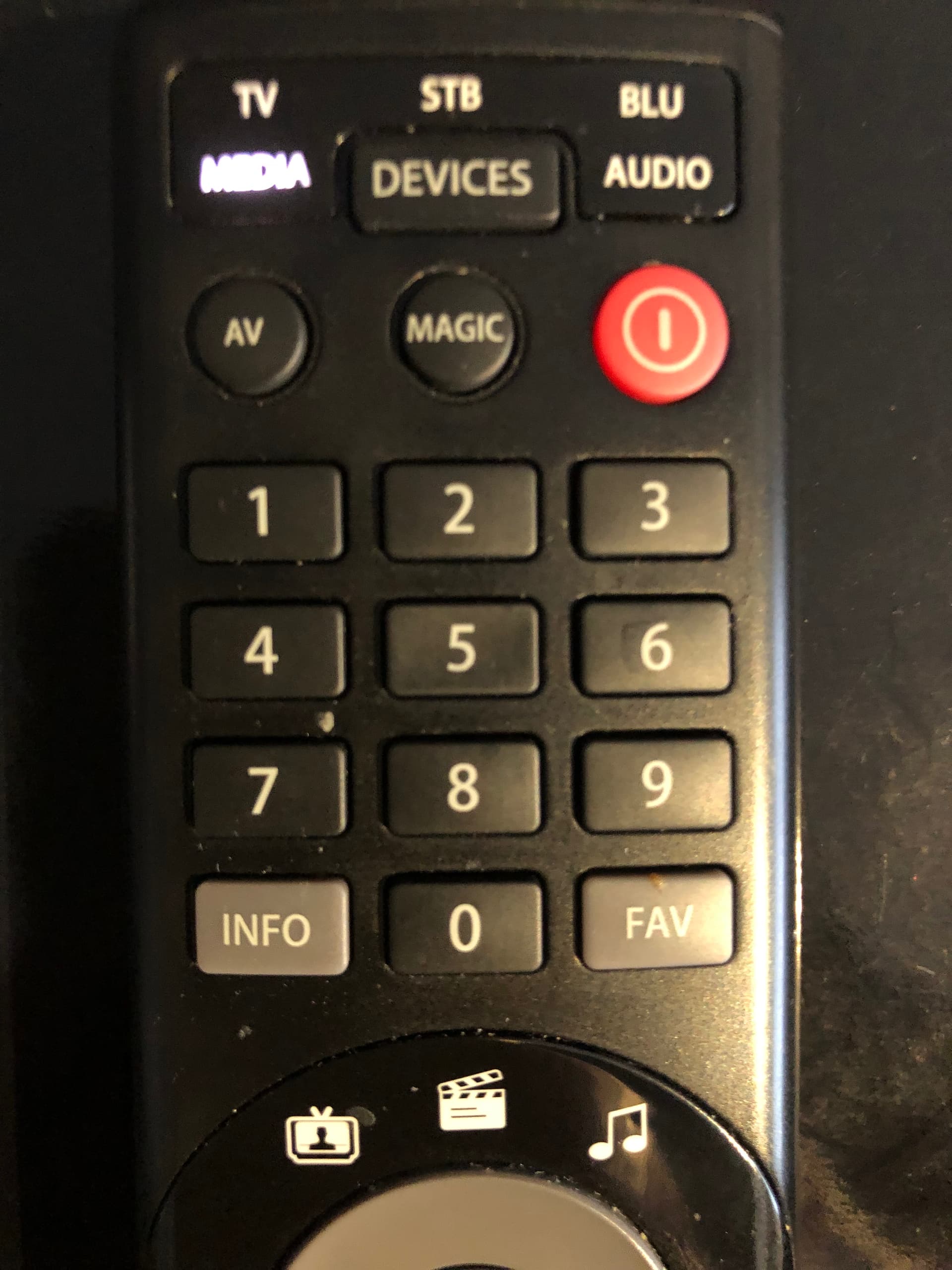
I’ve set it up for the 360 which is better. There seems to be no key for info (movie info), the INFO key (which would be ideal) causes the ‘Media’ light to show, and it is transmitting something, but it seems to do nothing.
Since an actual 360 remote does not have an “info” button your universal remote either
A) Sends nothing for the button
B) Sends an “info” signal to your TV
C) Sends out a different command like “more” which does map to an actual 360 remote but doesn’t have a properly labeled key that matches on the remote.
If your remote is doing A or B then without trying a different device type their is nothing Kodi/OSMC can do as it isn’t receiving a signal at all. If the issue is C then it is either sending something that Kodi can see but doesn’t have a mapping to, or the 360 conf file you have selected doesn’t have a mapping for. If you wanted to proceed with the assumption that it might be C then I’d suggest to try to map that button by installing an add-on called Keymap Editor. If manually mapping it with Keymap editor doesn’t work then you can try setting your remote profile in the My OSMC add-on to the rc6-mce one which has slightly different mappings for a 360 and may have whatever your remote is sending out already mapped.
Flirc dongles are excellent. Used them on various devices over the years, including the Vero. Get a little usb extender cable if needed for better line of sight.
What are you talking about? Everything you have been doing is with IR.
FLIRC USB is a great product and it works just fine with OSMC. As for plugging it in you just use a USB extension cable and you can put the sensor wherever is optimal for you. I like them so much I have them on all five TV’s in my house. That being said, it may be a poor fit for you at a technical level. You seem to have been daunted by (what I thought at least) some relatively easy tasks to get that last button working. If you go to a FLIRC USB then you will have to plug it into your PC, program the thing to your remote after deciding how exactly you want it setup, perhaps still have the same issue with how you have your universal remote programed (ie the first two scenarios I’d mentioned) and maybe even have to manually learn some buttons while you are there. Once you have done that and you plug it into your Vero, if you didn’t make sure that every button that was mapped was something that was already default key-mapped in Kodi to what you wanted it to do, then you will then need to fiddle with, at best, Keymap Editor, or if you needed something it doesn’t offer, manually editing an XML file. The device is fantastic in that it is fairly responsive for IR input and is super flexible in what you can do, but I’m not so confident in how beginner friendly it is.
You mean for programming a universal, I understand what you mean now. The OSMC remote uses RF because it is able to have a much faster response than going through an IR interface. It does come with the downside that it is possible for some people to have issues with RF interference. There is pros and cons to everything.
I’m glad you managed to make it through the programming of the FLIRC. It’s a great bit of kit.
The DOWN and RETURN buttons on the Vero V remote require more of a press and the DOWN button seems prone to switch bounce / poor contact as well. It’s confirmed by the LED.
I never intended to use it anyway so I’m not too bothered about it.
Not for the technical novices perhaps, but One-for-all remotes, however, have a lot of models with an available JP1 port, which you can use the RemoteMaster application to program every button to do any action you want on pretty much any device you have in your AV cabinet. JP1 remote - WikipediaRemote Master Manual - JP1 Remotes Wiki
I programmed it via a JP1 cable, and I can then use one button click to turn on all my AV equipment (Amp, TV, Vero) set them to the appropriate inputs, etc via a macro. While using the Vero, some of the buttons are programmed to change the Amps various audio profiles, other buttons to control things like audio stream and subtitles, etc.
Note, I did build a custom lirc profile to use on the vero in order to program all the functions I wanted to control, as none of the pre-existing profiles seemed to have everything I wanted.
I am using the five device version of the One For All. A reasonable price but not the best.
I have used flirc to copy codes from an unused remote (the old Mede8er) and got the One For All to learn from that remote. Slightly long winded but it works and was set up relatively quickly. I ended up with one button that needs to do two things depending on the context on the Vero so I made a user keyboard.xml to fix it.
The JP1 idea sounds good, if only to back up the remote for when it breaks and I need a new one. A ready made lead doesn’t seem easily available in the uk so if I want to try it I’ll probably have to make one. That’ll no doubt mean buying 1000 pins etc when I only need a few…
I did design and program a remote with micro, transmitter, receiver and a colour display. It had the facility for 64 keys which was more than enough. I programmed it enough to test it, it worked perfectly. When it came to having a custom keypad made the project ended, the price was crazy! That was the end of that idea!