It is a 4K/4K+ remote (I assume), as it came with the unit.
Are we talking about flashing the remote’s or the dongle’s firmware?
Dongle, the remote could care less and just sends the same signals it always did.
But to be sure the buttons aren’t playing up mechanically, do you see a blue light when you press those buttons, and does the light illuminate for the same duration that other button presses do?
Cheers
Sam
Yes, even after the function stops working, pressing those buttons do illuminate the blue light. The light stays on as long as the button is pressed, and it doesn’t seem any brighter or dimmer than the other buttons that still work.
Sorry – has been busy around here.
I checked your logs and it looks like you have one of the earliest 4K remotes we produced 
I’ve sent you a PM with some advice on how to re-flash the dongle. You will need a Windows PC.
After the reflash of the dongle, the problem seems to be gone.
Thank you, Sam.
Great!
Sam,
Can you send me the instructions for re-flashing the dongle?
I found this thread a few days ago when my 4K remote started having exactly the same problem. Back, menu, play, and stop all flash the blue light but the Vero doesn’t respond in any way. Replacing the battery, re-plugging the dongle, and power cycling the Vero have no effect.
No rush, as I do not have a Windows PC myself and will need to find someone else’s to use, but it’ll be nice to make some progress toward being able to use the remote again.
Thanks!
Hi @Opossum7138, just to be sure: You already tried to reconnect means renew the pairing of the OSMC remote?
I had not, but I just tried it after reading your post. It sort of worked, in that the non-working buttons are working again, but it also caused some new problems to appear: the home button now behaves identically to the back button, and long-pressing play (which previously toggled subtitles) now behaves like OK.
I don’t believe I ever changed any remote settings before, but I did find an option to “not use the default keymap”; however, I saw no change whether or not that was checked.
Here it is how it is configured on my VeroV:
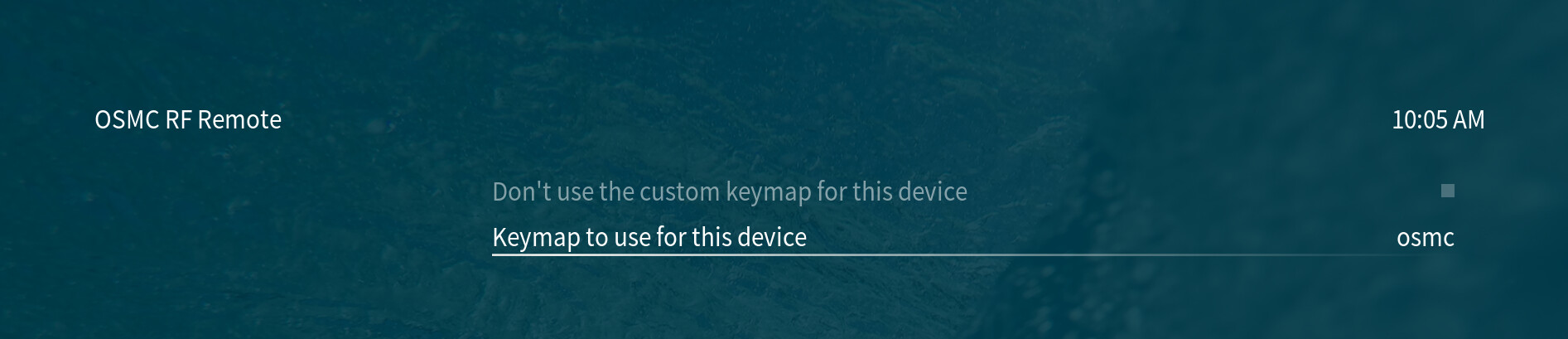
Is there any chance that you own another OSMC remote and exchanged the dongles or handhelds anyhow?
Exactly the same settings on my 4K. The checkbox was checked, now unchecked, no difference, and the keymap is also set to “osmc”.
No chance of a swap. It’s the original remote and dongle that came with the box, brand new battery in the remote as of last week.
@Opossum7138 Can you provide debug logs, so we can identify the type of used OSMC remote dongle?
To get a better understanding of the problem you are experiencing we need more information from you. The best way to get this information is for you to upload logs that demonstrate your problem. You can learn more about how to submit a useful support request here.
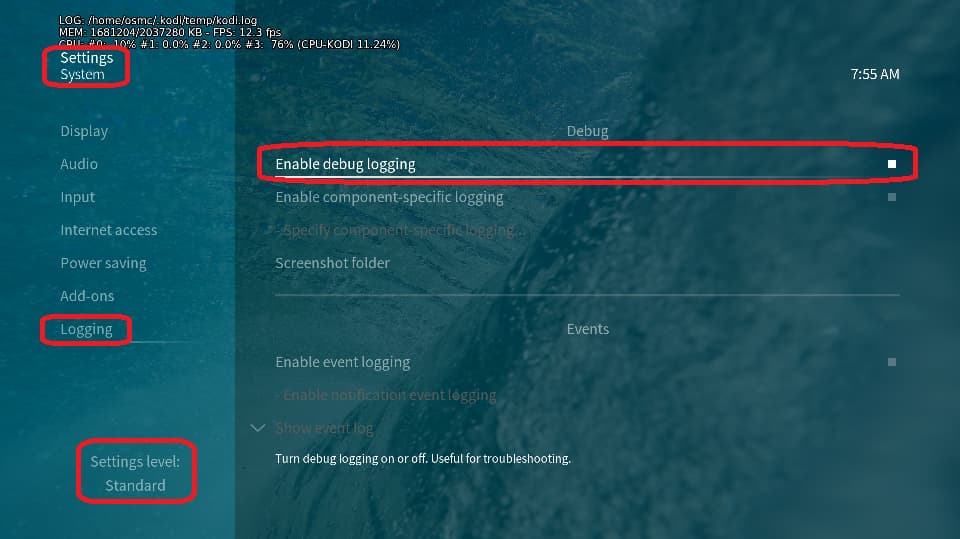
Depending on the used skin you have to set the settings-level to standard or higher, in summary:
-
enable debug logging at settings->system->logging
-
reboot the OSMC device twice(!)
-
reproduce the issue
-
upload the log set (all configs and logs!) either using the
Log Uploadermethod within the My OSMC menu in the GUI or thesshmethod invoking commandgrab-logs -A -
publish the provided URL from the log set upload, here
Thanks for your understanding. We hope that we can help you get up and running again shortly.
OSMC skin screenshot:
Sorry, things got busy through the Thanksgiving holiday, and today was the first day I’ve even had time to turn on the TV.
Logs uploaded here:
https://paste.osmc.tv/kisekojufu
When I turned on the TV today:
- Back did not work at all, on any screen, ever.
- Home sometimes brought me all the way back to the home screen, and sometimes just back a single screen (like Back should do).
- Long pressing Play/Pause during playback brought up the info overlay instead of toggling subtitles like it used to.
- Stop worked consistently, where it didn’t before.
It may be relevant to note that since the last time I did anything with the TV, I had a power outage that lasted several hours, so everything was off.
Before getting logs today, I checked for and applied all available updates. After they installed and the device rebooted, there was no change in behavior from the list above.
After enabling debug logs and rebooting twice, there was a change:
- Back now works maybe 75% of the time.
- Other buttons are still behaving as described above.
In the posted log, I navigated through the settings menus to check back and home, then started a TV episode with subtitles to check long-press play and stop.
Interestingly, the back button on my Samsung TV remote works in the Vero interface 100% of the time.
Also, before today, I had not applied any updates in over a year, since some update broke Jellyfin compatibility and I had to reflash an earlier system image, and didn’t keep track to see when another update came out that fixed things (it seems to working fine after today’s updates) so I’m very sure that the problem didn’t arise as a result of some system update!