Hi,
When my remote stopped responding after installing Aug 25 update via web, I tried using the download tool, using FAT32 formatted devices with the 3 files from a Win 11 desktop.
When I boot the device, I get the following error, from either SD or USB, any clues please?
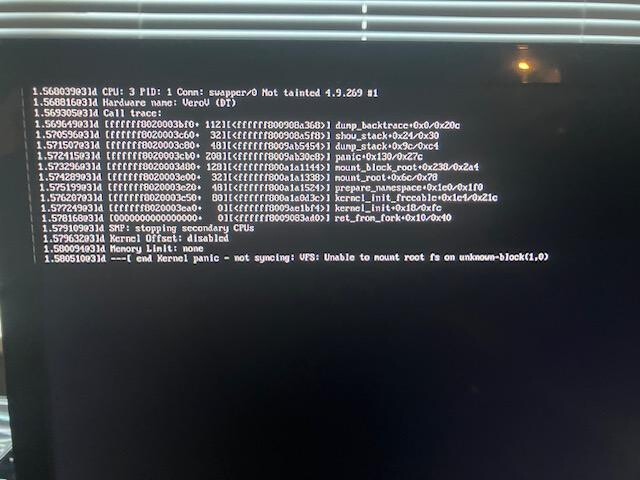
Do you know which version of OSMC your device is running presently?
Can you also confirm which version of OSMc you flashed to your USB/SD?
Sam
Hi Sam - I’m currently on Aug 25, but wanted to re-try a fresh copy of the same in case something glitched when it did the original upgrade.
does the compressed file need “expanding” before copying to USB stick, haven’t tried this yet?
You shouldn’t be copying the image to a USB stick.
Please use the official installer from Download - OSMC and attach an image so we can check you imaged the device correctly
Sam
Yes, that’s what I did, & got the error screen above. The installer process finished correctly, saying it had created the files on the USB device. What image did you need?
See below for screen-shots:
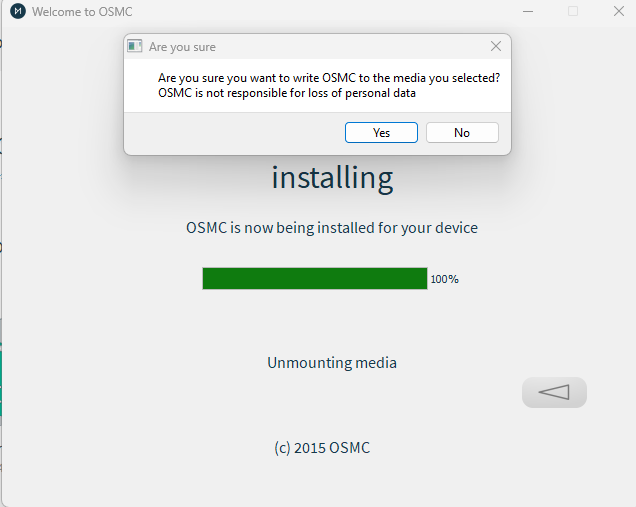
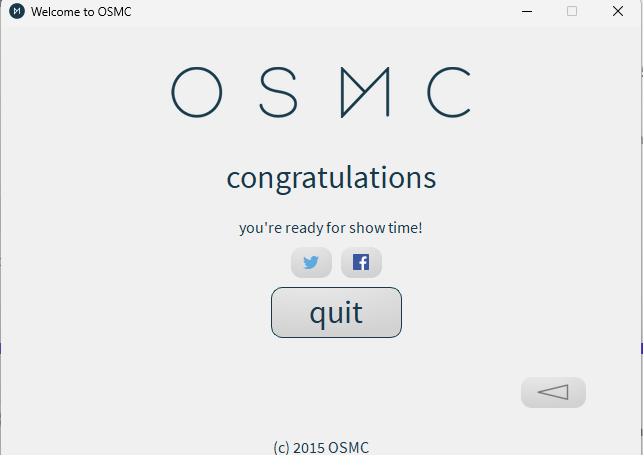
Please show a screenshot of the drive contents
Thanks
Sam

OK, that looks good.
Do you have another USB that you can try?
Alternatively if you have a USB-A cable, there is a different way we can reinstall OSMC.
Hi Sam, I’ve tried several USB sticks, which work fine elsewhere, as well as a couple of different micro SD cards, same error for all.
I do have a USB A-> A cable, but just to check, if I re-install OSMC, will this wipe out all my settings (ie connection to network, shared drive defs,etc)?
Yes a reinstall will remove everything on the device.
If you want to only reset the Kodi settings you can do that from OSMC directly
Hi- Can you advise how I do an install OSMC via a USB cable please?
That was not the intent of the USB A-A Cable the intent of that was to use it as power source instead of the power supply to see if that would boot the Vero
ah, ok, I’ll cross that option off the list then.
Well it is possible but only if your recovery partition is broken which I believe is not the case for you.
Your issue is that the Vero doesn’t boot which at all would normally be a power issue.
It boots ok, I just cannot do an install using USB stick or micro SD.
Short question: Is there any other USB-device connected while you try to re-install from the USB-stick? I remember to have seen failing installations here when a second USB hdd/ssd is still connected.
I hope you tried both USB ports.
No- nothing else connected - only have 1 operation USB port, internal & USB3 are both dead….
Ok, sorry I must have mixed up threads.
In that case @sam_nazarko should be able to detail the alternative reinstall method.
I’m also confused.
@mickb, you say the device boots OK but your screenshot shows a crash
Are you saying that you can boot Vero V normally but only get the originally posted error when you try and boot from reinstallation media?
Sam
ok, just to clarify - I currently have 2 failed USB ports on my unit, otherwise the box seems fine. The thought was to try & a full re-install to see whether this would resolve the issue. Any attempt to do this (either via USB or micro SD) results in the error shown in my 1st post.