In my setup, the Vero V’s CEC forces it to start every time I start my TV, even thou I have set it up not to. Could there be any obvious setting I’m missing regardin CEC?
Can you upload a log so I can check your CEC settings?
Can you also let me know model of TV and if you have an AVR?
Sam
My TV is a LG OLED77CS6LA and my AVR is a soundbar Samsung Q995D.
Thx. Please, can you ssh into the Vero and provide the URL-output of the following command?
paste-log /home/osmc/.kodi/userdata/peripheral_data/cec_CEC_Adapter.xml
Do I ssh using these instructions?
Yes. Sorry, I thought you’re already familiar with that by the previous thread regarding the audio issue.
Could you explain that in a little more detail? Do you mean that the TV automatically switches to the VeroV media interface when it starts up?
Just one small inconsistency: From your previous post we know that you connected the VeroV to a Samsung soundbar, but your configuration shows something different. I have no idea if this has anything to do with your problem.
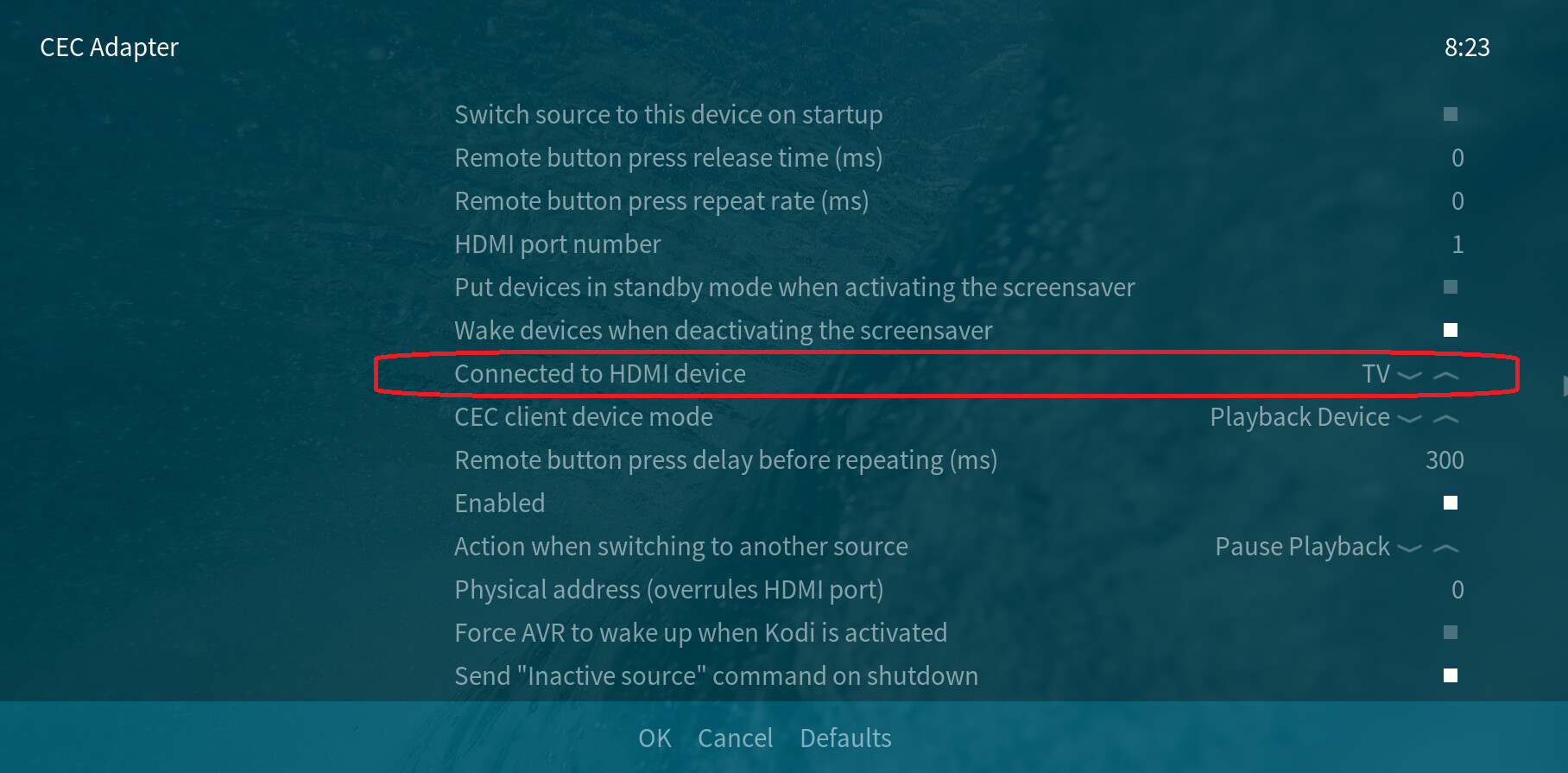
Yea, that came to be when I tried to bypass the soundbar for a audio issue. Setting the option to AVR does not make any difference.
On the problem; when I start my TV, the Vero starts automatically, even if I have set it to not.
Vero V → Soundbar Q995D → LG OLED77CS6LA
That means your TV automatically shows the mediacenter GUI of the VeroV while startup although you switched the TV off when looking another source?
Yes, I think that’s right.
First recommendation when something goes wrong with CEC disconnect all devices (including TV, other players, Soundbar, AV,…) physically from power for a few minutes which will clear up CEC assignment list
1 Like
I do this every now and then when I get issues. This issue does not solve it thou.
I don’t think it’s the Vero which initiates this behaviour while startup of your TV but more some logic of the webOS of the LG.
I did some research in the www and it looks to me that LG has a device HDMi setting named SIMPLINK (HDMI-CEC) → Auto Device Detection which could be responsible for this switching. Can you try to find and disable this feature?
The SIMPLINK is a on/off feature. If I turn it off, I lose all CEC connections.
And there is no Auto Device Detection button visible like on this video clip? Here is another one. Following the advice of the second clip, Quick Start could be also a root cause of such issue.
Well, LG panels aren’t exactly rare. Surely there are users in this forum who own such a TV and can share their experiences with this issue.
Those clips show older versions of the LG firmware. They had changed alot and made it so all models have the same layout. That function does not seem to be available anymore.
Not quite sure what you mean by “…the Vero V’s CEC forces it to start every time I start my TV,”
I assume you mean that when you turn on your TV, the Vero-V, via CEC selects itself as the active input to display on the TV.
Please try these settings which I use with my setup (VeroV > Yamaha AVR > LG TV) :
The 2 screenshots below show all of the CEC settings available on the OSMC skin/gui that I use.
Note also that I use ‘Suspend’ when the TV is switched Off.
Make sure that after you have changed any CEC settings, perform a graceful shutdown of the Vero-V (SSH - sudo shutdown) and remove the power supply completely from your Vero-V, Soundbar and LG TV for 5 mins (unplug/turn off a the wall. Switching off to standby is not sufficient to re-inialise CEC properly).
Then, power up the TV first, then the sound bar and finally the Vero-V.
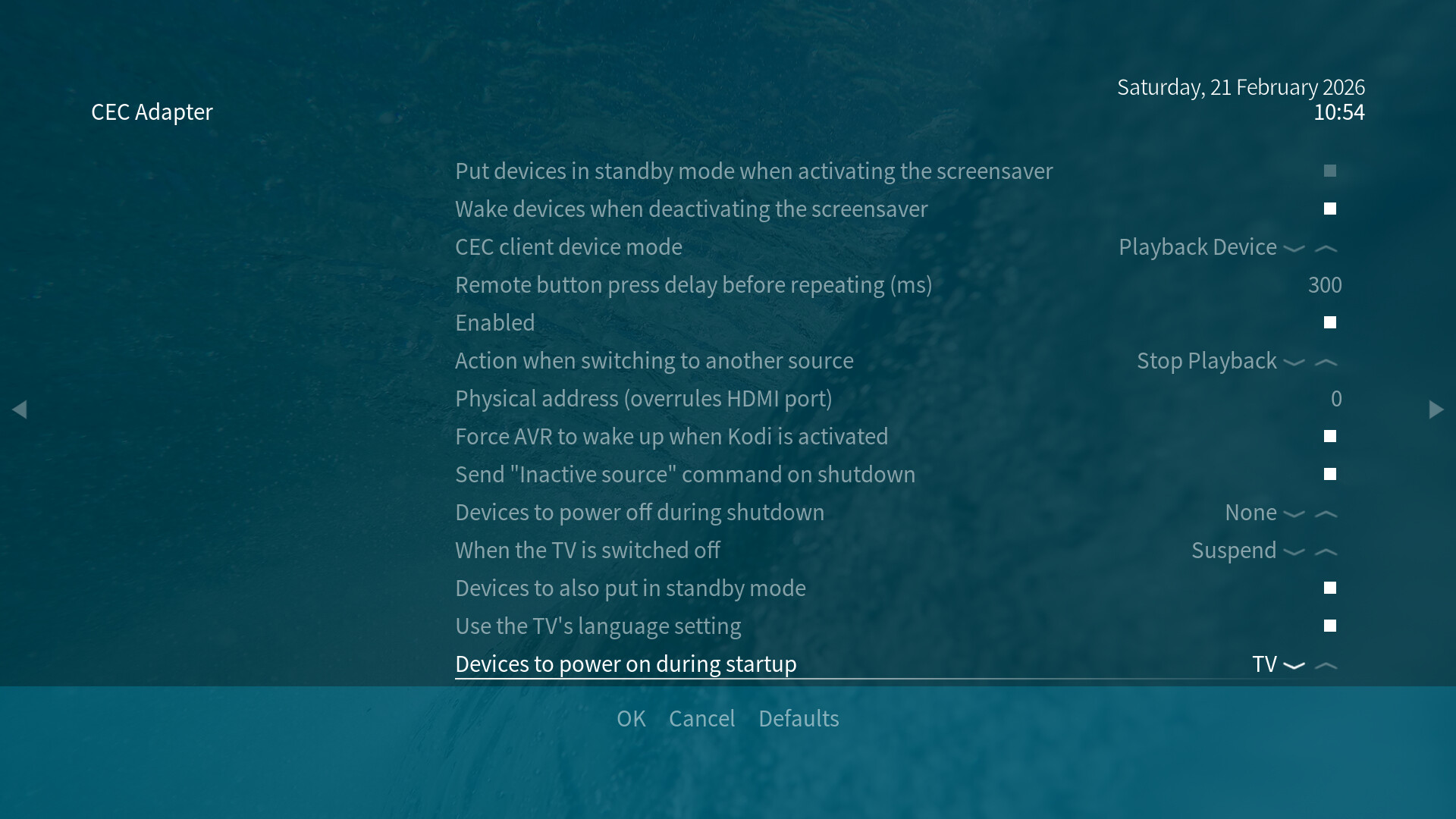
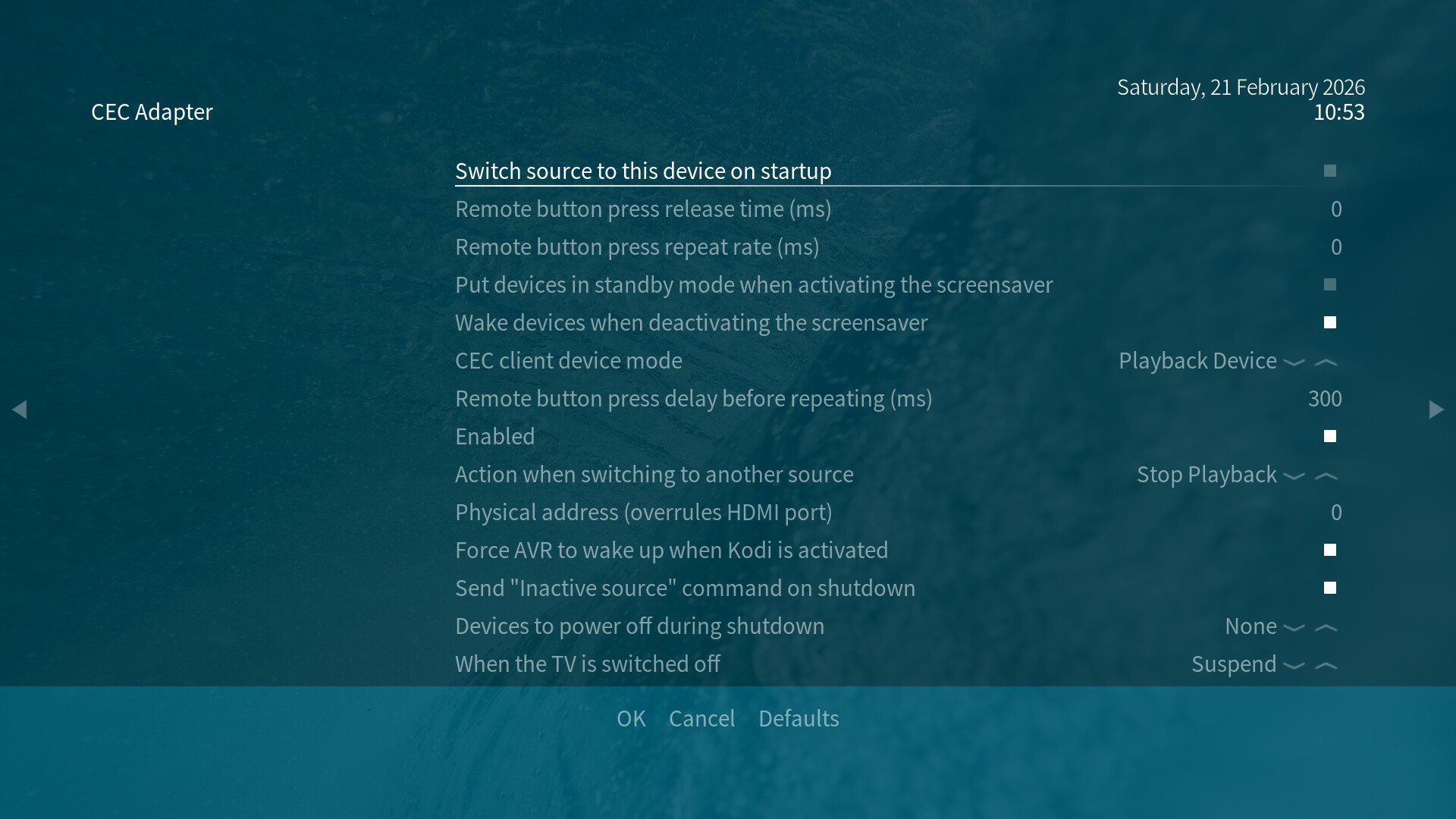
Let us know how you get on.
Nothing in the CEC settings of the Vero V seem to do much of any difference, but I’m thinking maybe this isn’t actually a error as such. The auto detect setting of LG is most likely enabled permanently with CEC, so unless I disable CEC, this is how it works.
If I change HDMI input on the TV before shutting down, the Vero V does not take over. I also have the blunt workaround of a remote controlled power plug for the Vero V so that I can cut power to it after suspending it. A bit blunt, but it is what it is.