Hi there…
I received the Vero V today, and I have to say, it’s a really awesome device.
I have a question about the update:
It’s not working—it starts downloading but then stops. I tried running the update via the menu…
You need to learn what ssh and the cli is. It’s not too hard, can just copy and paste from trusted sources on here as above. Basically use an ssh client, go to osmc ip with it, login using osmc osmc I think then paste above code
Just wait a few days or a week or so and this will probably start working again. There is an issue currently because the version of Debian that OSMC is currently using has gone end of life so the OSMC developers need to make some changes to switch this to a newer version of Debian.
I don’t actually have any insider knowledge and it may take a little longer than that but Sam has indicated that this is a priority for him and is working on it.
Hi, I’m having the same problem… I’ve been trying to update via SSH and it’s not working. According to ChatPG, the developer hasn’t released the updates yet.
Sam I tried the hotfix solution with an update that won’t install and shows errors but for some reason it is still showing errors (unknown package) and still won’t install after applying hotfix.
To get a better understanding of the problem you are experiencing we need more information from you. The best way to get this information is for you to upload logs that demonstrate your problem. You can learn more about how to submit a useful support request here.
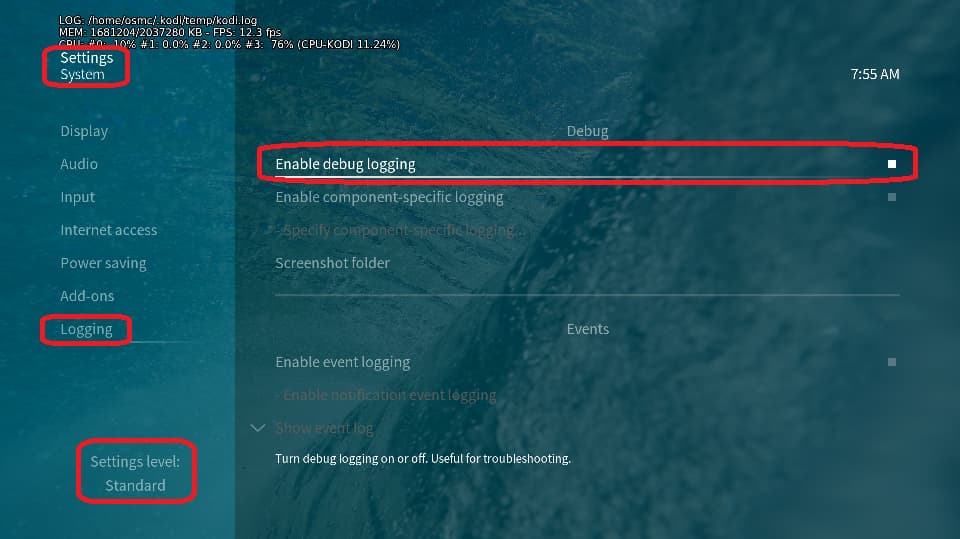
Depending on the used skin you have to set the settings-level to standard or higher, in summary:
enable debug logging at settings->system->logging
reboot the OSMC device twice(!)
reproduce the issue
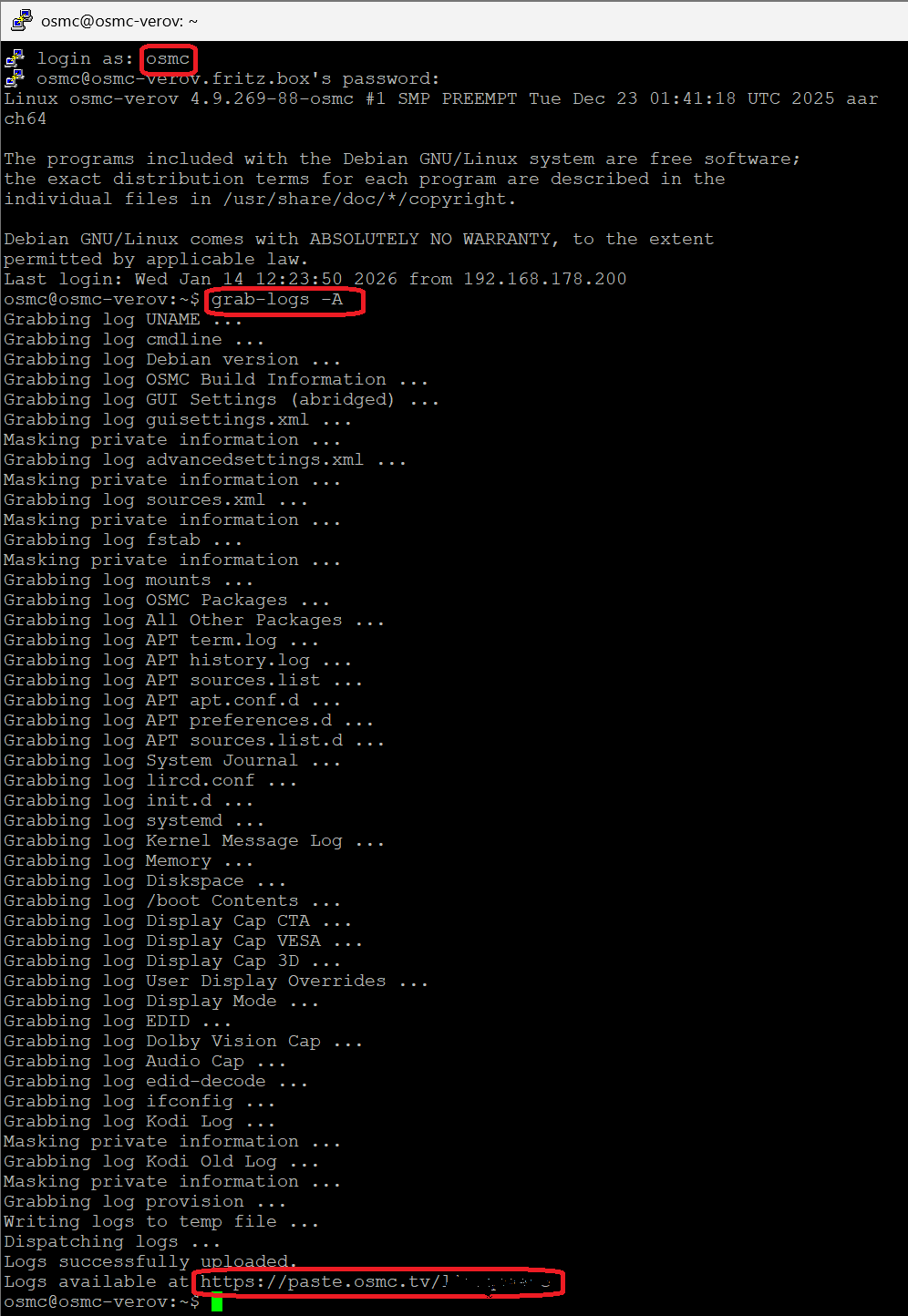
upload the log set (all configs and logs!) either using the Log Uploader method within the My OSMC menu in the GUI or the ssh method invoking command grab-logs -A
publish the provided URL from the log set upload, here
Thanks for your understanding. We hope that we can help you get up and running again shortly.