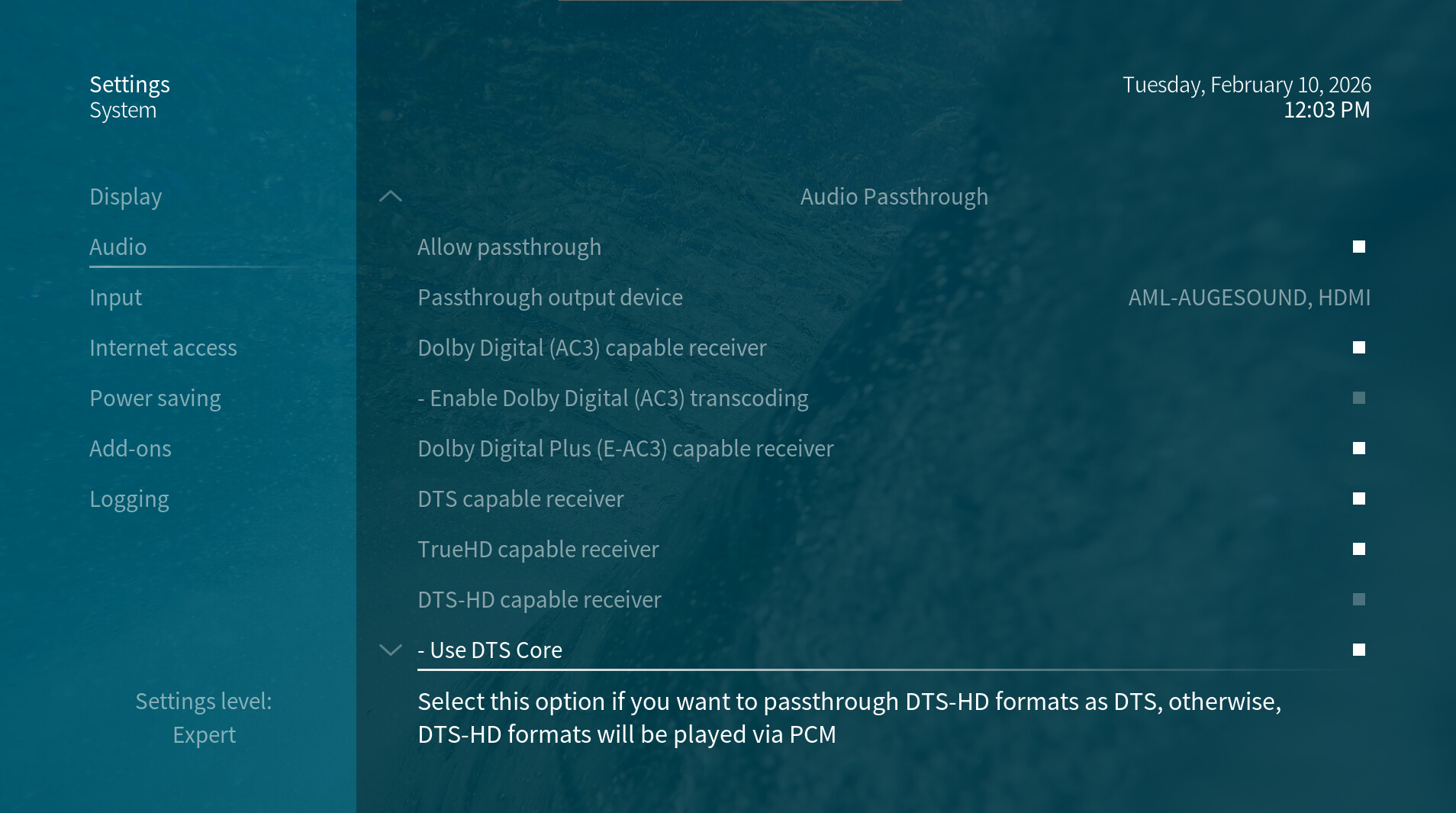
Vero V -SPDIF output only PCM 2.0 on Vero – no passthrough device available

I am using my new Vero V player connected via optical (SPDIF) directly to my older SONY AV receiver (no HDMI support) and experiencing an issue where all audio is output as PCM 2.0, even for content with AC3 or DTS audio tracks. Enabling or disabling audio passthrough makes no difference.

Here is what I have already verified:

The optical cable is connected directly from Vero to the AV receiver (not via TV).

Kodi audio settings are set to Expert level.

Number of channels is set to 2.0 (as recommended for SPDIF).

Passthrough is enabled.

AC3 and DTS capabilities are enabled.

Multiple files with confirmed AC3 and DTS audio tracks were tested.

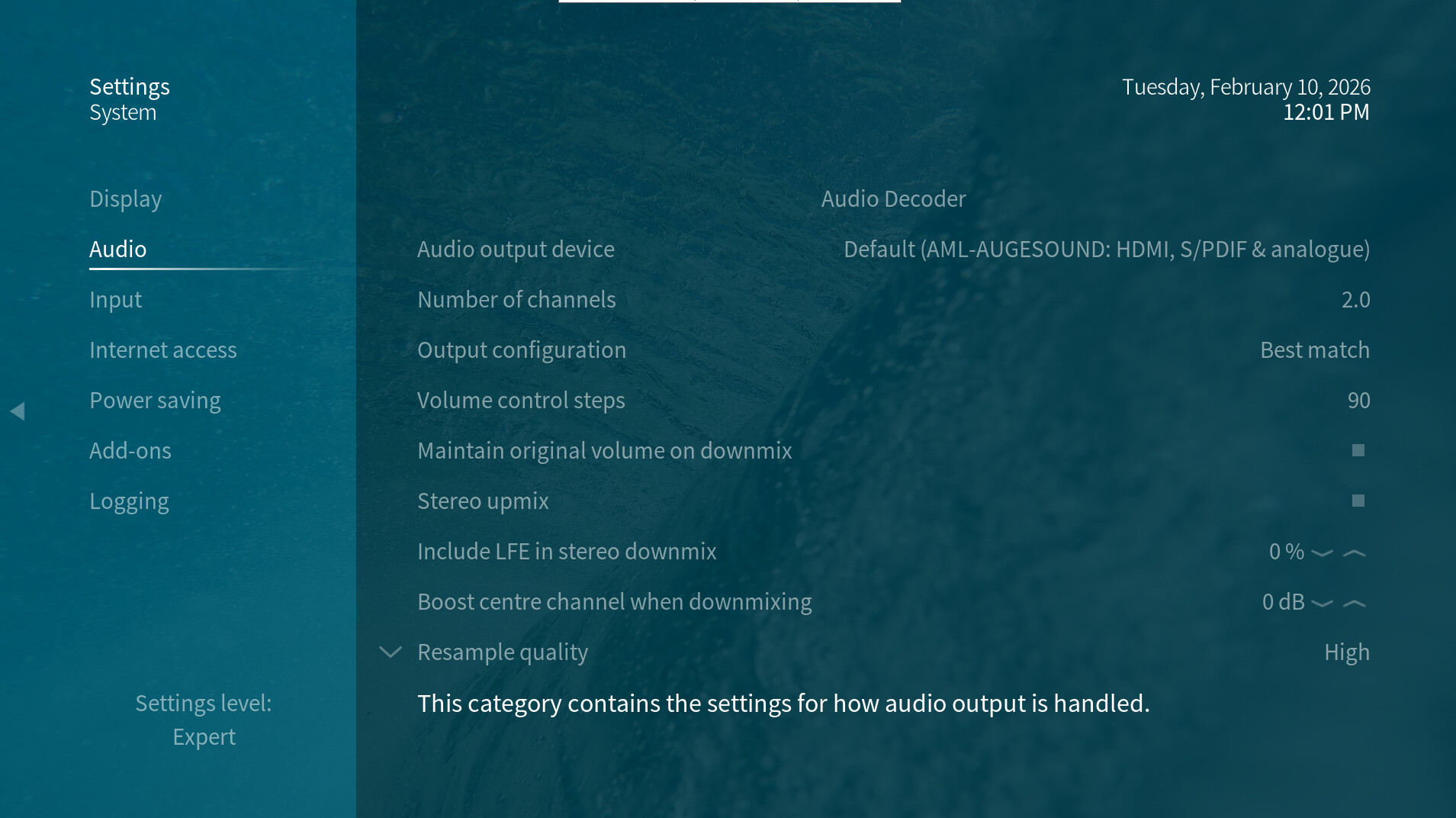
However, in Audio Output Device, I only see:

1 Default (AML-AUGESOUND: HDMI, S/PDIF & analogue)

2 AML-AUGESOUND, HDMI.

There is no dedicated SPDIF / IEC958 output device available to select.

As a result, the AV receiver always reports PCM / Stereo, and never Dolby Digital or DTS, even with passthrough enabled or disabled.

This seems to indicate that, on my system, SPDIF is not exposed as an independent ALSA passthrough device, but only as part of a mixed “Default” output, which forces PCM 2.0.

In addition, once passthrough is enabled on my system, the individual audio decoding / passthrough options become locked and cannot be selectively enabled for AC3 and DTS or disabled for other unsupported audio format (EAC3, DTS-HD, Ture-HD).

I understand that SPDIF has limitations, but AC3/DTS passthrough should still be possible if the device is properly exposed to Kodi. By using the same optical (SPDIF) connection and the same AV receiver, AC3 and DTS passthrough works correctly when using Kodi on another Android TV box.

Look forward to having advise and solutions on it, thank you!
Hi,

I own a SONY STR-DN1080 and I connected for this thread an optical cable between VeroV and AVR, input channel VIDEO1 and assigned the optical input on the AVR.
This combination perfectly plays back the audio formats AC3, E-AC3 and DTS via the optical cable.

Here are my settings and it let fallback to DTS (playing just the DTS core) and E-AC3/AC3 (if such tracks exists in the file as they are on the original BD media) playing back any video material even using TrueHD or DTS-HD audio tracks.

Thanks for your reply! I tried the same configuration exactly as you mentioned, but still encounter the same problem. My AVR is a Sony HT-K215, which fully supports Dolby Digital (AC3) and DTS over optical SPDIF, but not E-AC3 or HD formats.

The same AVR works correctly with another Kodi-based device, where E-AC3 is transcoded to AC3 and DTS-HD falls back to DTS Core over SPDIF. Therefore, the AVR’s decoding capability is confirmed and not the limiting factor here.

I am currently verifying whether Vero V can perform the same AC3/DTS fallback or transcoding behavior over SPDIF.

It does with channels set to 2.0, passthrough enabled, and AC3 and AC3 transcoding enabled. You can find further information about audio configuration in the following wiki…

Thanks for the clarification.

I can confirm that I have read the Wiki you linked and re-tested my setup strictly according to those instructions (channels set to 2.0, DTS enabled, AC3 enabled and AC3 transcoding enabled, with other audio formats disabled).

Unfortunately, in my setup the output over SPDIF still remains PCM 2.0 and does not fall back to AC3 or DTS as expected.

I really appreciate you taking the time to explain the configuration.

Please upload logs and post the url in this thread.

1 Like

I downloaded the corresponding manual. The Sony HT-K215 has two optical inputs: One labeled DVD for connecting a DVD player and one AUX for connecting a CD player. If you only tested the VeroV on the AUX input: Is this input capable of anything other than the PCM 2.0 format? Have you also tried the DVD optical port?

1 Like

In case instructions for the debug logs are required:

To get a better understanding of the problem you are experiencing we need more information from you. The best way to get this information is for you to upload logs that demonstrate your problem. You can learn more about how to submit a useful support request here.

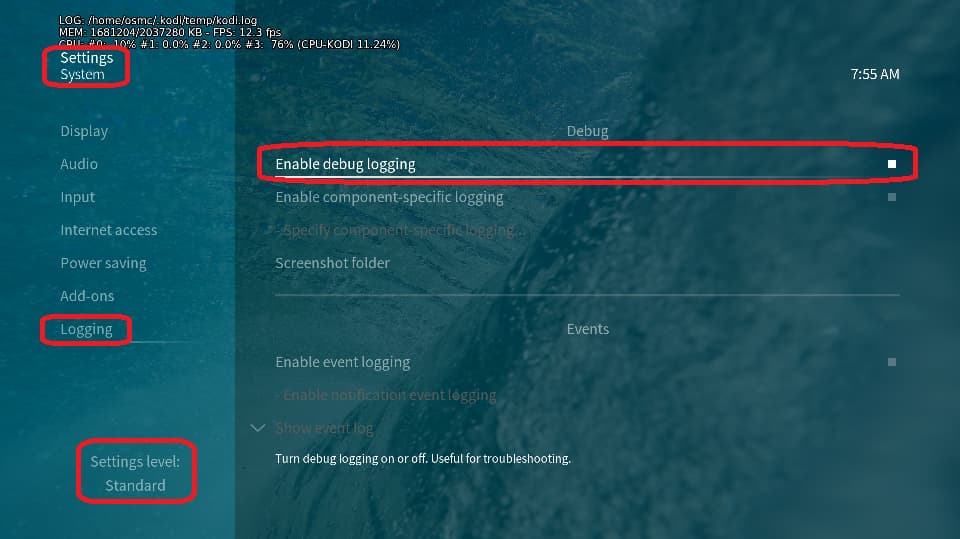
Depending on the used skin you have to set the settings-level to standard or higher, in summary:

  • enable debug logging at settings->system->logging

  • reboot the OSMC device twice(!)

  • reproduce the issue

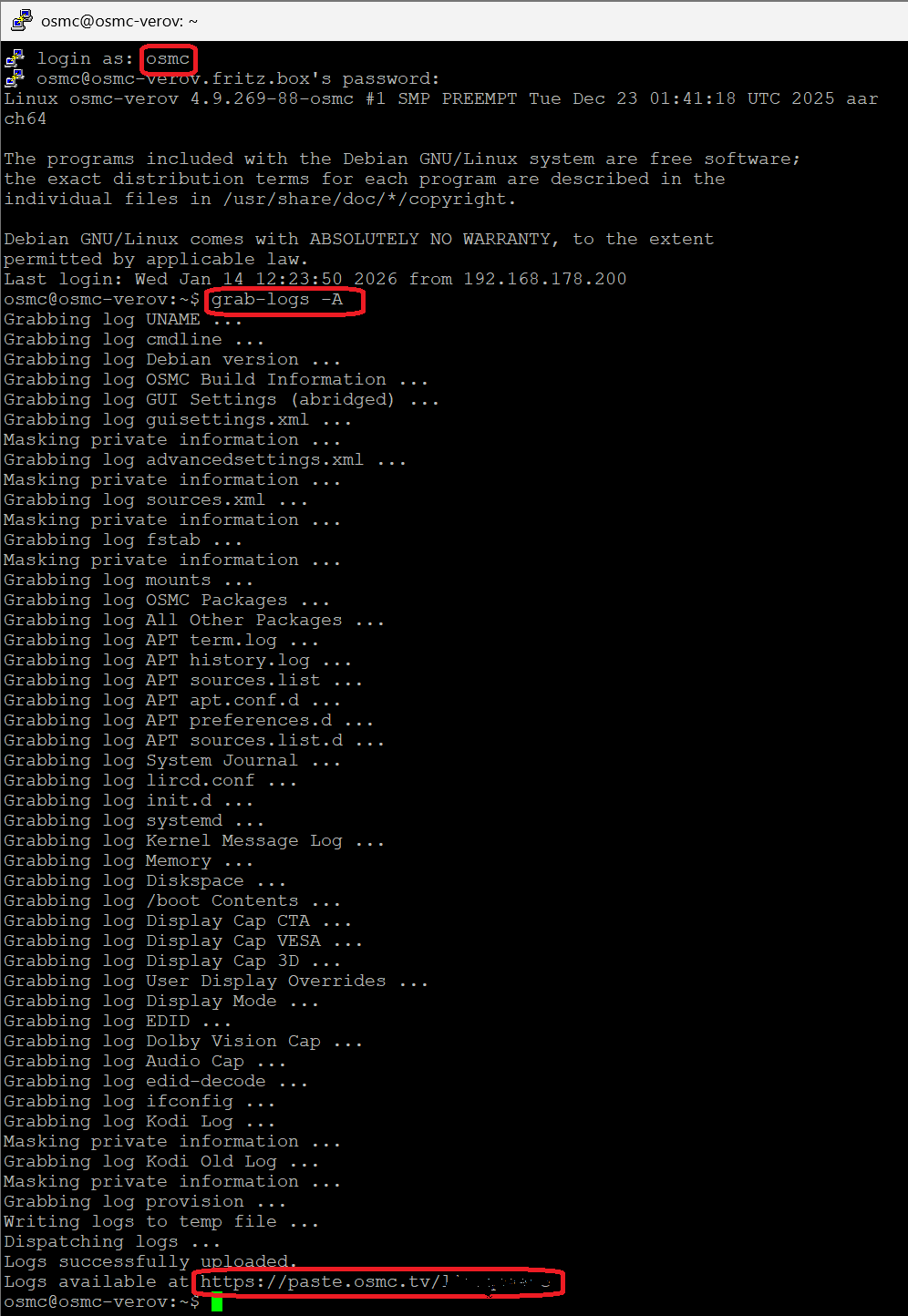
  • upload the log set (all configs and logs!) either using the Log Uploader method within the My OSMC menu in the GUI or the ssh method invoking command grab-logs -A

  • publish the provided URL from the log set upload, here

Thanks for your understanding. We hope that we can help you get up and running again shortly.

OSMC skin screenshot:

Thanks for your advise! Actually, I have reproduced the issue and uploaded the Kodi log for analysis.

Log URL:

https://paste.osmc.tv/ifepotonog

Something went wrong with the upload. Can you try again rebooting twice before you start the process over again to minimize the chance the upload failed for a size reason. Also we need more than your Kodi log. If you could just upload a full log set that would be great.

Hi, as suggested, I rebooted the device twice and then reproduced the issue again from a clean start.

After reproducing the problem (SPDIF output remaining PCM 2.0 instead of AC3/DTS), I immediately uploaded a new full log set.

Log URL:

https://paste.osmc.tv/mahuzuwiza�

Please let me know if you need any additional information or further testing from my side.

Thank you for your kind assistance.

Thanks for your time to find out the user manual of my AVR, I also read the original paper-base manual and got the same infoemation, but unfortunately the problem remains on either fiber optic outlet, so it might not be the case. I just re-uploaded the log and hopefully you could find some clues from it.

When you open either of those urls on your browser, do you see a set of logs? I’m only seeing a single line about the logs being created. Do you have all the various logs unchecked in My OSMC so it isn’t including them? If you know how to ssh you can also from the terminal run…
grab-logs -A
which should upload a full log set and return a url for it.

Hi, I attempted to follow your suggestion to generate a full log set via SSH using grab-logs -A. However, I discovered that the device currently has no IP address assigned.

Earlier, the network status showed:

Status: eth0 (configuring)

After reboot and re-plug of LAN cable, it has now changed to:

Status: Disabled

When attempting to enable the adapter in My OSMC → Network, an error popup appears in the top right corner of the screen stating:

“Unhandled Exception caught – See log for details.”

I have performed the following troubleshooting steps:

Rebooted the Vero (full power cycle)

Rebooted the router

Replaced the Ethernet cable

Confirmed other devices on the same network are functioning normally

Despite this, the network adapter remains in a Disabled state and does not obtain an IP address, same problem happens on WiFi option, too.

Additionally, when attempting to upload logs via the OSMC Log Uploader, I now receive:

“Could not retrieve URL”

So at this stage I am unable to generate a usable log link.

I will try to obtain an SD card tomorrow in order to copy the full log set locally and provide it manually.

Please let me know if there are any additional steps you would recommend in the meantime.

Thank you.

Or shall I try resetting the system and configure it again from the start? if you think it worth trying, please kindly let me know how to proceed as I did not find the reset button on Vero V. Thanks!

This sounds like the internal connman configuration got corrupted. Easiest way could be to reinstall the device, see this Reinstalling OSMC article. Using an SD card for this always worked in my setups. Remove any mass storage device you have connected to the USB ports while this reinstall process.

Hi, following your advice, I performed a full reinstall of OSMC using a freshly prepared SD card and completed a clean installation on the Vero V.

After the reinstall, the network issue has been resolved and Ethernet is now connected correctly with an assigned IP address.

However, the original SPDIF audio issue still persists even on this clean installation.

For clarity, my current audio configuration is as follows:

Channels set to 2.0

Passthrough disabled

AC3 capable receiver enabled

DTS capable receiver enabled

AC3 transcoding enabled

With these settings, the audio issue can still be reproduced consistently over SPDIF, I also tried enabling passthrough, but it didn’t help.

I have generated a new full log after reproducing the problem:

https://paste.osmc.tv/haqayoyobi

This log was created on the fresh installation after the issue occurred.

Please let me know if you would like me to test any specific configuration or provide additional logs.

Thank you for your continued support!

If this isn’t a typo, it would be your issue. I couldn’t see if this was a typo as your log link has the same issue as your previous attempts. Please note that you can go to the url yourself before posting the link and verify that the logs are actually there.

@jameszh007 Hi, you’ve uploaded again data which is simply a one line text (click yourself on the link you’ve posted). I assume you’re using the `My OSMC - Log Uploader’ menu to do that … but obviously there is an important flag disabled in the menu. I expanded the instructions above with an appropriate picture. Please, carefully read again and retry to to upload logs.

https://paste.osmc.tv/uzurovedul