I recently acquired and set-up the new Vero V.
My Vero is connected to my old tv via HDMI. When I switch off my TV with the power button and switch it on a couple of minutes later Vero wakes up and is available.
But when a wait for a longer time, Vero doesn’t wake up. I switch off my TV with the power button. When I return from work the next day and switch on my TV Vero doesn’t wake up. Playing with the Vero remote does not solve my problem. To resolve this, I must unplug and plug in the power to the Vero again.
Question: can anybody tell me how to solve this wake-up problem?
Hi you two!
Just to be sure: You haven’t configured the VeroV system to automatically shut down after a set period of time, have you?
Check the GUI under Settings → System → Power Saving.
If not: Are you able to reproduce this phenomenon every day, or does it only occur every now and then?
At least we can collect some debug information; perhaps, we find something which explains the behaviour:
To get a better understanding of the problem you are experiencing we need more information from you. The best way to get this information is for you to upload logs that demonstrate your problem. You can learn more about how to submit a useful support request here.
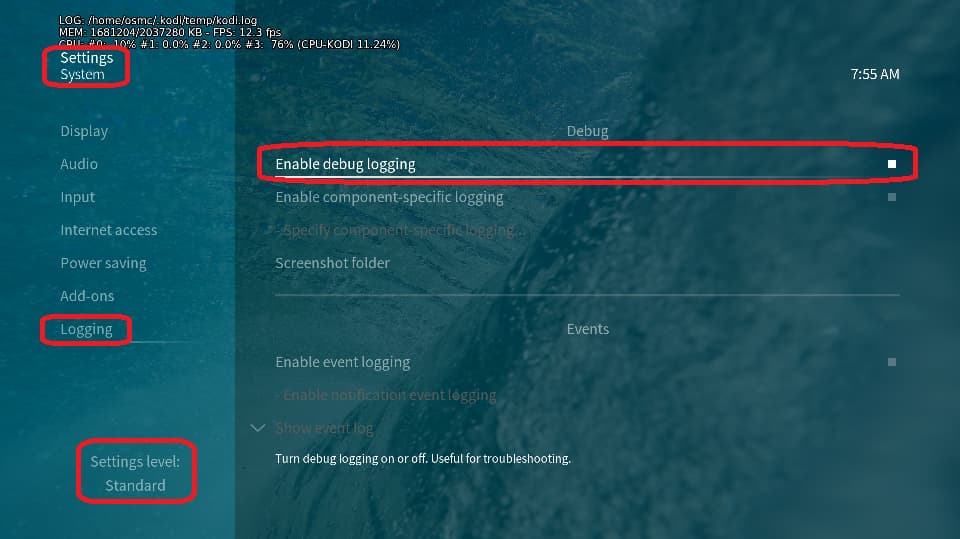
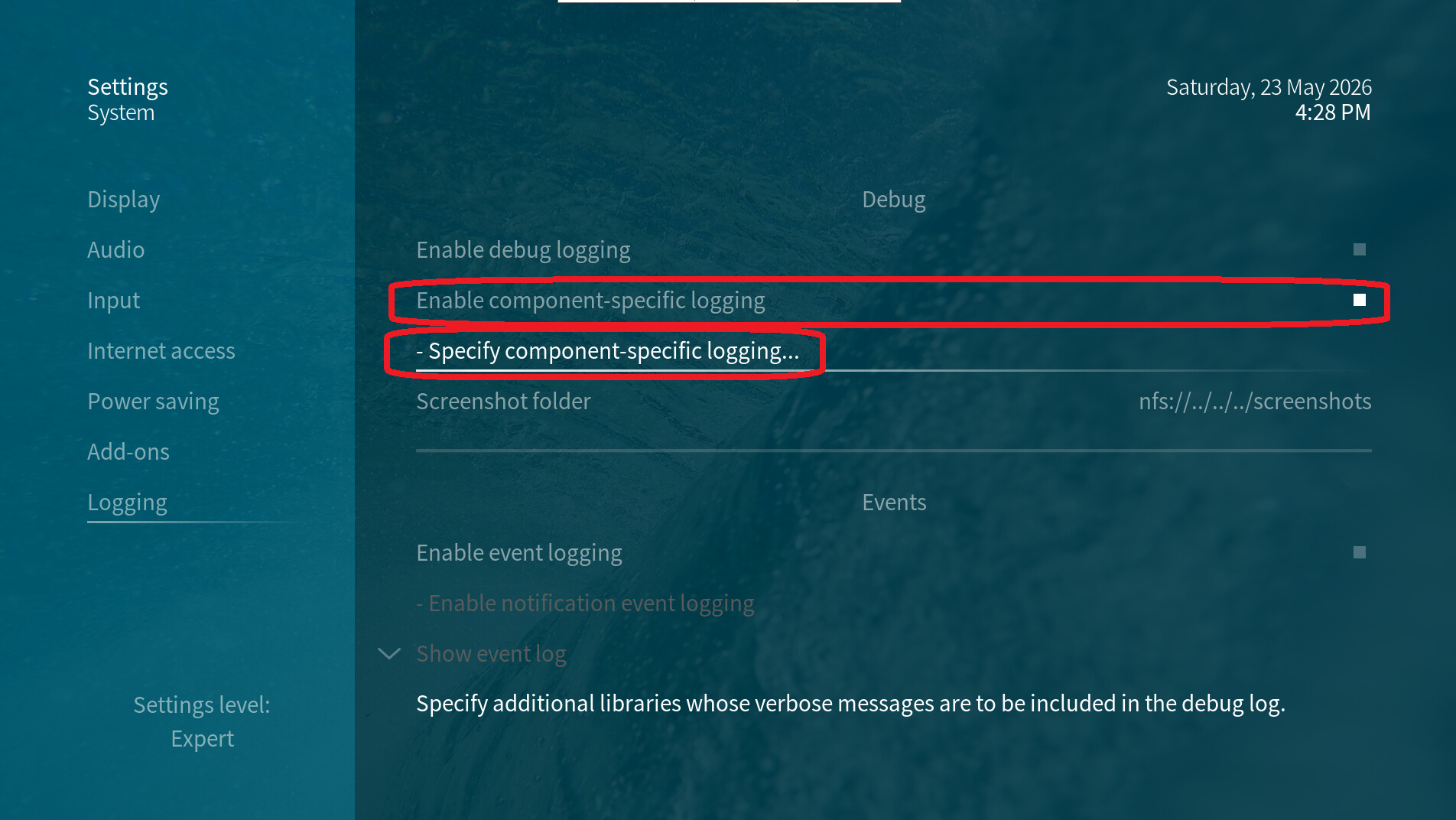
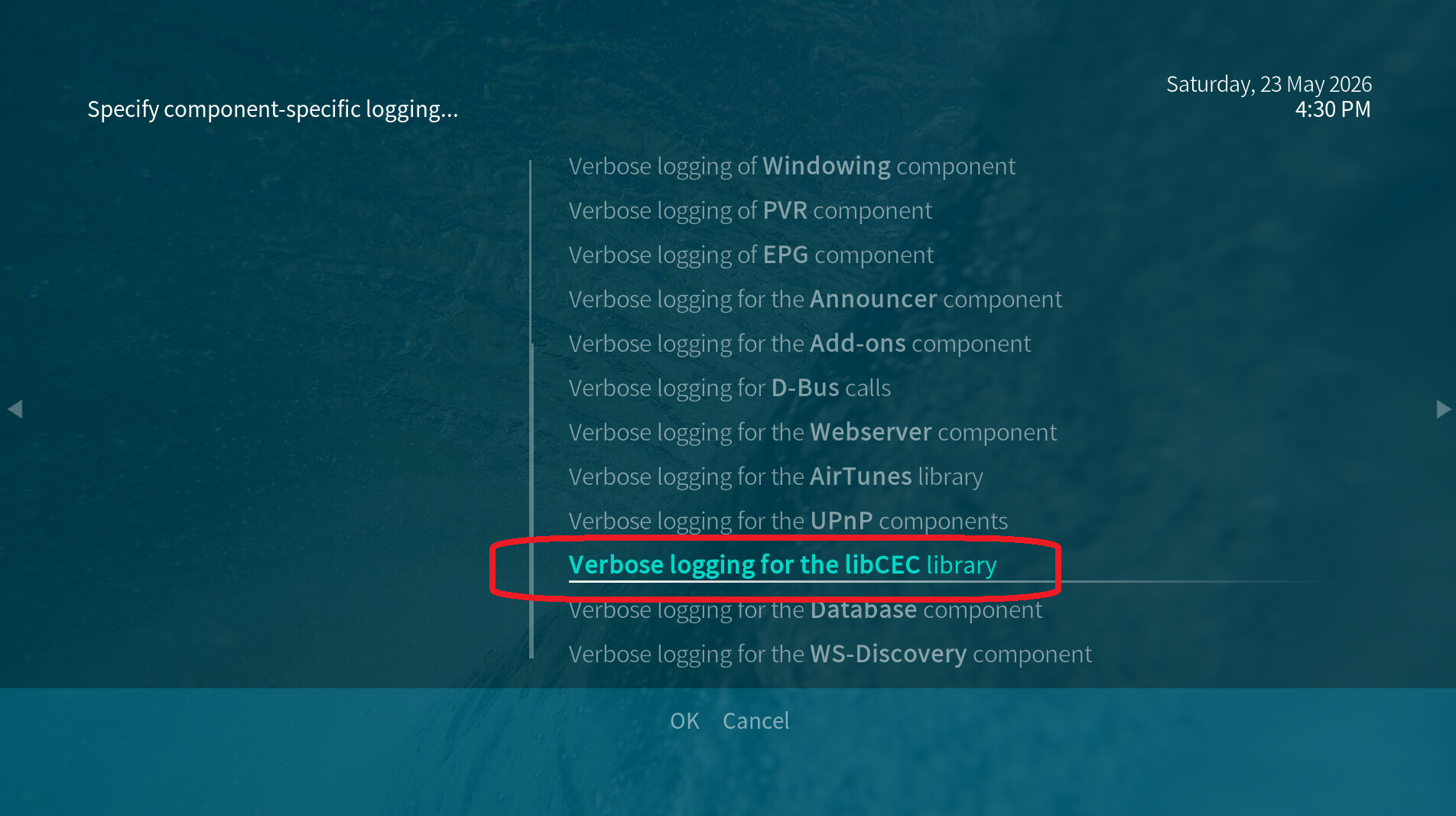
Depending on the used skin you have to set the settings-level to standard or higher, in summary:
-
enable debug logging at settings->system->logging
-
enable component-specific logging especially the libCEC library
-
reboot the OSMC device twice(!)
-
reproduce the issue (so let it run over night and power off/power on the VeroV in case you cannot access the device even using ssh the next day)
-
a note would be helpful regarding when you last used the Vero (time+date) and it was still responsive
-
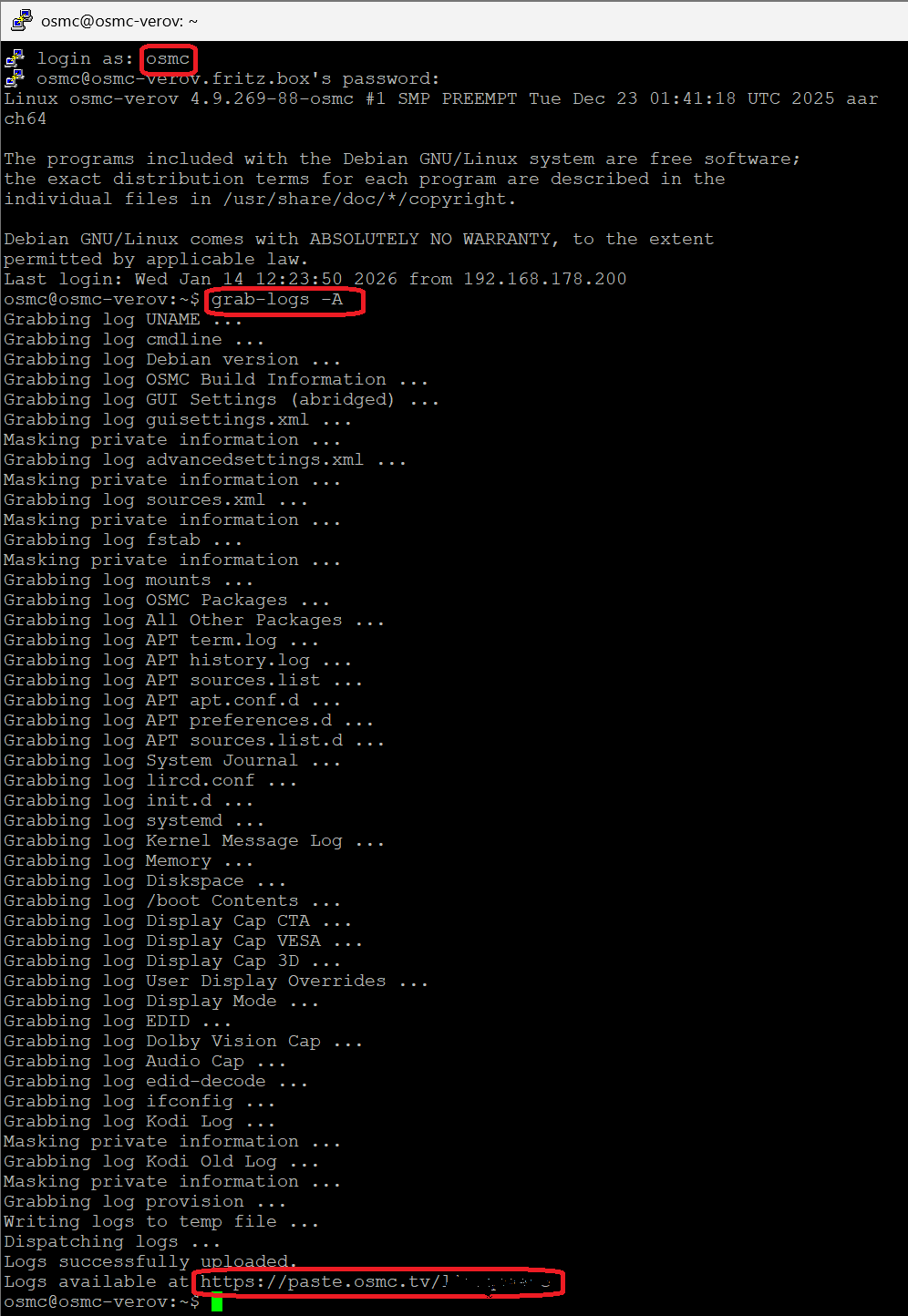
upload the log set (all configs and logs!) either using the Log Uploader method within the My OSMC menu in the GUI or the ssh method invoking command grab-logs -A
-
publish the provided URL from the log set upload, here
-
ssh into the VeroV (default login osmc, password osmc) an run the command
paste-log /home/osmc/.kodi/userdata/peripheral_data/cec_CEC_Adapter.xml
-
also publish the returned URL here
OSMC skin screenshots:
In case the box crashed or died somehow, we should be able to look at the last activities of the mediacenter in the previous kodi log to get a first idea.
Hello Jim,
VeroV system is not configured to automatically shut down after a set period of time
Settings > System > Power Saving > all settings are "Off
Sofar the problem occurs every day, with one exception.
The exception:
1 - When I switched my television the screen was on.
2 - Vero was indication 08:00 while it was around 19:30
3 - After a couple of minutes Vero come back to live again
I will try to provide you with logs asap.
As an aside:
1 - Vero freezes on a regular basis
2 - During music playback Vero crashes on a regular basis
3 - During music playback Vero finds itself in a loop (music stutters in a continuous mini loop)
Kind regards,
Ronald
Yes, thx.
For the second issue (hang/crashes/audio in mini loop): In case you use Wifi, you should continue that in this thread Vero V hangs playing UHD rips.
Hello, Jim
Apologies for the delay.
I did the following:
25 May: I switched on logging according to your instructions
25 May: I rebooted Vero twice
25 May: Switch on Vero and TV
25 May: Switch off TV 25 May around 10:59
31 May: Switch on TV 31 May around 16.35
31 May: TV displays no signal
31 May: Pushing buttons on Vero remote has no effect
31 May: SSH times out
Here are the log-files
log set: https://paste.osmc.tv/imavanusod
cec_CEC_Adapter.xml: https://paste.osmc.tv/iboteciyew
As a short addition:
After writing my response I looked at my TV.
Vero is hanging again (in the log uploader window).
This time the screen shows an image.
The screen displays CPUs frozen at 1.9%, 35% 0.0%, 13% (CPU-KODI 41.87%) (no fluctuations)
I hope this helps
Kind regards,
Ronald
Thx. I could spend some time in these data. The most interesting fact is that you connected the Vero with both the wired eth0 interface AND the wlan0 interface to an AVM device (a Fritz!Box?) the same time. Actual we know from a wifi issue which seem to occur at some user’s environment with very similiar symptoms (hang/crash with an audio loop), see Vero V crashes during playback - WIFI connected.
Is it possible that you deactivate the wireless interface at GUI -> settings -> My OSMC -> Network -> Wireless?
Hello Jim,
As requested I deactivated the wireless interface at GUI (-> settings -> My OSMC -> Network -> Wireless). I have been using the Vero V for the last couple of days with that setting. Switching off my TV at night. And the next day I find my Vero available. I will continue to do this for the next couple of days. So far, it looks promising.
Thanks,
Ronald
1 Like
Thx. Let us know how things develop for you. Just to be sure: After disabling the wifi interface in my osmc the vero should have been rebooted to end the RTW processes/threads.
Hello Jim,
I have been using my new Vero V without any problems for the last couple of days.
So for me the solution was (as pointed out by Jim): deactivate the wireless interface at GUI -> settings -> My OSMC -> Network -> Wireless. After disabling the wifi interface in my osmc the vero should be rebooted to end the RTW processes/threads.
I think that maybe it is an idea to change the Vero plug-in in such a way that one can never have wired and wireless enabled at the same time? I am writing this because unplugging my old Vero 4k+ in this frozen state corrupted it in the end. And I had to re-install OSMC again.
Anyway: I consider my wake-up problem resolved.
Thanks.
Kind regards,
Ronald
Hi Ronald,
We’ve hopefully a solution for wireless crashes now.
I’d be interested in your feedback
Sam
Hello Sam,
I ’m slightly confused.
On June 8 I stated that I considered my problem resolved by making certain wired and wireless are not active simultaneous.
On June 9 you ask me for my feedback.
Am I missing something?
Ronald
Most likely Sam by mistake thought you were impacted by a Wifi issue he was working on.
Guess can ignore.
There was method to the madness.
We’ve had some WiFi related freezes, and I believe they may have caused your device to lock up. They will be solved in the next update
I’d be surprised if this was the case. Do you have a photo of the error / issue at hand?